Chapter 1: Overview
Console Reset and Automation
30/ 526 2.0 Eclipse User Guide
Console Reset and Automation
One of the major benefits of the Eclipse is the ability to save
and load all the settings required for a particular show or
application.
Files and Pages
Console settings are stored and recalled from a “File” on the
Nova control computer; each File may contain one or more
“Pages”.
Each Page is a snapshot of all the settings for the entire
console at a particular moment in time. This includes the
current status of your mix, input and output patching, etc.
By creating multiple Pages, you can play out a sequence of
different setups during the live show. For example, to recall a
new mix at the beginning of each song.
Each File can contain up to 1000 Pages plus lower level user
settings not stored in a Page. These include the PCB (Personal
Console Builder) configuration, General Preferences, DioCore
Configuration, etc.
Automation
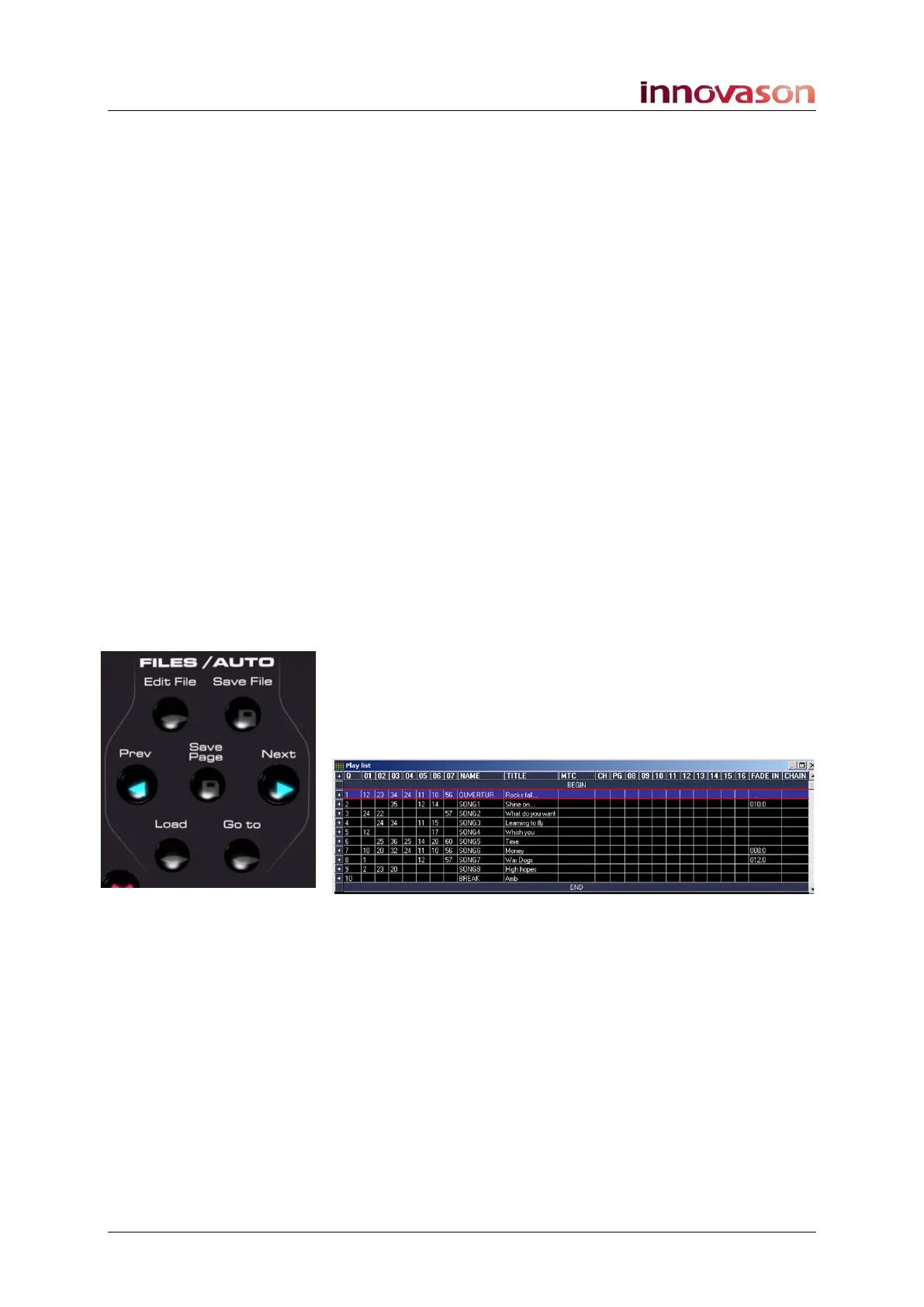
The Next and Prev (previous) buttons on the FILES/AUTO
panel step through the Pages within the current File.
The Play List window can be used to manage the Page order
and set crossfade times. In addition, you can set Page changes
to respond to Midi timecode or Midi Program changes:



 To Next Page