Chapter 10: M.A.R.S.
Project Management in M.A.R.S.
482/ 526 2.0 Eclipse User Guide
Project Management in M.A.R.S.
This section describes how to manage Projects within M.A.R.S.
Note that only the most common functions are described. For more
details on the MT128 recording system, please refer to the
documentation at
http://www.vb-audio.com
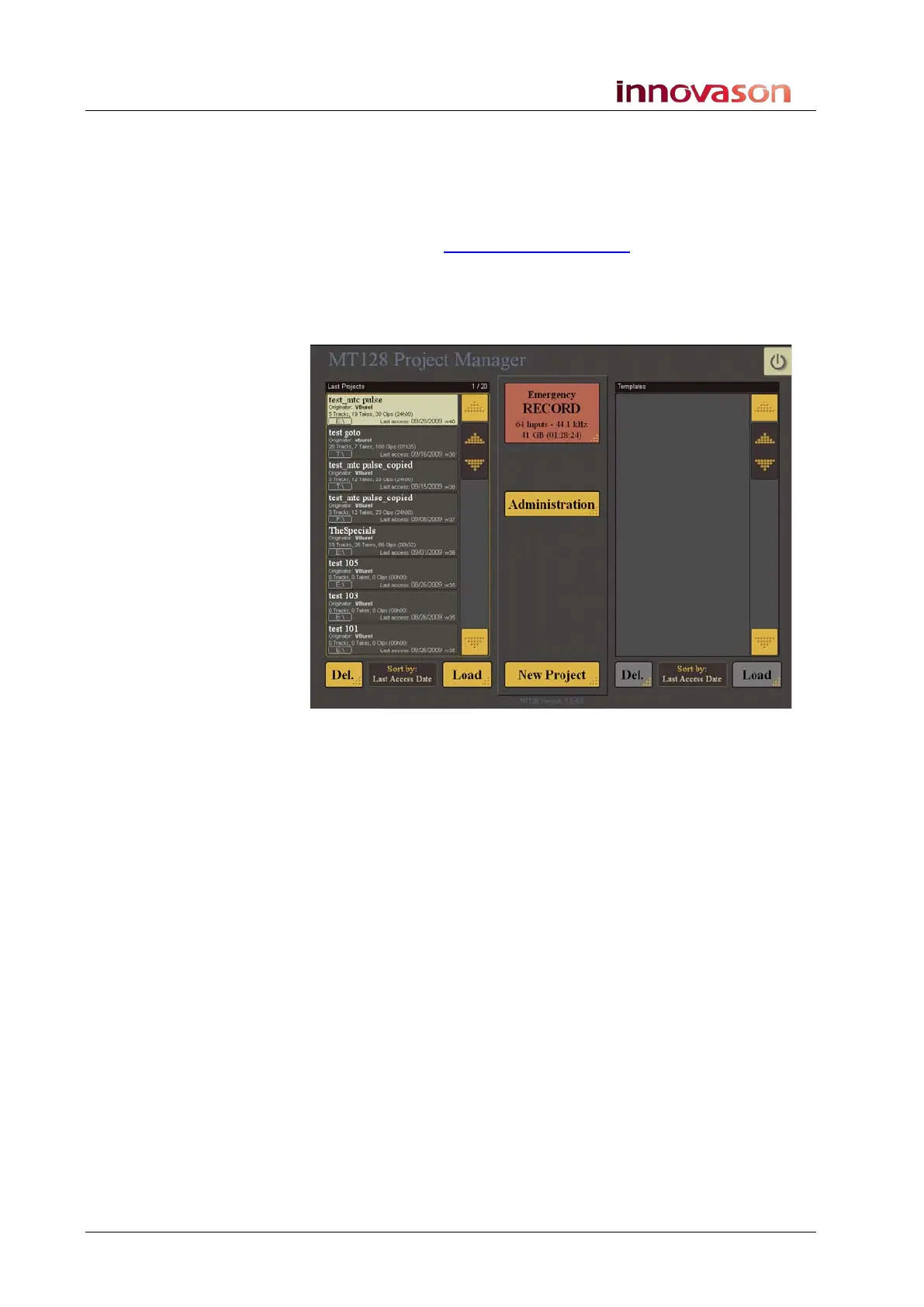
The MT128 Project Manager Window
This window is the starting point for all projects within M.A.R.S.:
The window is divided into two:
• Last Projects - shows the name of every project stored on
the M.A.R.S. hard disk.
• Templates - shows the name of any template projects
which have been created.
You can use the touch-screen buttons to scroll up and down the
list, choose different sort options for the list (Sort by), delete
(DEL.) or Load any Project or Template.
In the centre are three large touch-screen buttons:
• Emergeny RECORD – use this button if you do not have
time to create and name a project, and need to start
recording immediately. See Page 478.
• Administration – this button can be used to access
administration functions which are password protected.
These functions are not required for normal operation.
• New Project – use this button to create a new Project for
your recording.



 To Next Page