Chapter 11: Technical Procedures
The System Setup Window
Eclipse User Guide 2.0 507/ 526
The System Setup Window
To access this window:
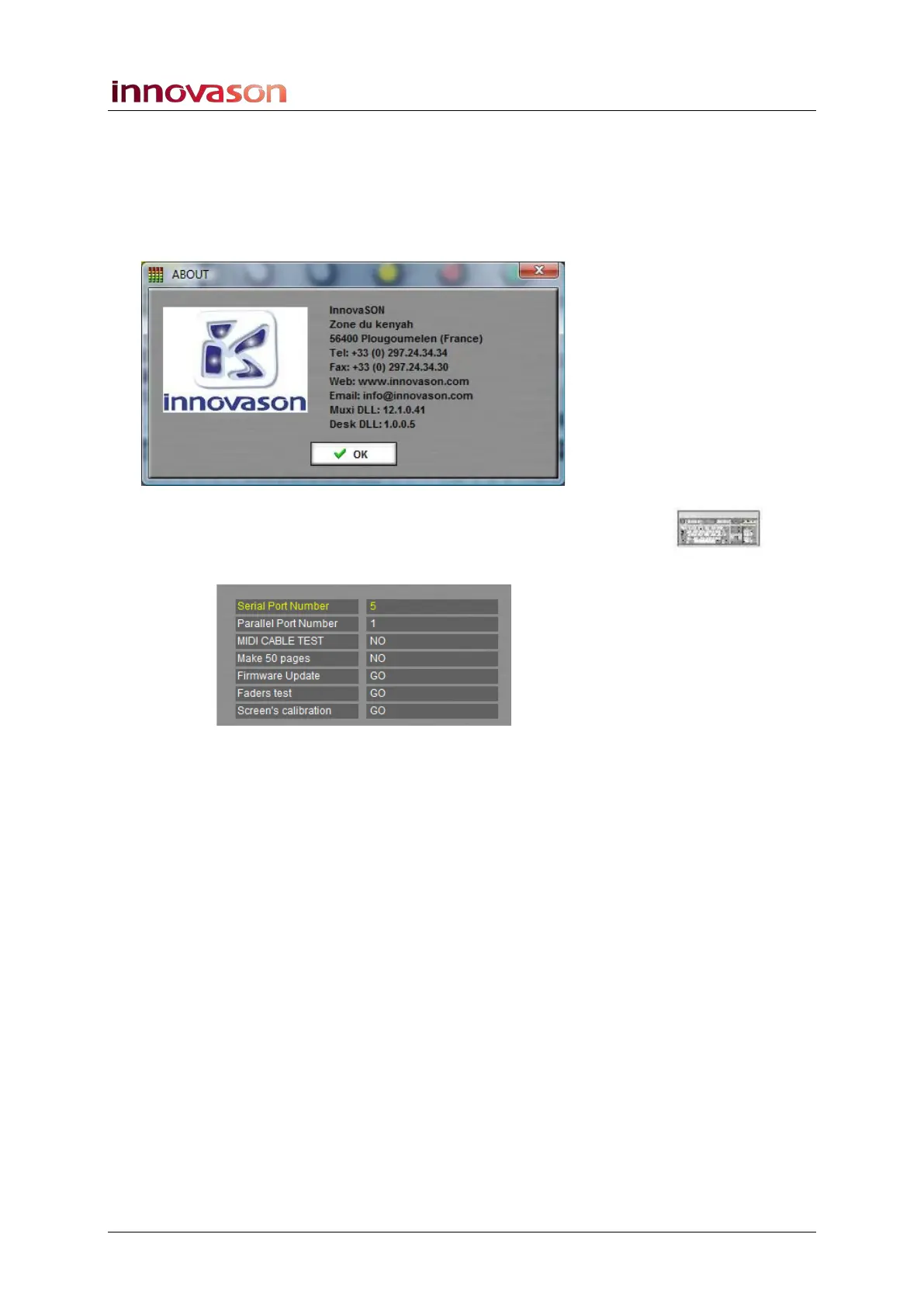
1. Select “Util -> About” from the main menus.
A pop-up window appears with information about the system:
2. Using the console keyboard, type the password
“innova”:
This opens the System Setup window:
3. Use the Up/Down arrows on the keyboard to select the
parameter you wish to adjust.
4. Adjust the value using the Left/Right arrows.
The parameters values for Eclipse are:
• Serial Port Number 5: this is the address of the port
used for control surface communication.
• Parallel Port Number 1: this is the address of the port
used for local audio rack communication.
• MIDI CABLE TEST: this indicates the status of a MIDI
cable connected from the MIDI in to MIIDI out of Nova.
• Make 50 pages: this entry is for software developers
only and not for the user.
• Firmware Update: this launches software to update the
FM-8VB, UM-8PO and DSP firmware.
• Fader test: this entry is for software developers only
and not for the user.
• Screen Calibration: this launches the touch-screen
calibration programme. Follow the instructions given.



 To Next Page