Chapter 3: Operating Principles
Smart Panel “Strips”
Eclipse User Guide 2.0 63/ 526
Smart Panel “Strips”
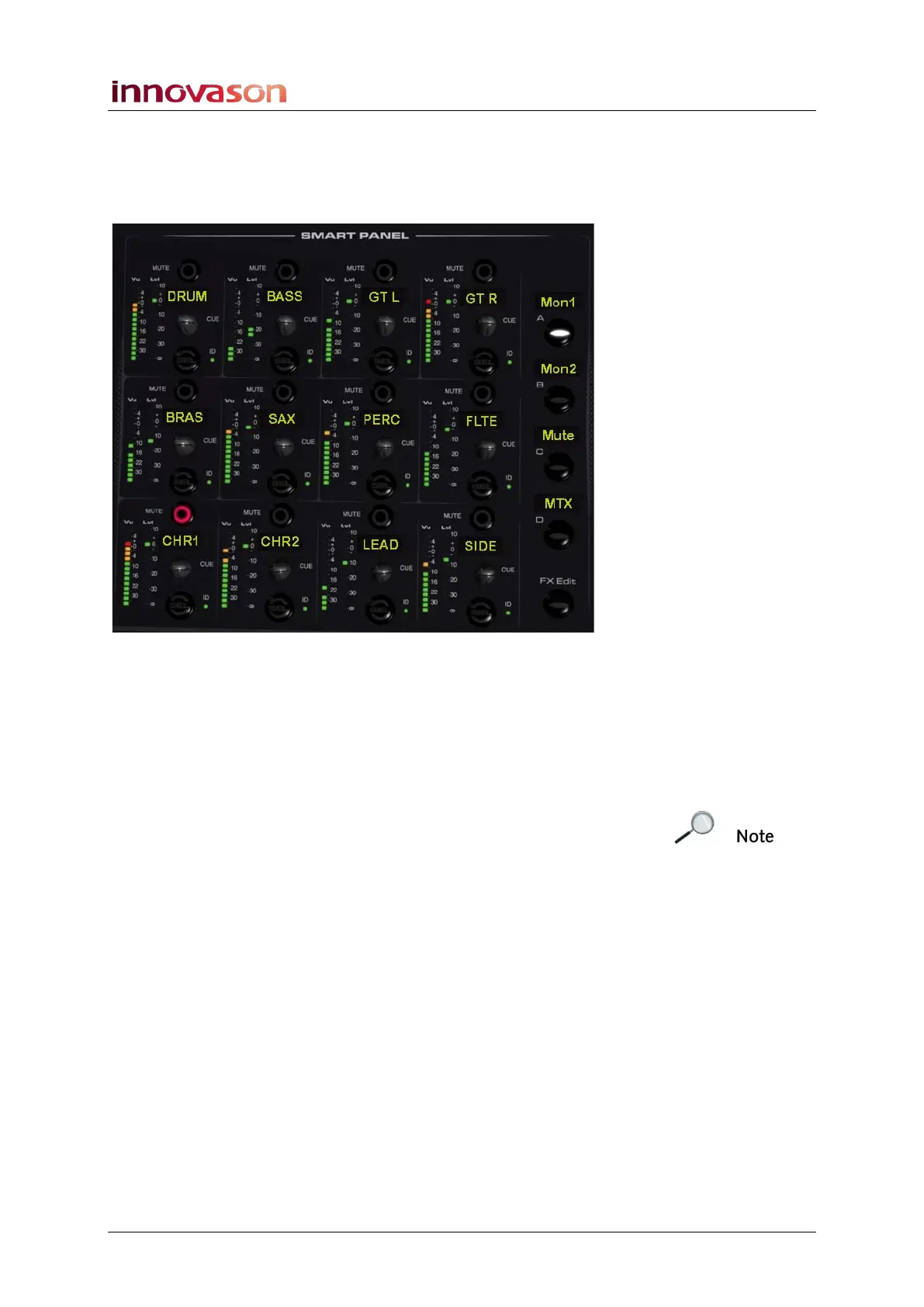
The Smart Panel provides 4 layers of 12 rotary controls, that’s
an additional 48 control “strips”:
1. Press the A, B, C or D buttons to page through the four
layers.
Each time, a different set of 12 channels are mapped onto the
Smart Panel controllers.
2. Press FX Edit to assign any internal effects processing
controls onto the Smart Panel. See Page 301.
Note that the Smart Panel is also used to control the left, right
and centre components of a stereo channel when in EDIT
mode, see Page 189. And, it is used to make selections when
using functions such as Smart Link mode, see Page 411.
Whenever you cancel these functions, the panel returns to its
default operation.
Labelling the Smart Panel Layers
Each of the A, B, C and D buttons has a 4-character Label to
name the Smart Panel layer. To change the Label:
1. Press and hold the layer button – e.g. A:
The Smart Layer Name pop-up appears.
2. Type in a name (up to 4 characters) from the console
keyboard.
3. Press OK or [ENTER] to confirm.
The new Label appears beside the A button.



 To Next Page