Chapter 6: Console Configuration
Fast Configuration
318/ 526 2.0 Eclipse User Guide
Fast Configuration
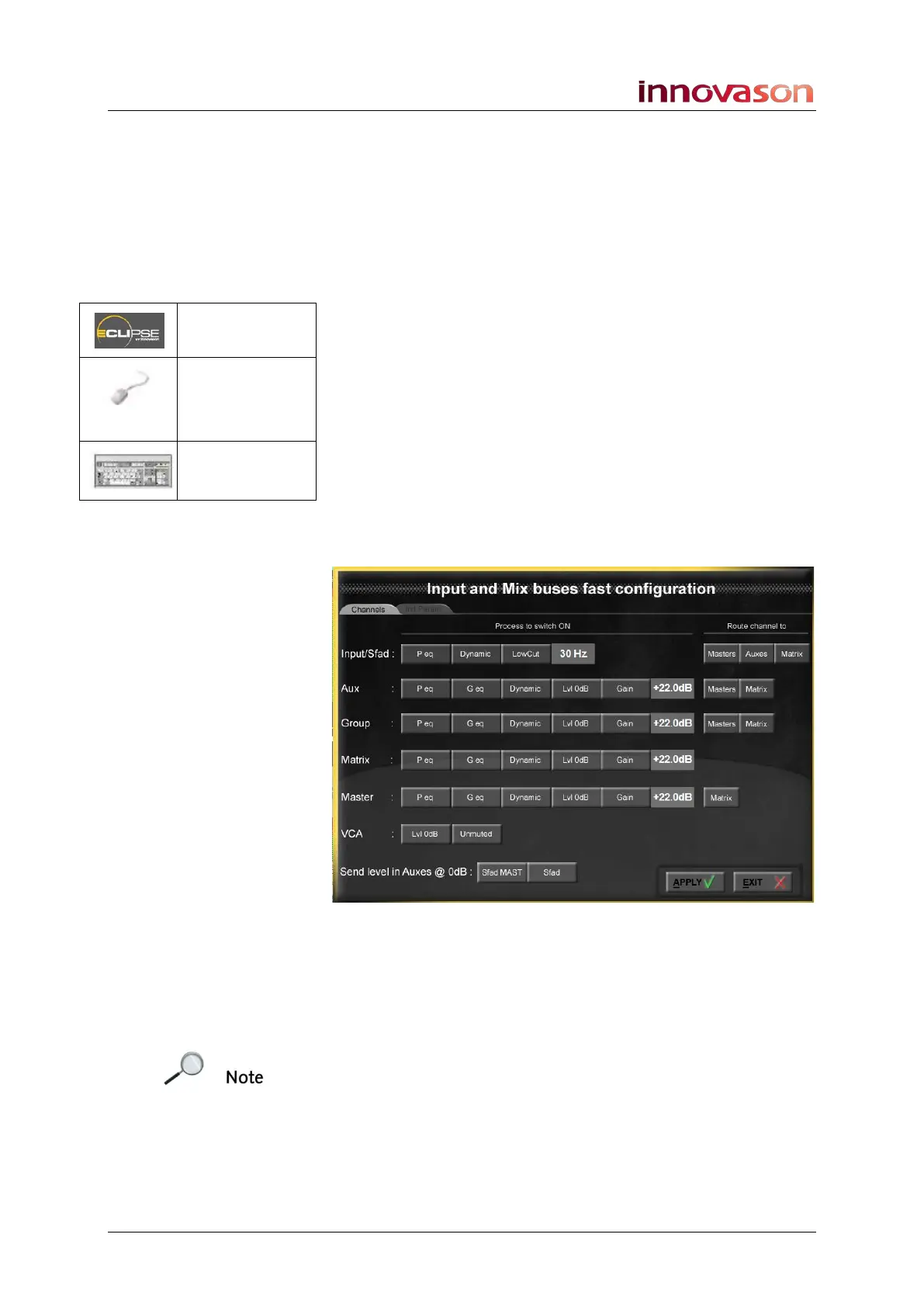
This window allows you to set default parameters, such as EQ
On, Dynamics On, Level to 0dB, bus routing, etc. for input, Aux,
Group, Matrix, Master and VCA channels. You can choose to
apply your settings to the current mix, or use the settings for
new channels assigned to the surface from the Personal
Console Builder.
1. Open the window by selecting UTIL -> Fast
Configuration.
At the top of the display choose between:
• Channels – select this tab to configure functions such
as EQ On, Level to 0dB and routing.
• Init Param – select this tab to apply initial Compressor,
Gate and Pan curve values.
Configuring Channels
1. Select the Channels tab:
2. Use the on-screen buttons to select what you wish the
configure for each channel type - for example, select
Peq in the Input/Sfad row to turn on Parametric EQ for
all input channels.
When an option is selected, the button turns red.
Note that:
• The Gain option sets output gain; enter a value in dB by
clicking the left or right mouse buttons in the dB box.
• The “Route channel to” options assign all channels of
the selected type to Masters, Auxes, Matrix.
• The “Send level in Auxes @ 0dB” options set Aux
sends from Smart Fader masters or slaves to 0dB.
n/a
“UTIL -> Fast
Configuration
”
n/a



 To Next Page