Chapter 6: Console Configuration
Inserts
Eclipse User Guide 2.0 317/ 526
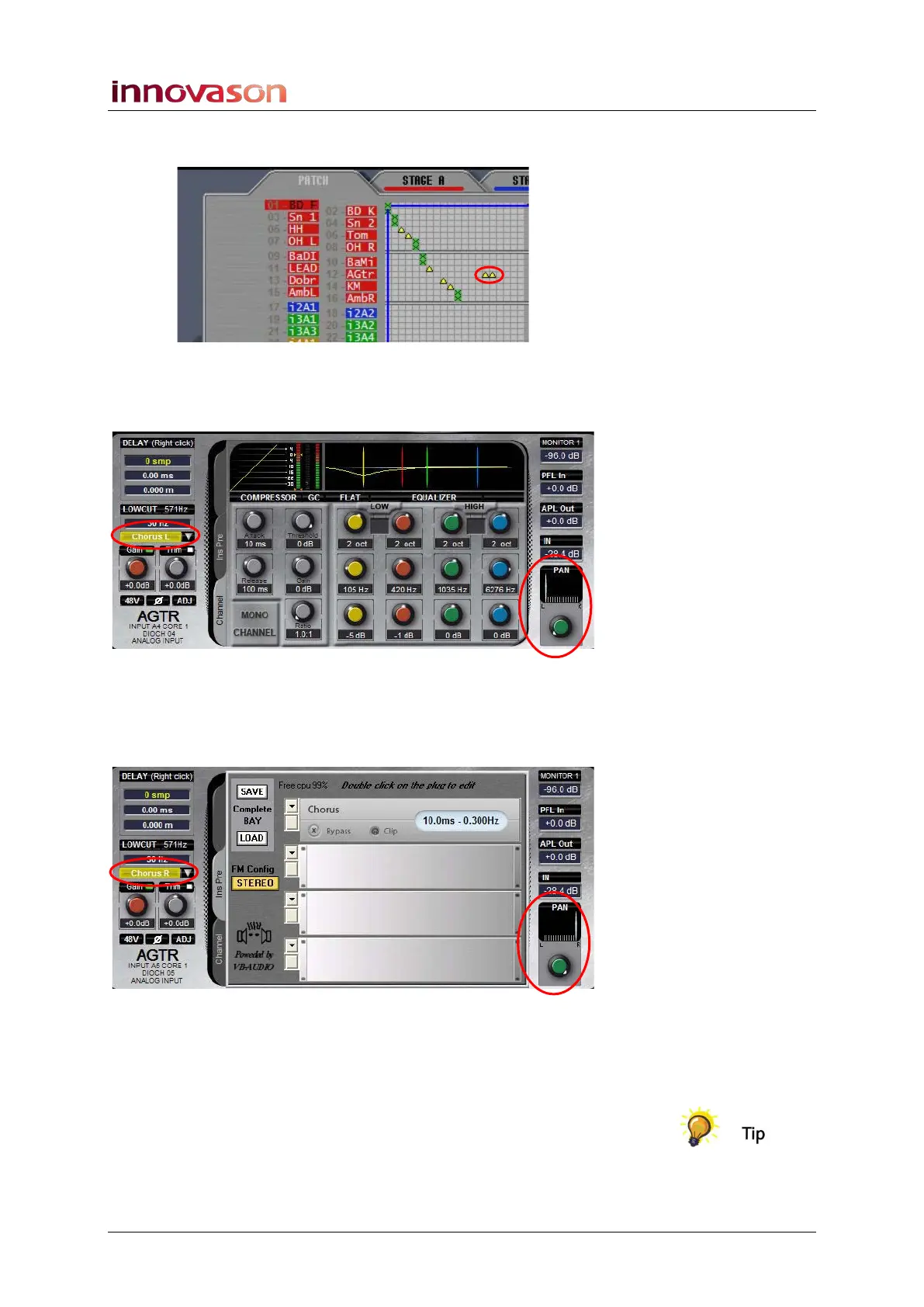
3. From the PATCH IN grid, patch the guitar microphone to
the two input faders to create the split:
4. Return to the Main Mix display and select the first Guitar
input fader. Pan the channel full left and assign the
Chorus Left insert point:
5. Then assign the Chorus effect plug-in to one of the
effects racks.
6. Select the second Guitar input fader, pan the channel
full right and assign the Chorus Right insert point:
7. Remember to check that the insert on/off button is on
(yellow) on both guitar channels.
8. You can now control the Chorus by selecting the Ins Pre
tab on either input channel.
You can link the two channels so that other signal processing
(EQ, level, etc.) is applied equally to the stereo return.



 To Next Page