Chapter 5: Console Operation
VCAs
Eclipse User Guide 2.0 193/ 526
VCAs
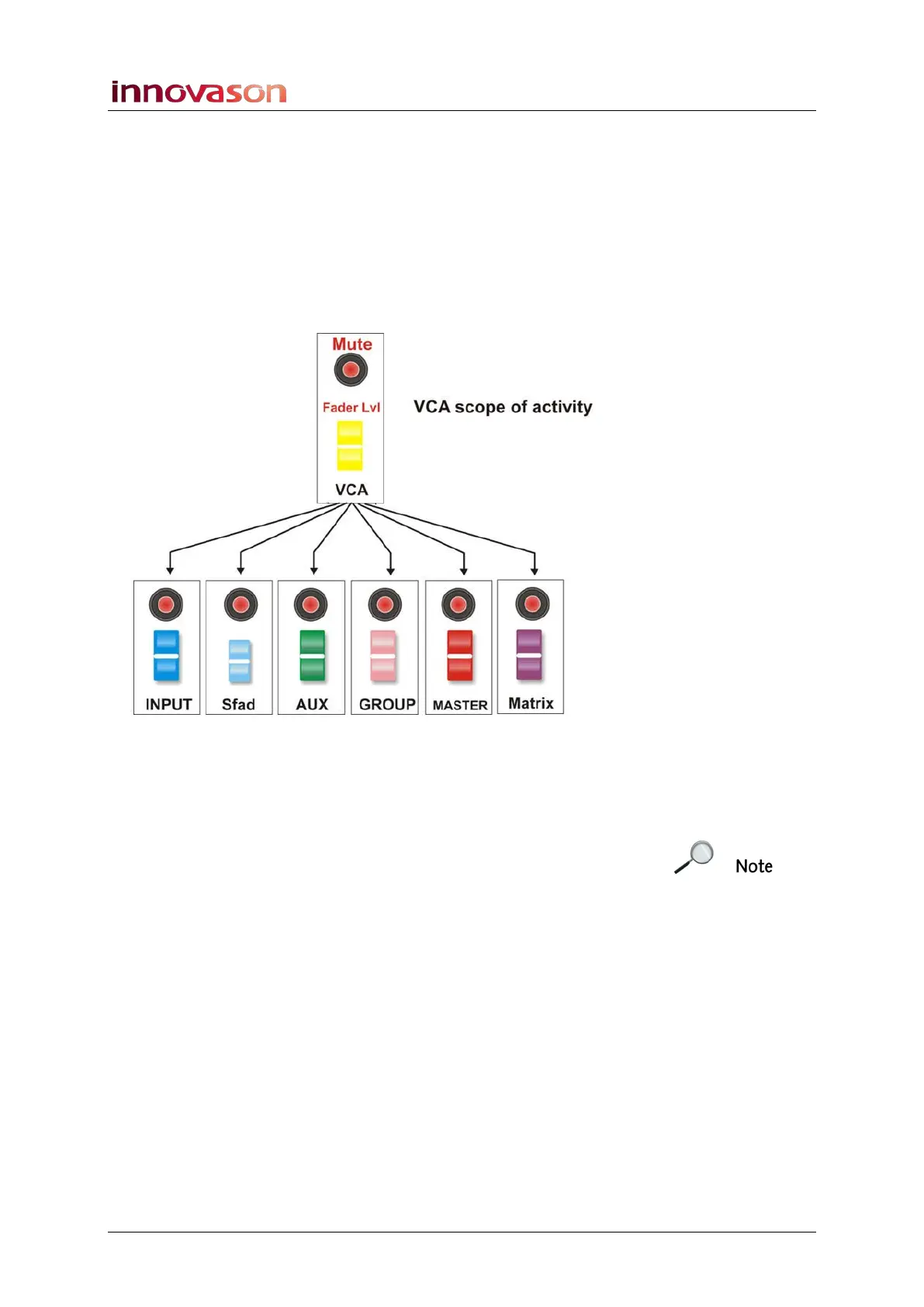
On Eclipse VCAs can be used to provide master control of
main level and Mute for several input and/or output channels.
You can configure as many VCAs as you like, using Fader
strips or Smart Panel controllers. And, any combination of input,
Aux, Group, Master or Matrix channels can be routed to each
VCA, including the ability to control Smart Fader slaves
(SFADs) or stereo channels:
Note that you cannot nest VCA groups (control a VCA from
another VCA). However, you can assign a VCA to SVCAs and
stereo channels. And you can assign the same channel to
several VCAs at a time.
Each VCA behaves like an analogue VCA with non-moving
slave faders. This allows you to see and update slave fader
positions even if the VCA master is closed.
Also note that a VCA controls level and MUTE only; you cannot
apply master control of EQ, Dynamics, etc.
Configuration
VCA channels (VCA masters) are assigned to Fader strips or
Smart Panel controllers from the Personal Console Builder,
see Page 221. Once configured, a VCA master channel is
easily identified by a yellow ID.



 To Next Page