Chapter 8: Utilities & Preferences
Fader Start
Eclipse User Guide 2.0 427/ 526
Fader Start
This function can be used to assign a fader start to a Fader or
Smart Panel rotary controller. For example, to start/stop a CD
player when you open/close a fader.
Once configured, the fader start sends MIDI Note ON and Note
OFF messages, to the MIDI Out connector at the rear of the
console, each time the fader is opened and closed.
These MIDI signals can be converted to relay closures using a
separate interface box. Innovason recommend the 8-channel
relay unit manufactured by MIDI Solutions. Please contact out
service department for further information on this unit.
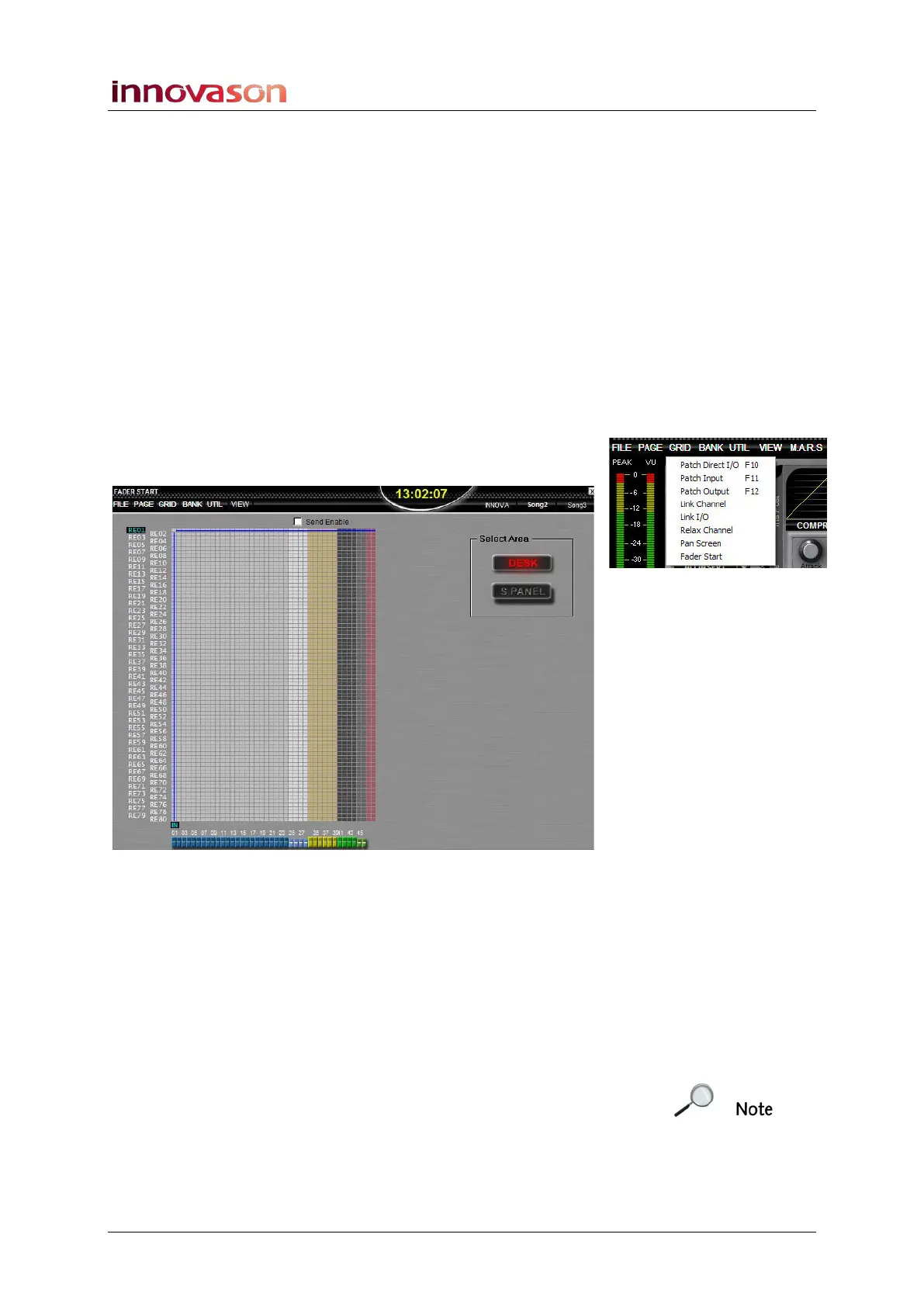
Fader starts are configured from the FADER START display:
1. Using the trackball, select “GRID -> Fader Start”.
This display operates just like any other patch grid:
On the left are listed the MIDI note numbers which will transmit
the Note ON and Note OFF messages. Along the bottom are
the console faders.
You can configure fader starts for Fader strips and Smart Panel
controllers (DESK or S.PANEL).
2. Press the [SPACE BAR], or right-click, to make an
assignment on the grid.
3. When you have completed all the assignments, tick the
Send Enable checkbox and exit the display.
The Send Enable is the same as the MIDI start automation
button on the Main Mix display, see Page 381.
The fader now transmits MIDI Note On and Note off messages
as it opens and closes (to/from –infinity).



 To Next Page