Chapter 4: Getting Started (The Standard Template)
Saving Your Settings
118/ 526 2.0 Eclipse User Guide
Saving Your Settings
After all your hard work, it is vital that you save your new mix
settings to the Nova hard disk. The simplest method is to save
the File.
Warning
If you DO NOT save a File and power off the console, you will
lose your settings. This is because the desk settings are held in
memory, and are only stored permanently when you save
Pages onto the Nova hard disk.
To save your settings, you can use either:
• “File -> Save” – saves all the Pages in memory into the
active File.
• “File -> Save As” – saves all the Pages in memory into
a new File which you can name. See Page 91.
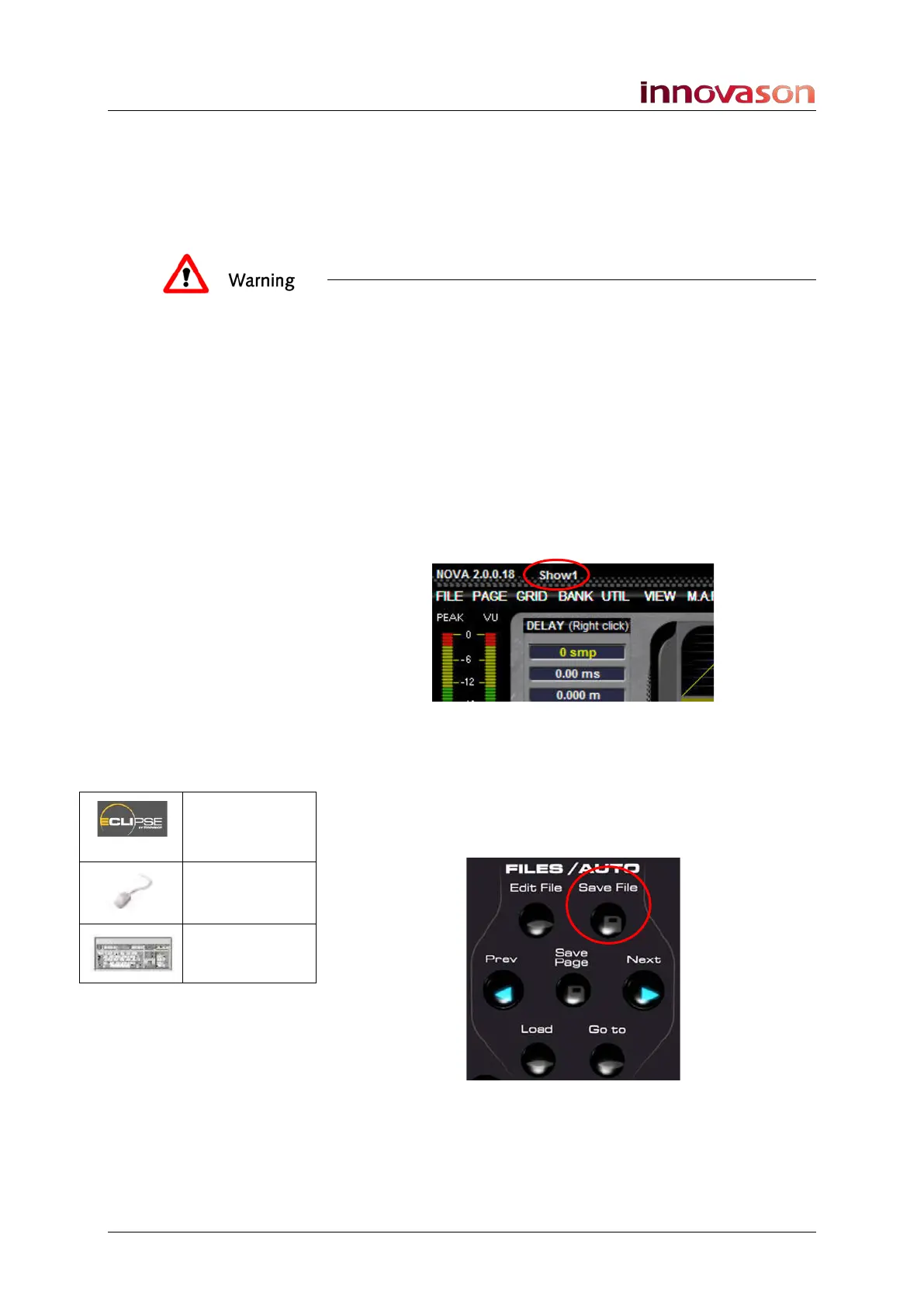
Remember that the active File name is displayed at the top of
the Main Mix display:
If you’ve already created a new user File, then “File -> Save” is
the quickest method (see below). If not, use Save As. This way
you won’t overwrite the template, or someone else’s File!
To save the active File:
1. Press the Save File button on the FILES/AUTO panel:
The button lights (red) as data is writing to the hard disk.
See Chapter 7 for more details on Files and Pages.
Save File
(FILES/AUT0)
“FILE ->
Save”
n/a



 To Next Page