Chapter 4: Getting Started (The Standard Template)
Your First Mix
Eclipse User Guide 2.0 117/ 526
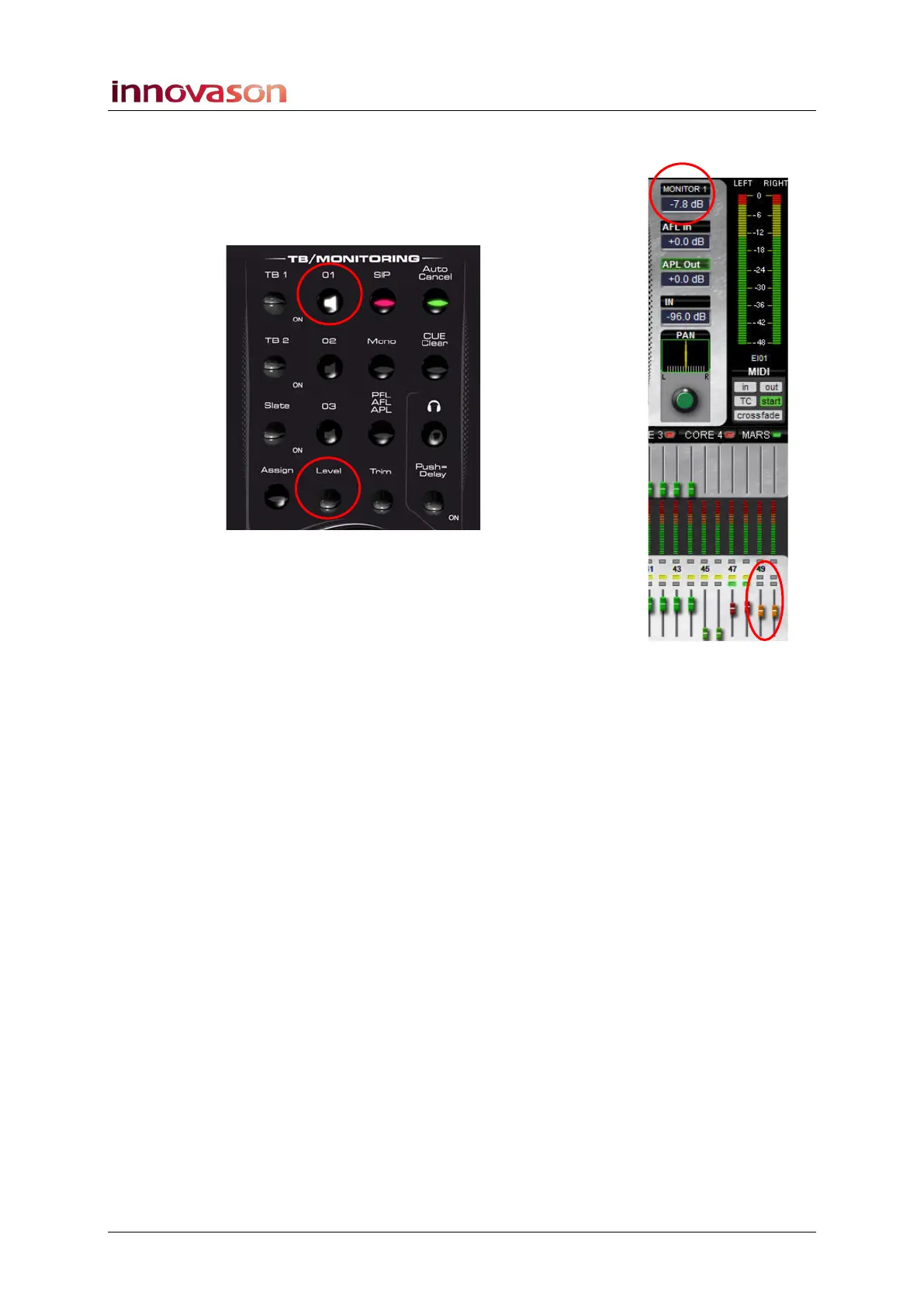
To control the Monitor 1 output:
1. Make sure that the O1 button is lit on the
TB/MONITORING panel.
2. Then turn the Level control:
As you move the control you will see the MONITOR 1 circuit
level appear at the top right of the Main Mix display, and on the
orange Monitor faders.
CUE Modes
1. To change the CUE mode press the PFL/AFL/APL
button:
If an input channel is selected the button toggles between AFL
and PFL.
If an output channel is selected, the button cycles through AFL,
PFL and APL (After Processing Listen).
2. To select Solo-in-Place, press SIP.
Only input channel CUEs can operate in Solo-in-Place.
3. To make input channel CUE buttons exclusive, select
Auto Cancel.
4. To clear all CUE selections, press Clear Cue.
For more details on Monitoring and Cue modes, please see
Page 206.



 To Next Page