Chapter 5: Console Operation
Labels
200/ 526 2.0 Eclipse User Guide
Labels
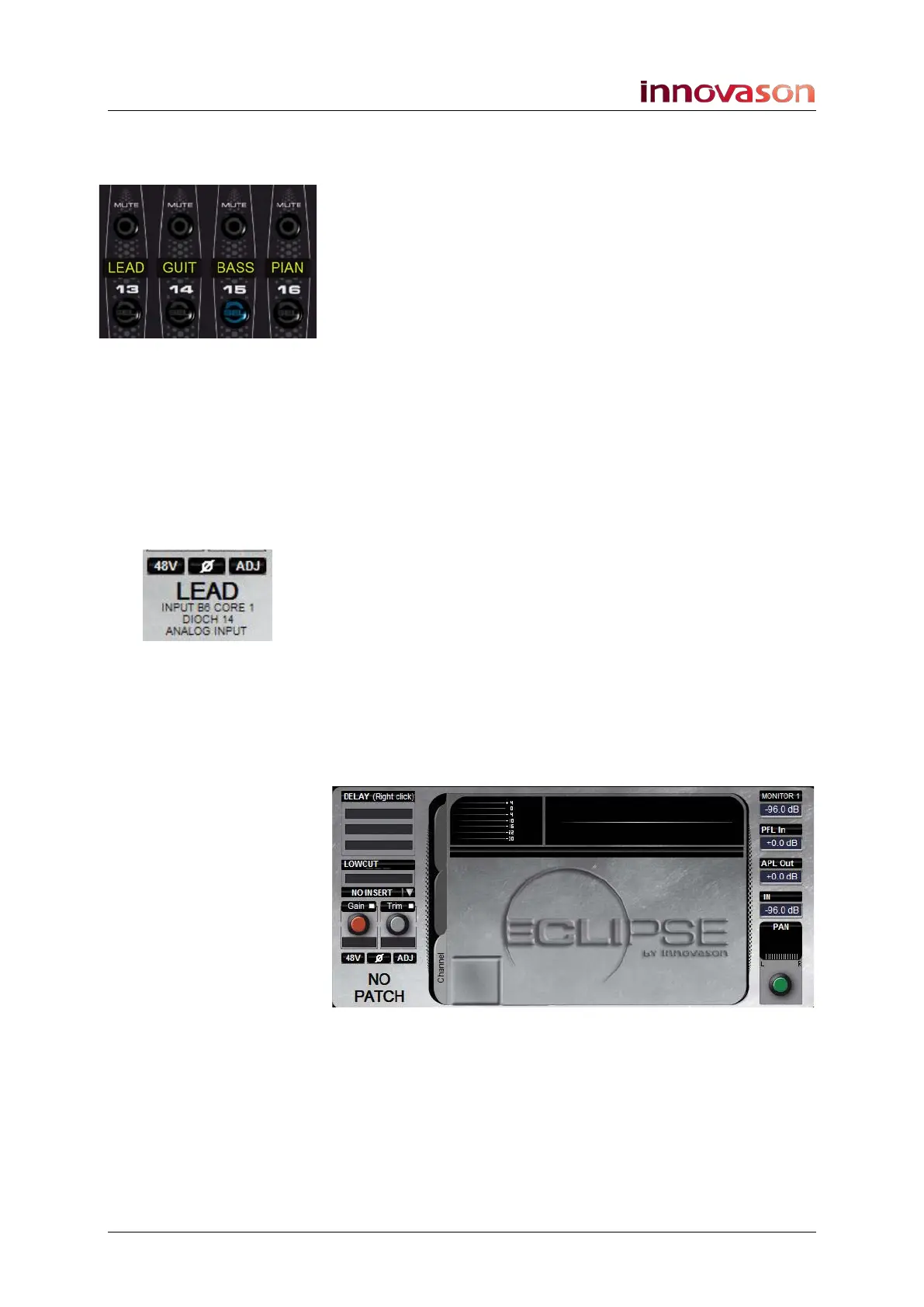
Each Fader strip and Smart Panel controller has a 4-character
user Label.
On input channels, the Label shows:
• the input Label (e.g. MIC1)
• Or, if the channel is not patched, the generic channel
name: e.g. IN.
On output channels, the Label shows:
• the output Label (e.g. SPK1).
• Or, if the bus is not patched, the generic mix bus name:
e.g. AUX, GRP, MST, MTX.
On stereo channels, VCAs and Smart VCAs, you will see the
FADER Label; the default FADER Label displays the channel
type (e.g. SIN = stereo input, SAUX = stereo aux, VCA = VCA!).
Labels are also shown on the Main Mix display, along with
additional information. In our example:
• LEAD – this is the 4-character input Label.
• INPUT B6 CORE 1 – this is the system description of
the source. Our example indicates that the input is
connected to DioCore 1, card slot B, input 6.
• DIOCH 14 – indicates that the input is connected via
Ethersound channel 14.
• ANALOG INPUT – indicates that the input is analogue.
If the selected channel is not yet patched, then the Main Mix
display shows NO PATCH:



 To Next Page