Chapter 8: Utilities & Preferences
Console Shutdown (Quit)
436/ 526 2.0 Eclipse User Guide
Console Shutdown (Quit)
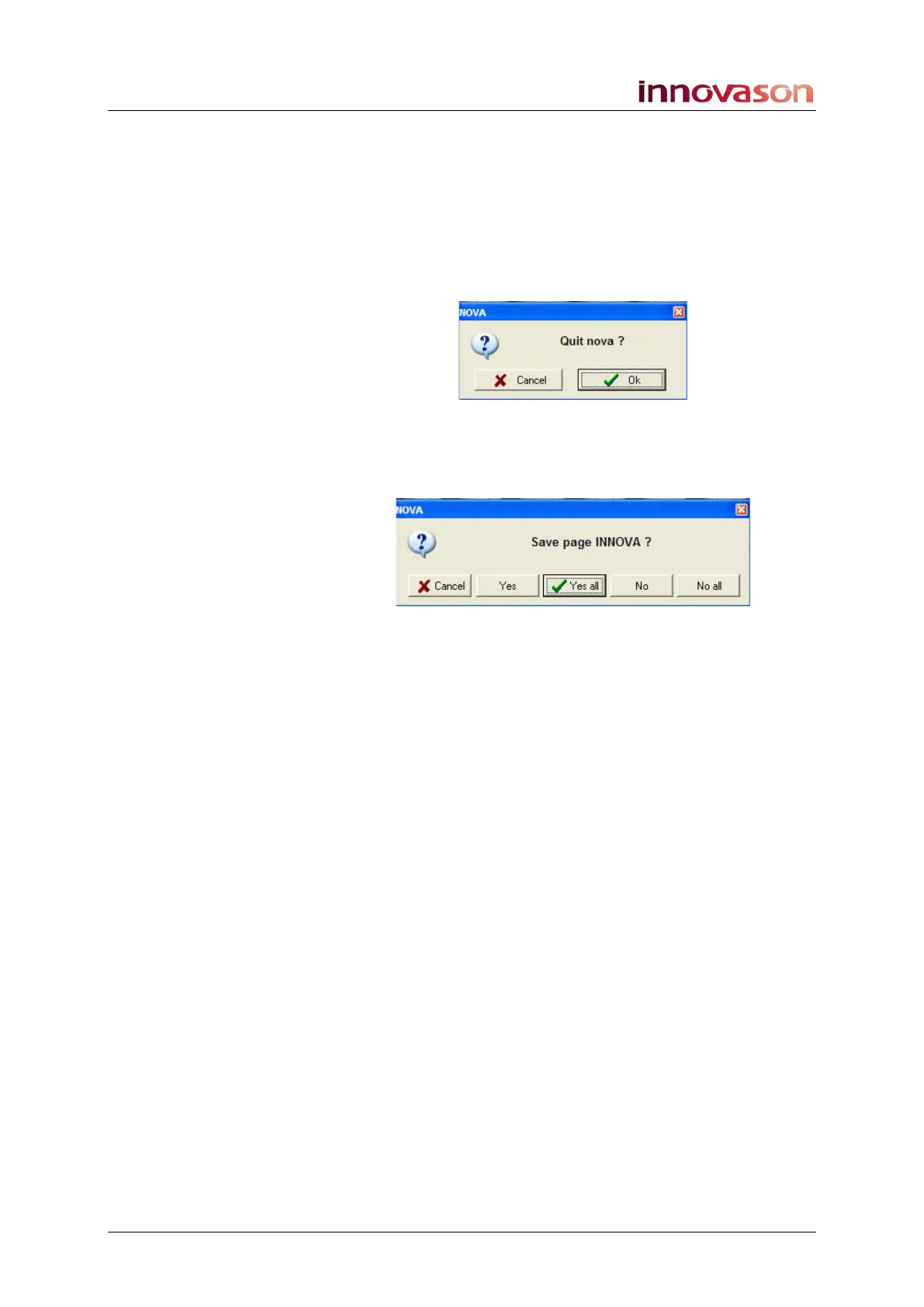
To shut down the console it is good practice to quit the Nova
software before powering off:
1. Using the trackball select “UTIL -> Quit” from the main
menus, or click on the X at the top right of the screen.
You will be asked to confirm the shutdown:
2. Press OK to continue.
You will now be asked if you wish to save each of the Pages in
RAM to the active File:
• Press CANCEL to cancel the shutdown operation.
• Select Yes to save just this Page; you will then be asked
about each Page in turn.
• Press OK (Yes all) to save all Pages to the active File.
• Select No if you don’t want to save this Page; you will
then be asked about the remaining Pages in turn.
• Select No all to shutdown without saving any Pages to
the active File.
Any option other than CANCEL will quit the Nova software; you
will see a screen message indicating that it is safe to power off.



 To Next Page