Chapter 1: Overview
Nova Software
Eclipse User Guide 2.0 27/ 526
Nova Software
“Nova” is the name of Eclipse’s management software. It runs
on the console’s control computer during live operation, and
may also run offline on a PC. This allows you to build a
configuration on the way to a venue and load it to the console
when you arrive.
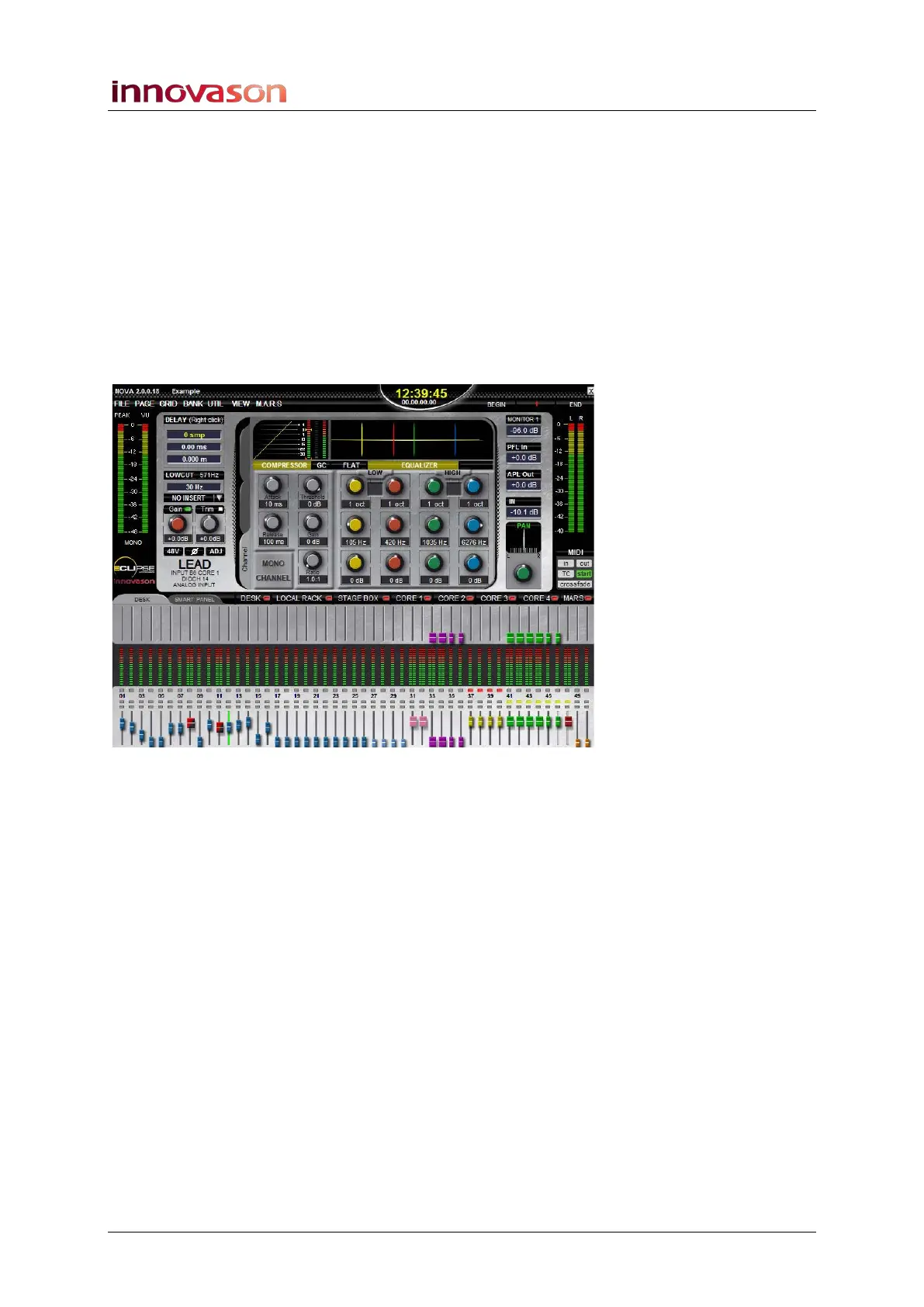
The Main Mix Display
Nova contains a number of user displays but probably the most
important is the Main Mix display:
This display provides a graphical overview of your complete
mix. You will see an overview of the Selected Channel and your
48 Fader Strip (or Smart Panel) main and send levels, plus
output metering for the Master and any automation statuses.
The Main Mix acts as the default display. Think of this as
‘home’. Other displays can be opened, to configure patching,
etc., but when you close them you will always return to the Main
Mix.
For more information on the Main Mix display, see Page 67.



 To Next Page