Chapter 3: Operating Principles
The Nova Touch-Screen
Eclipse User Guide 2.0 67/ 526
The Main Mix Display
This display provides a graphical overview of your complete
mix. Other displays can be opened within the display area but
when you close them you will always return to the Main Mix.
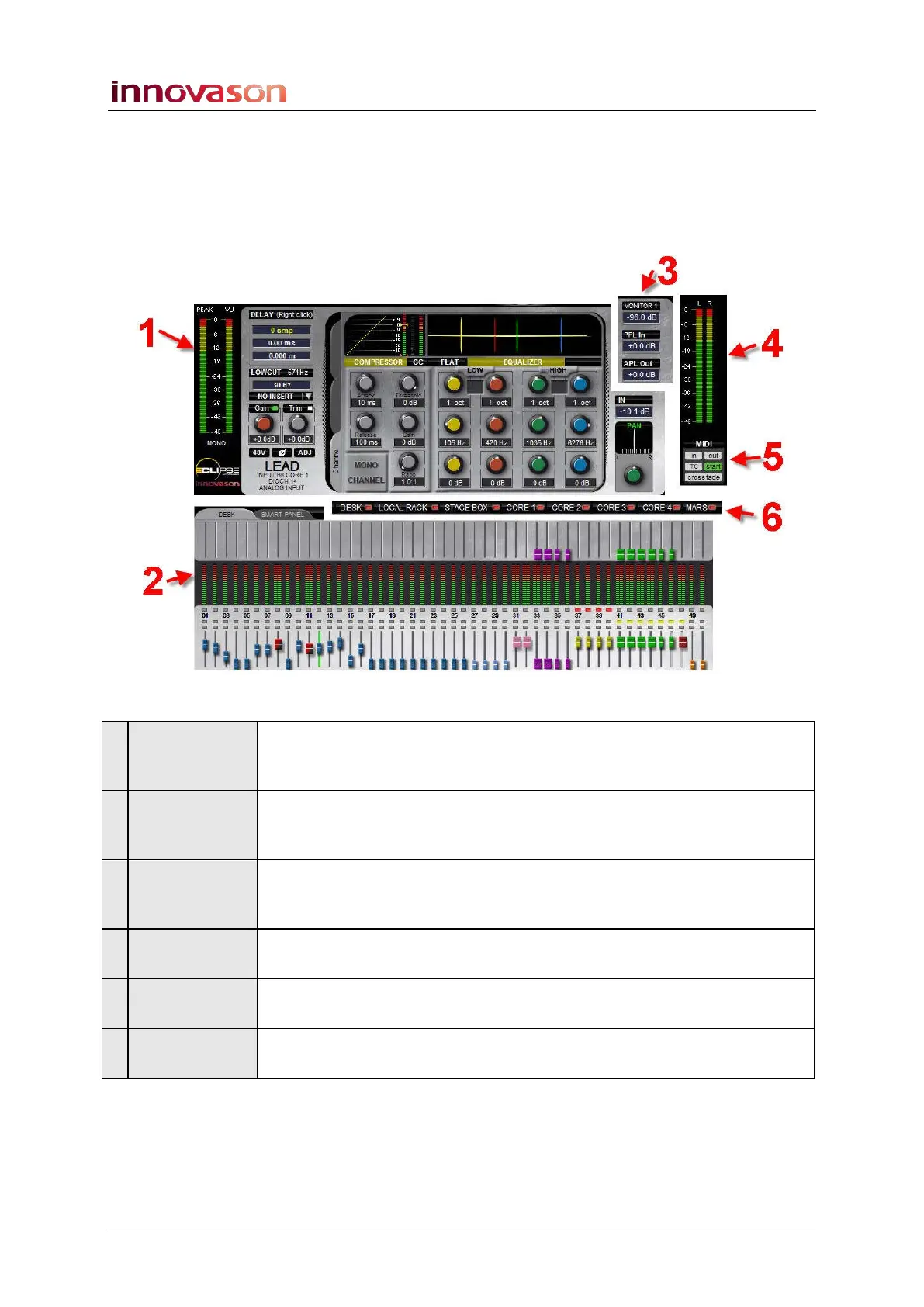
The Main Mix display can be split into the following sections:
Let’s look at the Selected Channel and DESK/SMART PANEL
overview in more detail.
1 The Selected
Channel
This area shows parameters for the selected channel (SEL button
flashing). Here you can view processing such as the Compressor, Gate
and EQ as you adjust the front panel controls.
2 DESK/SMART
PANEL
Overview
The lower half of the display provides an overview of main levels, VU
metering and send levels (Aux or Matrix sends) for the DESK (the 48
Fader strips) or the SMART PANEL (the 48 Smart Panel controllers).
3 Monitor
Levels
This area shows the monitor level and AFL, PFL or APL levels for the
currently selected monitor output. It works in conjunction with the
TB/MONITORING front panel controls. See Page 206.
4 Master
Metering
The VU meters always meter the Master output level (either Mono,
Left/Right or LRC depending on the format).
5 Automation
Status
This area displays the status of the console’s Page automation. See
Chapter 7 for details.
6 Hardware
Status
This strip of LEDs displays the status of the system. LEDs are green if
the hardware component is operating correctly. See Page 56.



 To Next Page