Chapter 8: Utilities & Preferences
General Preferences
428/ 526 2.0 Eclipse User Guide
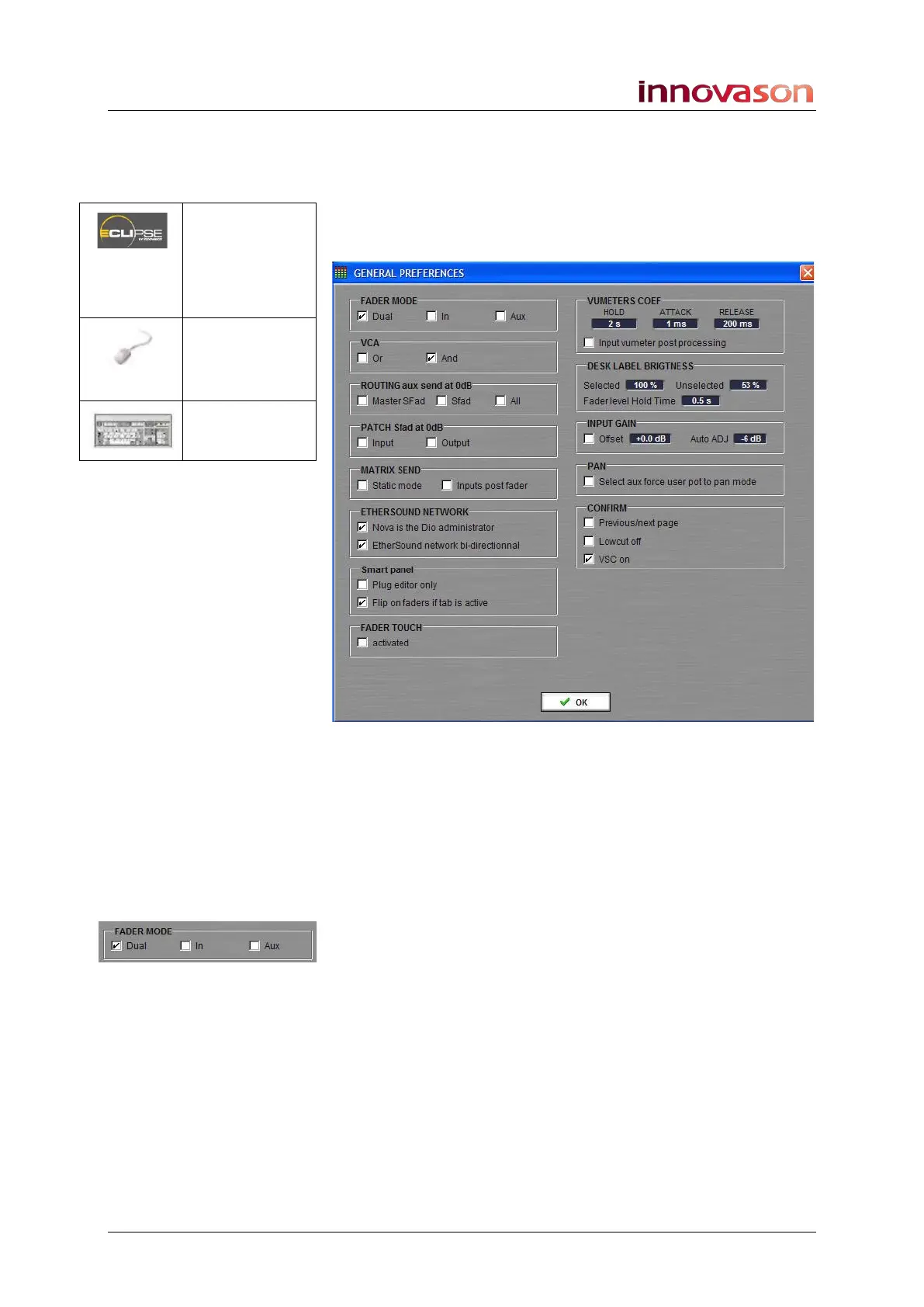
General Preferences
1. Select “UTIL -> General Preferences”.
A switch on the User Defined panel can also be assigned to
open this window, see Page 322.
2. Select the preference options and then press OK to
confirm.
Fader Mode
This mode determines how input and Aux faders will behave
when an input or Aux channel is selected. The options are:
• Dual – the default mode as described on Page 74.
When an Aux is selected, input faders act as aux sends.
Conversely, when an input is selected, Aux faders
control the aux sends.
• In - input channel faders always control main level and
not Aux send level.
• Aux - Aux channel faders always control Aux master
level and never Aux send levels.
PREF
(USER
DEFINED
PANEL)
“UTIL ->
General
Preferences”
n/a



 To Next Page