Chapter 6: Console Configuration
Patch Grids: Input and Output Names
Eclipse User Guide 2.0 287/ 526
Patch Grids: Input and Output Names
Each physical source and destination can be named from the
PATCH INPUT, PATCH OUTPUT or PATCH DIRECT displays.
Once a source is patched to an input channel, or a destination
patched from a mix bus, the user Label on the Fader strip or
Smart Panel shows the name of the source or destination.
To name an input or output from the PATCH IN or PATCH OUT
displays:
1. Select the source, or destination, and press [F3] on the
console keyboard.
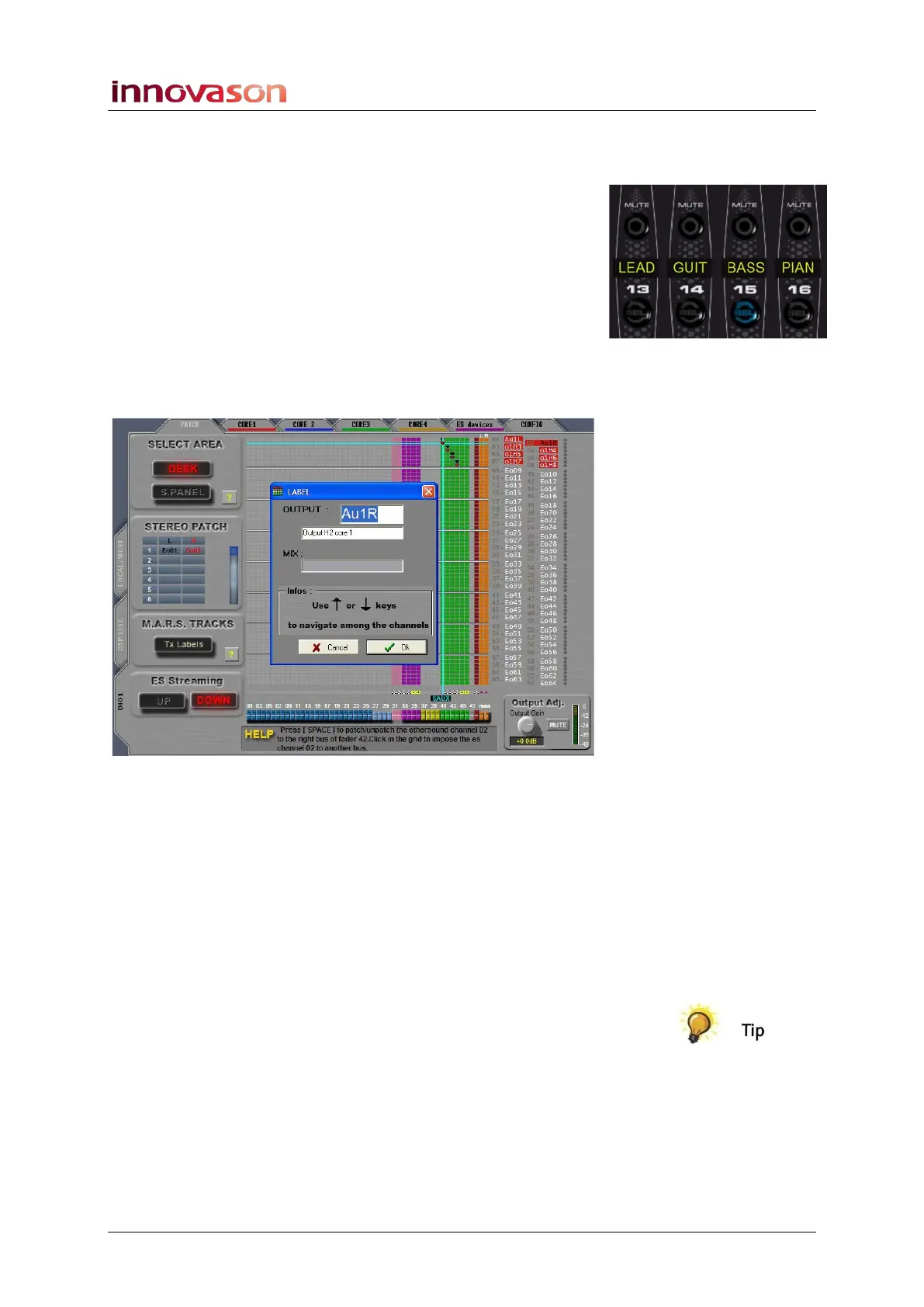
The input, or output, LABEL window appears:
2. In the INPUT, or OUTPUT, field enter a new 4-character
Label from the keyboard.
3. Below you can enter a longer alias (up to 16 characters)
which is tied to the source or destination Label and will
appear on the Main Mix display.
4. Confirm by pressing OK.
The Label appears on the PATCH display, and also on the
console surface if the source or destination is patched to or
from a Fader.
To Label multiple inputs, or outputs, press [ALT] + [F3]; each
time you confirm a Label the next input or output is
automatically selected.
Note that you can name both sources and destinations from the
PATCH DIRECT display:
1. Select the crosspoint and press [F3] to Label the source.
2. Confirm with OK.
3. Now Label the destination and confirm with OK.



 To Next Page