Chapter 6: Console Configuration
Default Patch Memories
288/ 526 2.0 Eclipse User Guide
Default Patch Memories
Within the PATCH IN, PATCH OUT and PATCH DIRECT
displays, you can save a default memory which is independent
of the current File and Page. You can use these memories to
save default patching, I/O settings and Labels which can then
be loaded back as the basis for a new show.
There is one default memory for each of the PATCH grid
displays. So, you can save and load input patching
independently from output patching.
The default memory saves all labels, input or output settings,
such as 48V or mute, and the patch crosspoints for the grid
display. When you load the default, you can then select which
elements you wish to load – for example, you may wish to load
default Labels but configure the patching manually.
To save the default memory:
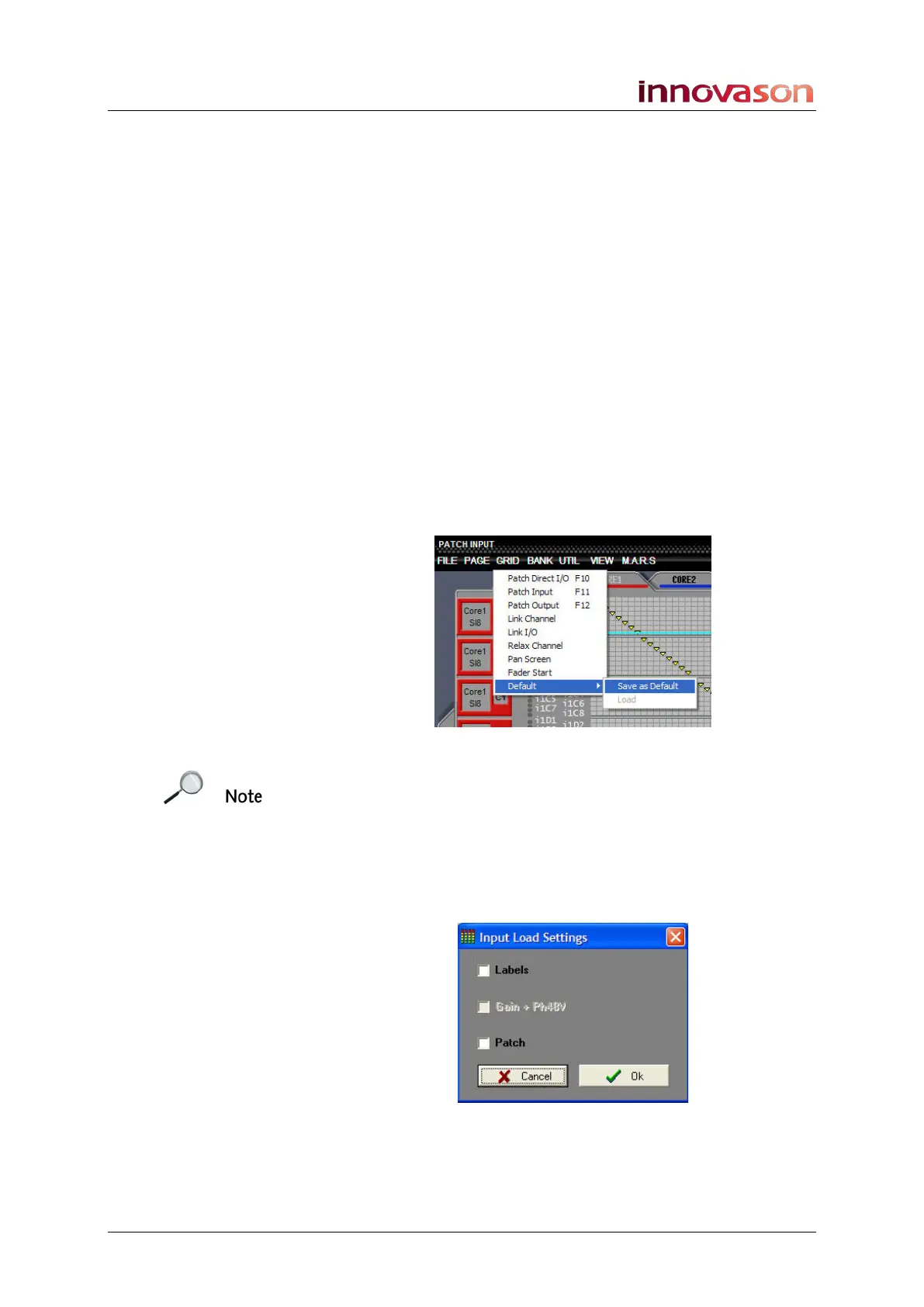
1. Select “GRID -> Default -> Save as Default” from the
Nova menus:
This saves all labels, input settings and patch crosspoints into
the PATCH INPUT default memory. Note that only one default
memory is available so be sure before you overwrite any
existing default settings.
To load back settings from the default memory:
1. Select “GRID -> Default -> Load” from the Nova menus.
You can only select this option if a default has been saved!
2. Select the settings you wish to load and press OK.
If settings are unavailable they are shown in white – in our
example, there is no Gain or 48V for Ethersound channels.



 To Next Page