Chapter 8: Utilities & Preferences
Lock (Password Protection)
432/ 526 2.0 Eclipse User Guide
Lock (Password Protection)
This function allows you to password protect console elements.
For example, to avoid accidental operator error during a live
show, or when leaving the console unattended for tea break!
You can lock the following elements:
• The active File and all its Pages – prevents the active
File from being overwritten or deleted, and any Pages
being updated.
• Output processing – prevents modification of all output
processing.
To configure a console lock:
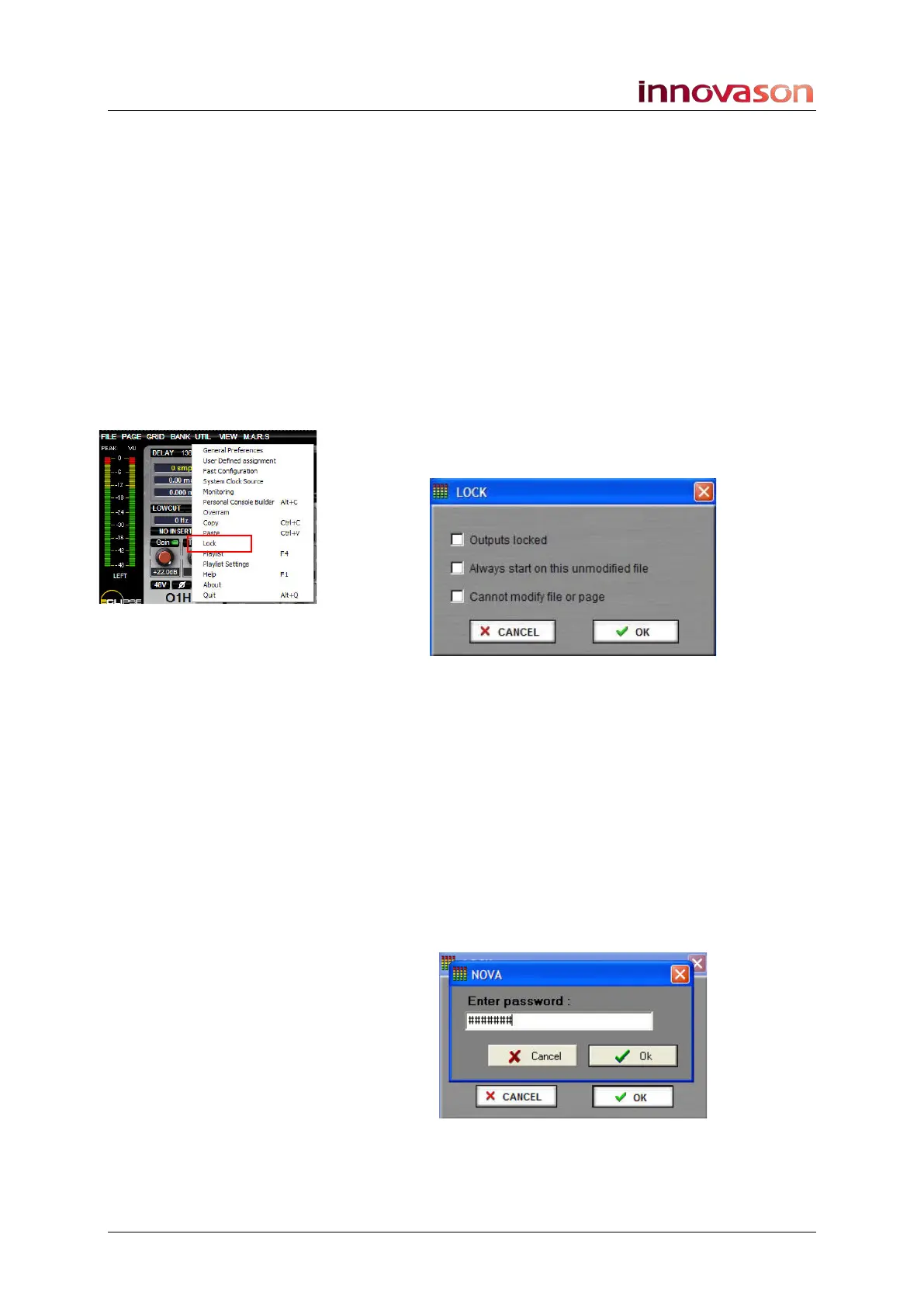
1. Using the trackball, select “UTIL -> Lock”.
The following pop-up appears:
2. Select which elements you wish to protect:
• Outputs locked – prevents modification of all output
processing (UM8 cards).
• Always start on this unmodified file – tick this
checkbox and the console will always boot up using the
current File.
• Cannot modify file or page - prevents the active File
from being overwritten or deleted, and any Pages being
updated.
3. Once you have made your selections, press OK.
Another dialogue box appears asking for a password:
4. Type in a password and press OK.



 To Next Page