Chapter 8: Utilities & Preferences
General Preferences
Eclipse User Guide 2.0 431/ 526
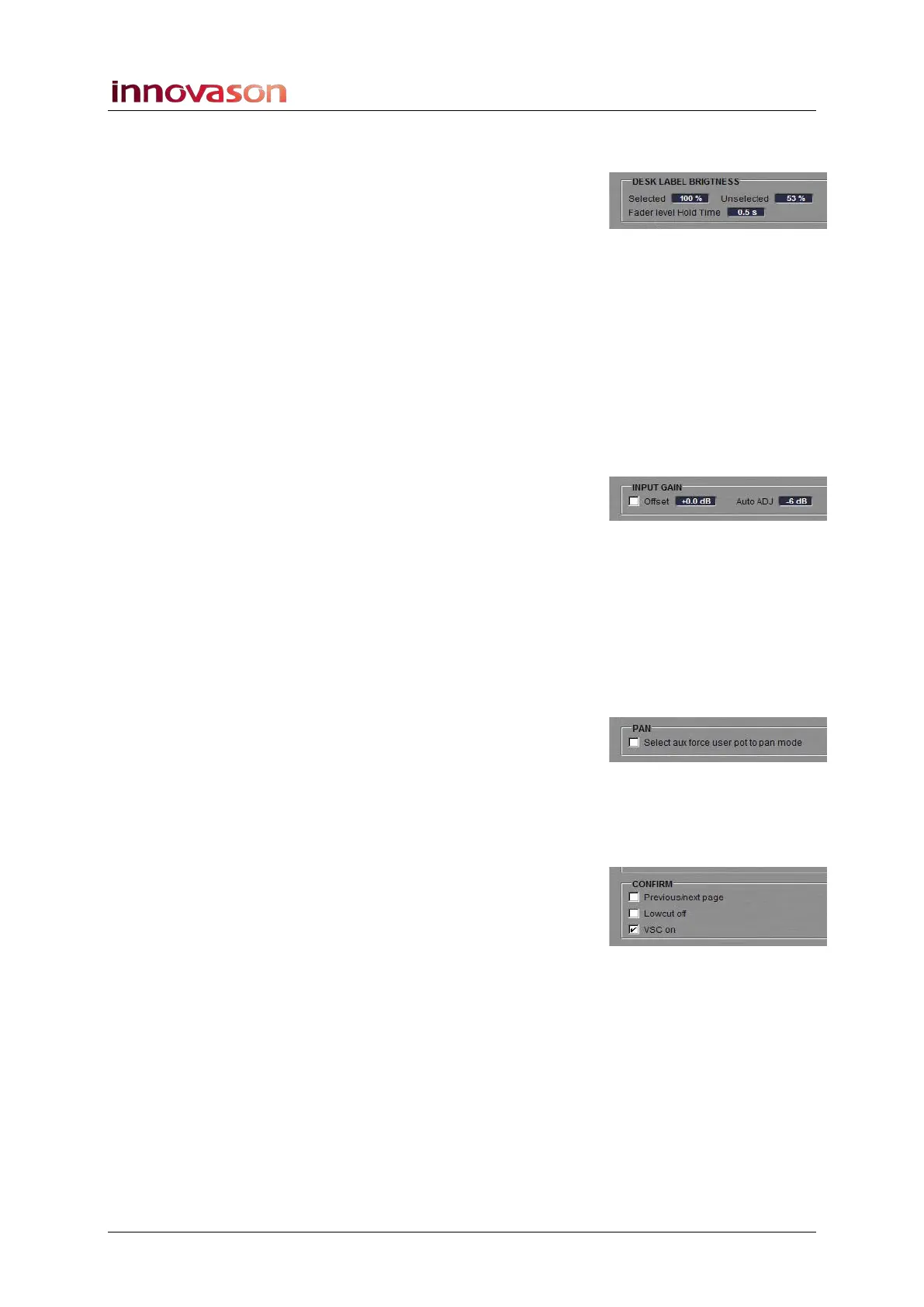
Desk Label Brightness
Sets options for the Label displays (4-character Labels) across
the console:
• Selected – sets the brightness of the selected channel
Label.
• Unselected – sets the brightness of all other channel
Labels (not selected).
• Fader level Hold Time – this option sets the amount of
time the fader level will be displayed for when you touch
a fader.
Input Gain
Sets options for analogue mic preamp inputs:
• Offset – tick this box to apply a display offset to mic
preamp gain. Left-click or right-click to adjust the offset
in 1.5dB steps.
With an incoming signal at +4dBu and an Analogue Gain of
0dB, an Offset of +0dB provides -8dBFS; an Offset of +9dB
provides -17dBFS. See Page 133 for details on input gain.
• Auto ADJ – this is the level adjustment which be
applied to all input channels when the ADJ function is
used, see Page 136.
Pan
• Select aux force user pot to pan mode – tick this
option if you wish to force the Fader strip rotary control
to Pan mode whenever an Aux is selected.
Confirm
Determines whether a confirmation pop-up (OK or CANCEL)
appears for the following operations:
• Previous/next page – see Page 363.
• Lowcut off – see Page 137.
• VSC on – see Page 444.



 To Next Page