Chapter 8: Utilities & Preferences
FLAT (Parameter Reset)
Eclipse User Guide 2.0 393/ 526
FLAT (Parameter Reset)
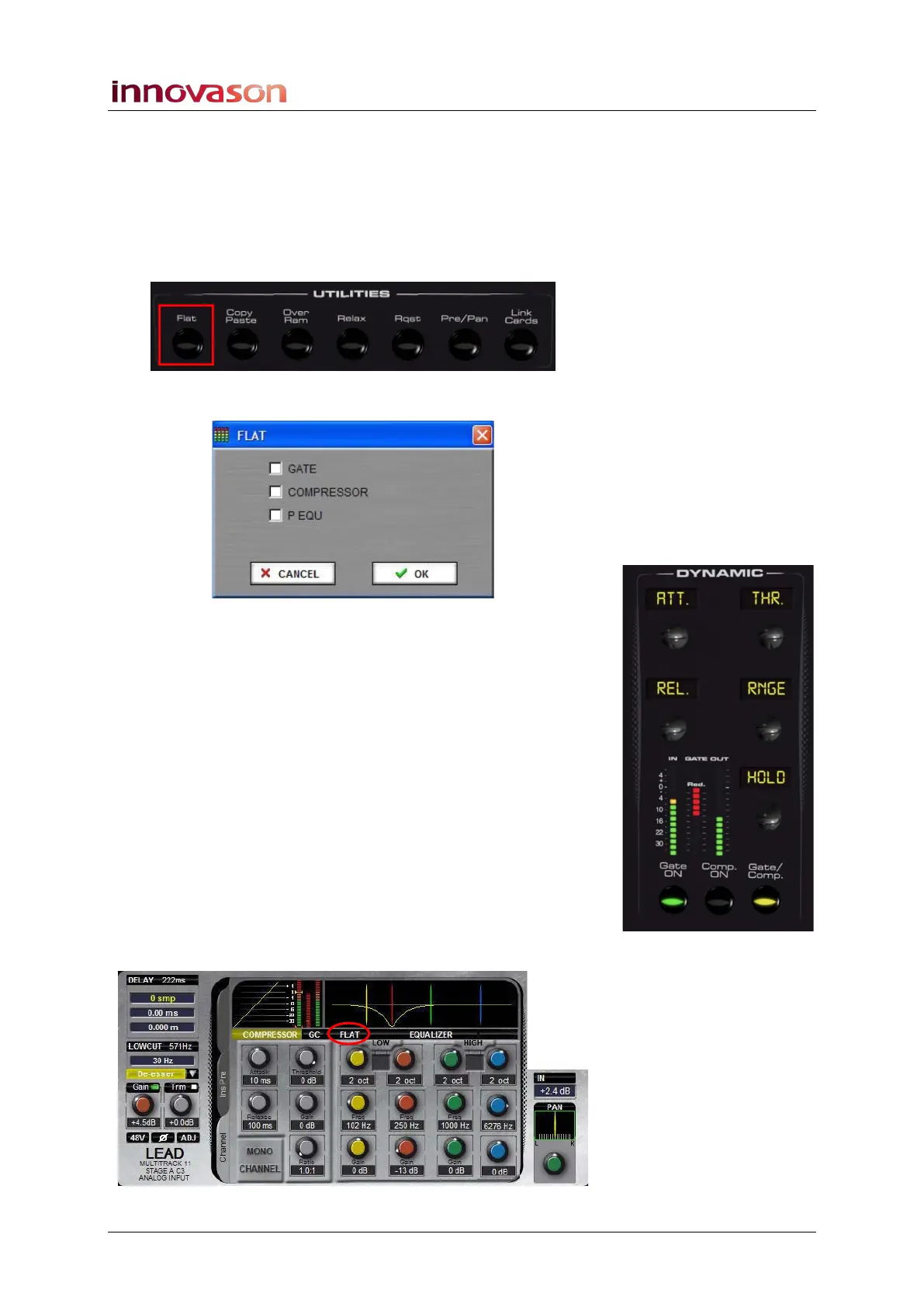
This button allows you to reset individual channel parameters
(Gate, Compressor and EQ) to their default values.
1. Press SEL on the channel you wish to reset.
2. Press Flat on the UTILITIES panel:
The following window appears:
3. Select the parameters you wish to reset:
• You can either click on the checkboxes.
• Or, press the Gate ON, Compressor ON, EQ ON
buttons on the console to tick or untick the checkboxes.
4. When you are ready, press OK to confirm the operation.
The chosen parameters are reset to their default values on the
selected channel.
Note that the example above shows an input channel. If you
select an output channel (UM8 output), then you can reset the
Parametric EQ and Graphic EQ independently.
Note that you cannot undo the reset, other than to reload a
saved Page from File.
If you are working offline, you can select the FLAT window from
the Main Mix display:



 To Next Page