Chapter 5: Console Operation
Fader Strips: Pot Configurations
Eclipse User Guide 2.0 123/ 526
Fader Strips: Pot Configurations
Each of the Gain, Pan and User modes can be customised
from its own Pot Configuration window.
To open the configuration window:
1. Press the Pot. button to select the mode you wish to
configure – e.g. Gain.
The green LED next to Gain should be illuminated.
2. Then press and hold the Pot. button for more than 2
seconds.
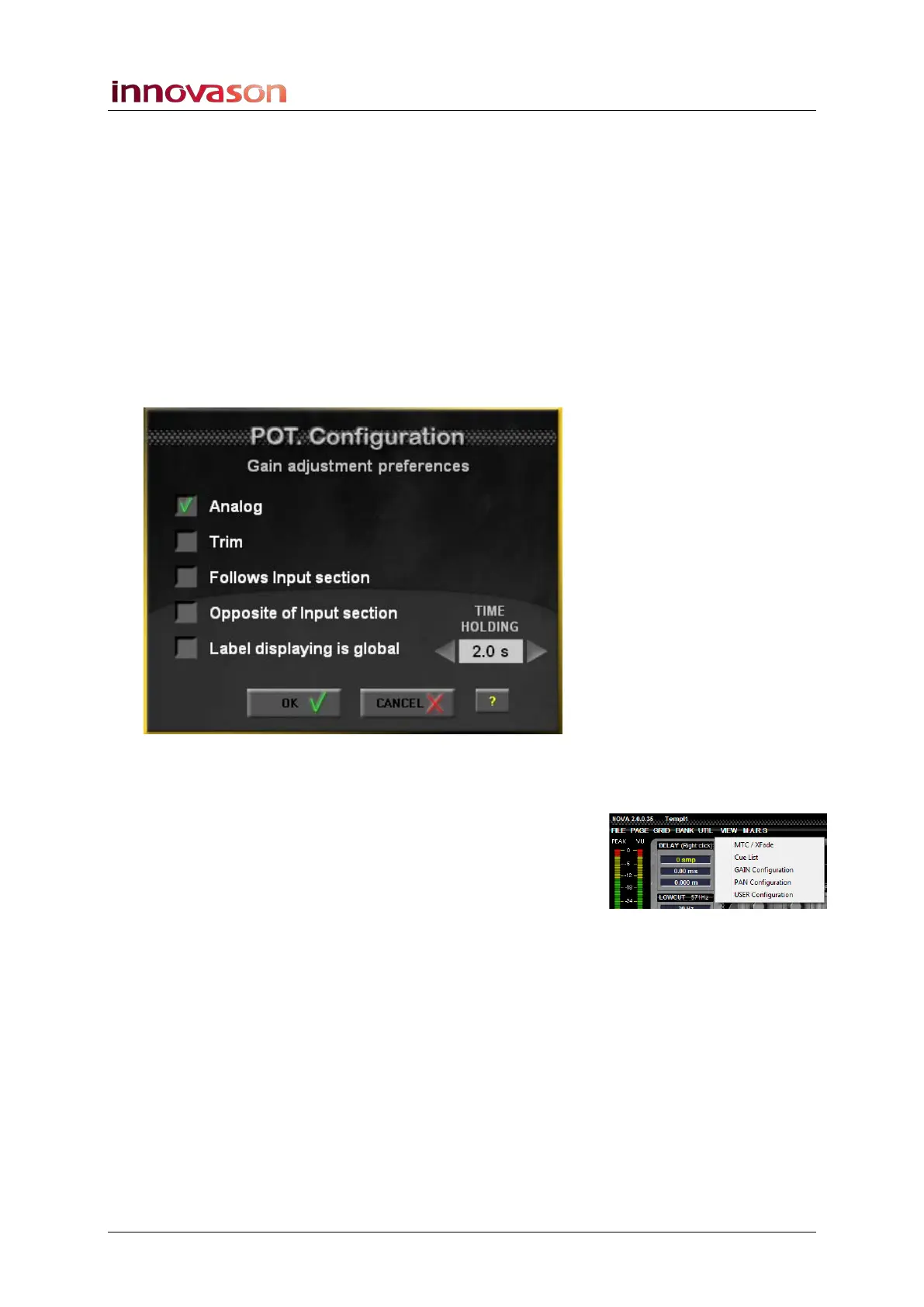
The Gain configuration window opens:
You can open the Pan and User pot configuration windows in a
similar manner.
Alternatively they can be opened from the VIEW menu:
• VIEW -> Gain Configuration
• VIEW -> Pan Configuration
• VIEW -> User Configuration
3. Select the option(s) required.
4. Then press OK to make the configuration active.



 To Next Page