Chapter 5: Console Operation
Fader Strips: Pot Configurations
124/ 526 2.0 Eclipse User Guide
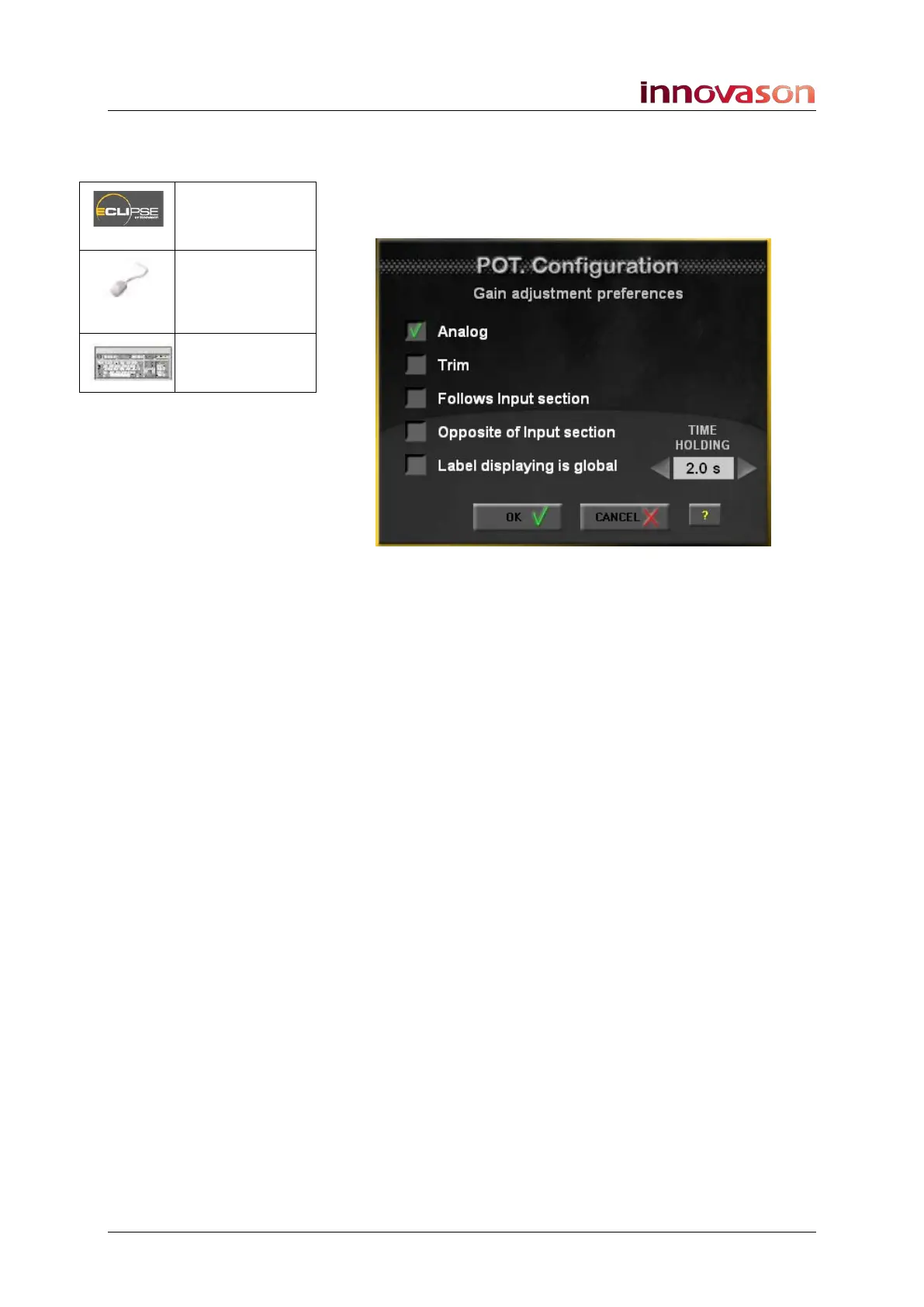
Gain Pot Configuration
This window determines the rotary control options when the Pot
mode is switched to Gain:
The first four options are exclusive and determine the function
of the Fader strip pot. The selection is applied globally across
the console. Select from:
• Analog – analogue gain:
o On input channels, this adjusts analogue mic preamp
gain (SI-8D3 inputs only).
o On output channels, this adjusts analogue output
gain (UM8 processed outputs only).
• Trim – digital gain:
o Available for all input channels.
o On output channels, digital trim is only available if the
channel has floating DSP (see Page 175).
• Follow Input Section – the pot follows the choice of
Analog or Trim made on the INPUT panel.
• Opposite of Input Section - the pot follows the
opposite choice of Analog or Trim made on the INPUT
panel.
Pot. = Gain
(press & hold)
“VIEW ->
Gain
Configuration
n/a



 To Next Page