Chapter 6: Console Configuration
Internal Effects (the FM-8VB Card)
Eclipse User Guide 2.0 289/ 526
Internal Effects (the FM-8VB Card)
Overview
Eclipse provides internal effects which you can insert directly
into any input or output channel, or feed from an aux send and
return into input channels, just as you would with an outboard
effects device.
The advantages over an outboard device are:
• There is no external patching!
• You have convenient control of effects parameters from
the console’s Smart Panel and Main Mix display.
• All effects parameters and patching are recalled with the
rest of your mix.
The effects processing is provided by the FM-8VB card. Two of
these cards are fitted to the rear of the console as part of the
standard Eclipse package. You may fit more cards (up to 6)
providing you have spare slots in the rear of the console.
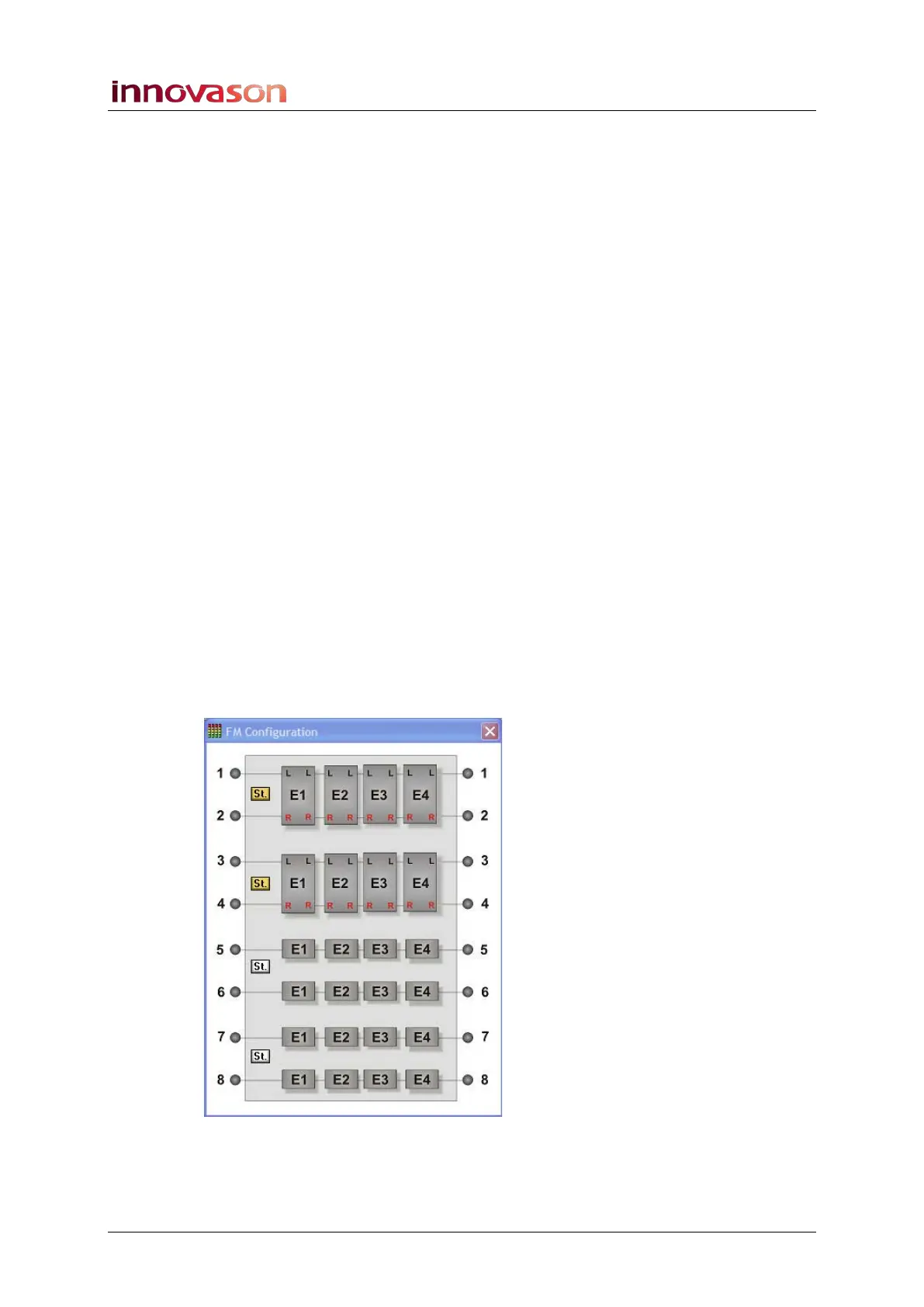
Each FM-8VB card is seen by the system as an 8 input and 8
output card which feeds 8 internal effects bays; there are no
physical I/O connectors to or from an FM-8VB card.
Each bay can be mono, or you can configure a pair of bays for
stereo operation. In other words, you can configure up to 8
mono effects, 4 stereo effects or any combination from each
card:
Within each bay you can then assign up to four effects modules
(E1 to E4).



 To Next Page