Chapter 6: Console Configuration
Internal Effects (the FM-8VB Card)
290/ 526 2.0 Eclipse User Guide
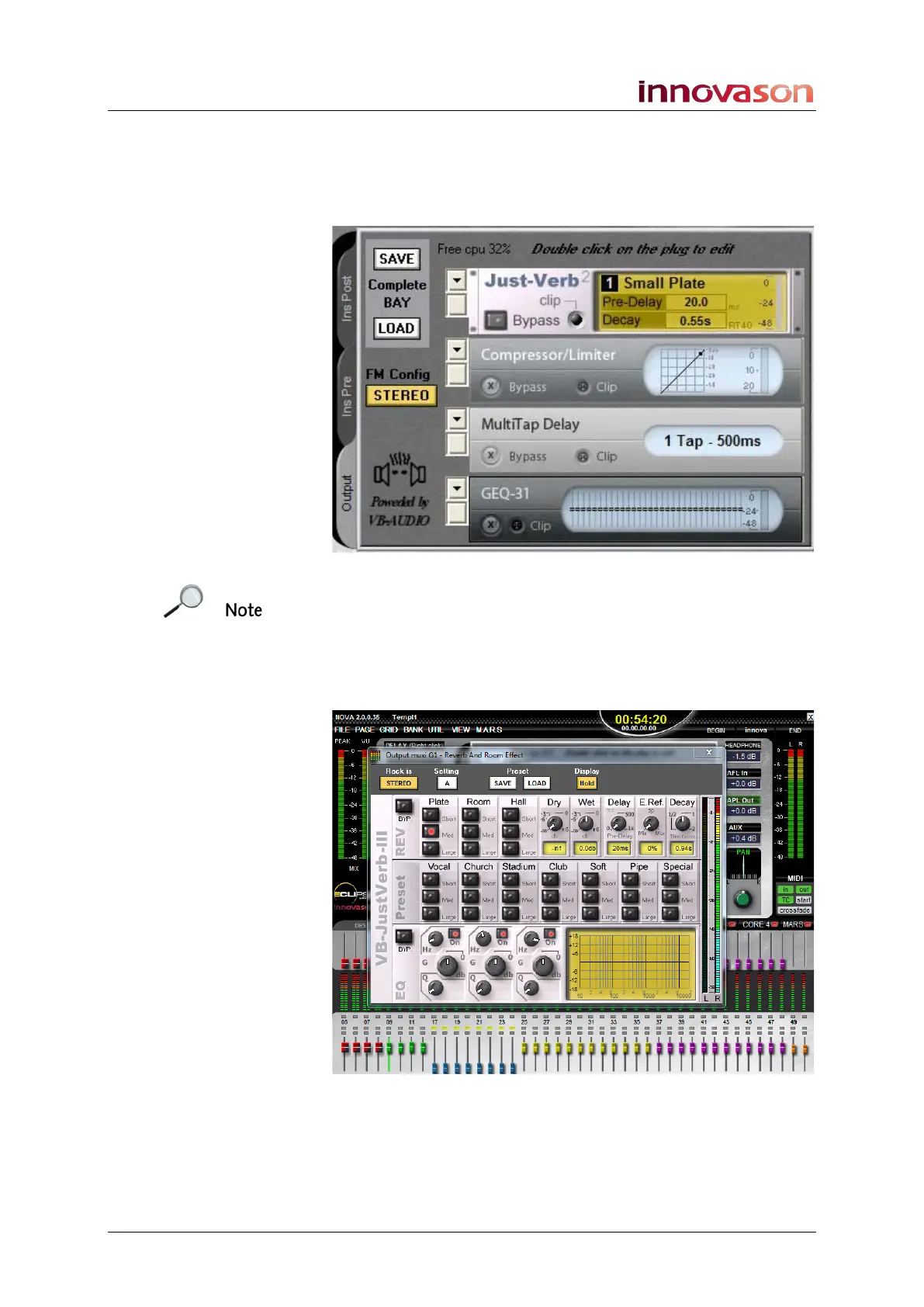
A VB Audio plug-in can be assigned to each module, and the
four modules are daisy-chained from top to bottom as shown
below. Available plug-ins include Reverb, Echo, Chorus,
Flanger, De-esser, Compressor, Gate and a Multi-band
Compressor:
Note that some plug-ins use more DSP resource than others.
For example, you may assign up to 8 de-essers but only 4
JustVerbs from each FM8-VB card.
Once assigned, you can control each effects module from the
console’s Main Mix display by double-clicking on it. For
example, here is the Just-Verb
2
plug-in Editor:
You can also assign the module’s controls onto the Smart
Panel so that you can adjust effects parameters from physical
controls.



 To Next Page