Chapter 6: Console Configuration
Internal Effects (the FM-8VB Card)
Eclipse User Guide 2.0 291/ 526
Configuring Mono or Stereo Effects Bays
Before you patch any internal effects, it is a good idea to decide
which bays will be mono and which stereo. Note that you can
also change the mono/stereo status from the Main Mix display
once your patching is complete, see Page 298.
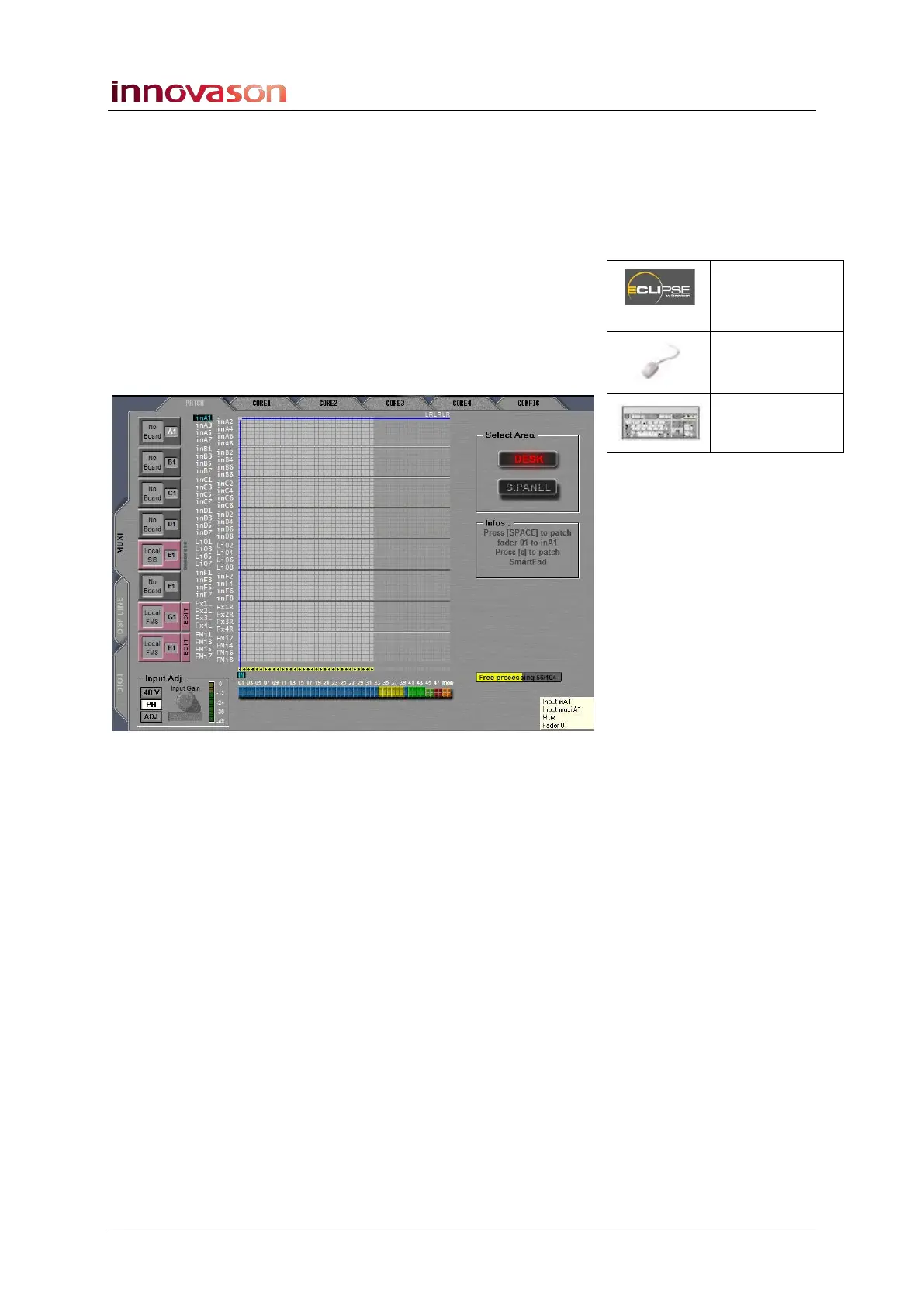
1. Open the PATCH IN (or PATCH OUT) grid.
2. Select the LOCAL / MUXI tab to view the eight
Muxipaire interface slots (at the rear of the console).
In our example, the last two slots are fitted with Local FM8
(FM-8VB) cards:
Patch IN
(UTILITIES)
“GRID ->
Patch Input”
[F11]



 To Next Page