Chapter 5: Console Operation
Input Channels: Insert
Eclipse User Guide 2.0 137/ 526
Insert
On input channels, inserts are always pre-fader, and the
inserted device can be:
• An external device connected to any input/output pair.
• An internal effects bay provided by the FM8-VB card.
The Insert button is used to switch the channel insert return on
or off. If an insert device has not been assigned, then you
cannot select this button. See Page 309 for details on inserts.
Low Cut
The Low Cut filter slope is 12 dB/octave.
1. Press down on the rotary control to switch the filter on or
off.
When active, the display shows the roll-off frequency.
2. Turn the control to adjust the roll-off frequency.
Frequency may be set between 30Hz and 571Hz in 53 steps.
You may need to confirm before switching the filter off; this is
an option set from the General Preferences, see Page 428.
DELAY
Eclipse offers a pool of 48 delays, assignable to any input or
output (mix bus) channel. The delay time may be set up to
222ms and can be adjusted in samples, ms or metres. See
Page 197 for details.
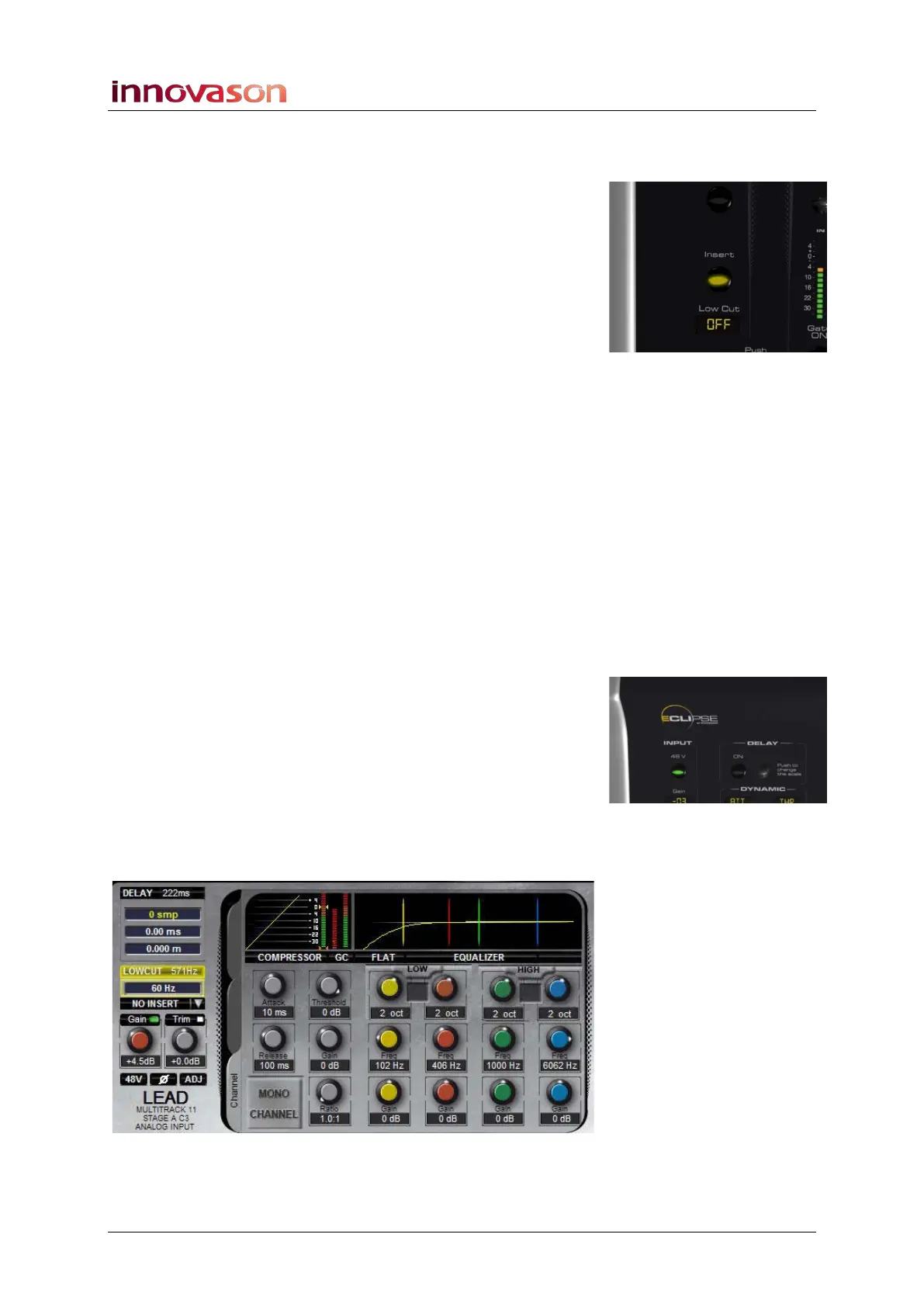
The Main Mix display shows the status of any DELAY,
LOWCUT filtering and insert switching (NO INSERT).
If the low cut filter is switched on, then you will see the result of
any filtering superimposed onto the EQ curve:



 To Next Page