Chapter 5: Console Operation
Assignable Delays
Eclipse User Guide 2.0 199/ 526
Adjusting the Delay
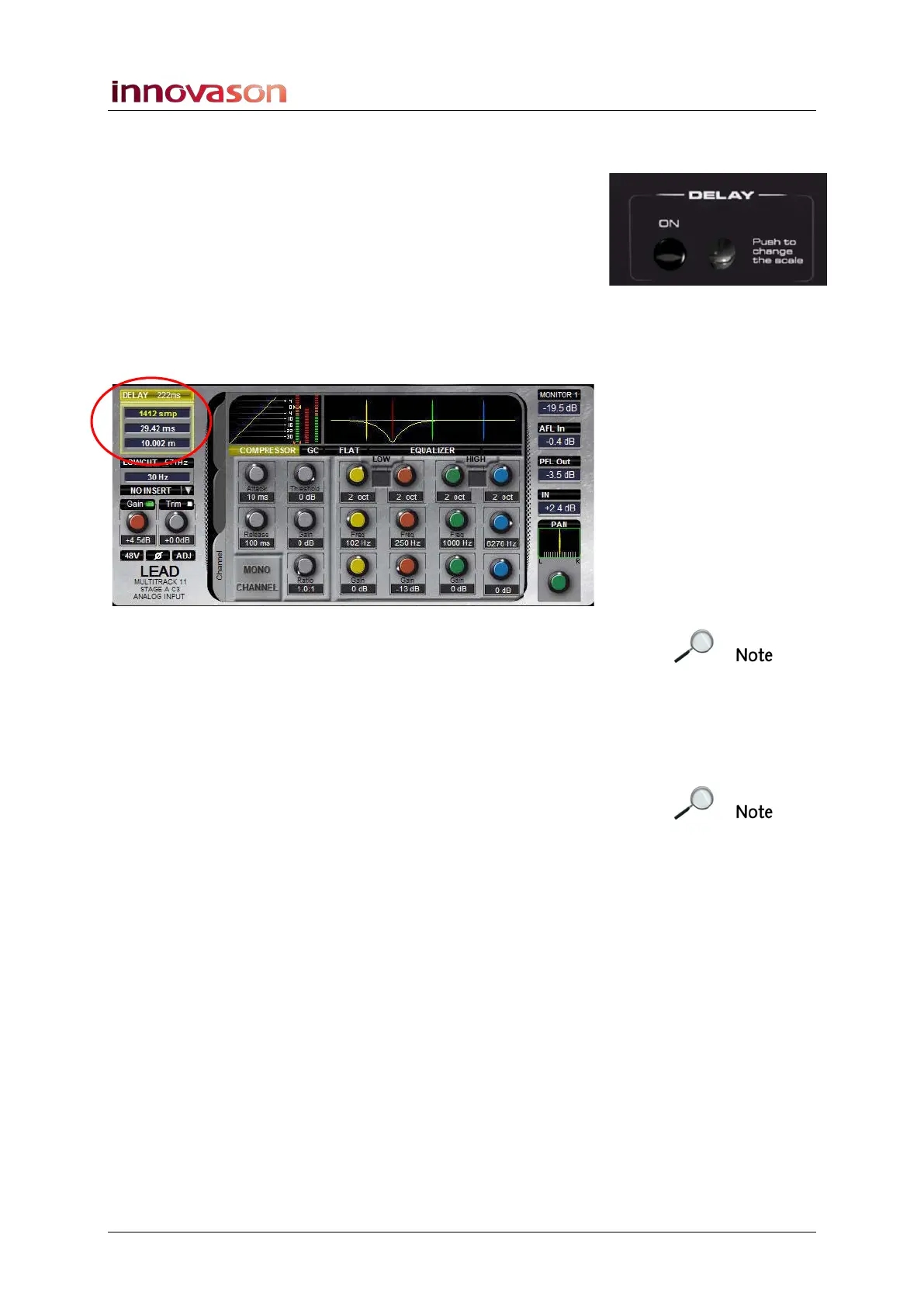
1. Once assigned, you can adjust the delay time from the
rotary control on the DELAY panel.
2. Push down on the rotary control to change between
setting the delay time in:
• Samples
• Milliseconds (ms)
• Metres (m)
You will see the delay time update in the Main Mix display:
Note that the top figure beside DELAY indicates that a
maximum delay time of 222ms is available. The actual delay
time set is 29.42ms in our example.
3. Press the front panel ON button to turn delay on or off.
The button is lit and the Main Mix DELAY area is yellow when
delay is on.
Note that when using an assignable delay on an output channel
(mix bus), the minimum delay time is 12 samples. For technical
reasons, it is not possible to set a value below this value.



 To Next Page