Chapter 4: Getting Started (The Standard Template)
Your First Mix
116/ 526 2.0 Eclipse User Guide
Monitoring and Headphones
Eclipse provides a dedicated stereo bus for monitoring. This
bus can feed up to three monitor and headphone circuits, each
with independent level control.
The Templ1 File patches the Monitor 01 circuit to UM-8PO
outputs 15 and 16 on the rear of the console. In addition, the ¼“
jack socket, at the front of the console, is automatically patched
from the Headphone circuit.
Note that the Templ1 file loads some default Monitor
preferences:
• The monitor bus is automatically fed from the stereo
Master when no other CUE is active. This is why the
CUE button on the Master fader (Fader 47 cannot be
turned off.
• Both Headphones and the Monitor 01 circuit receive the
same CUE bus but with separate level controls:
To modify the monitoring preferences, see Page 217.
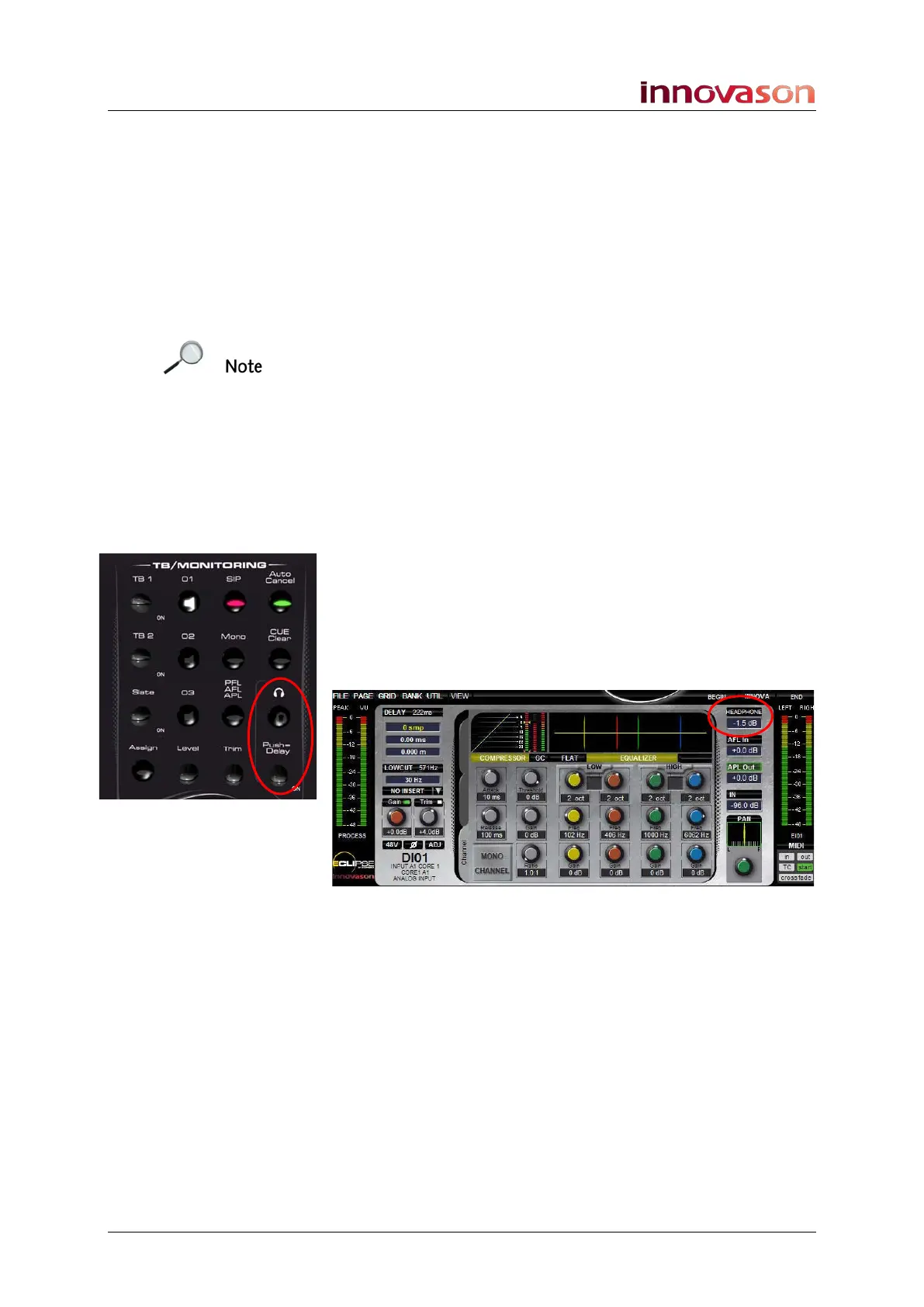
To control the headphone output:
1. Turn the Headphone rotary control on the
TB/MONITORING panel marked opposite.
As you move the control you will see the HEADPHONE circuit
level appear at the top right of the Main Mix display:
The Headphone mute button and Push Delay function are
reserved for future implementation.



 To Next Page