Chapter 4: Getting Started (The Standard Template)
Your First Mix
Eclipse User Guide 2.0 115/ 526
Labels
So far we have used the default labelling provided by the
Templ1 file. However, it is simple and easy to change these 4-
character Labels as follows:
1. Press SEL on the input channel you wish to Label.
2. Then press [F3] on the console keyboard.
A switch on the User Defined panel can also be assigned to this
function, see Page 322.
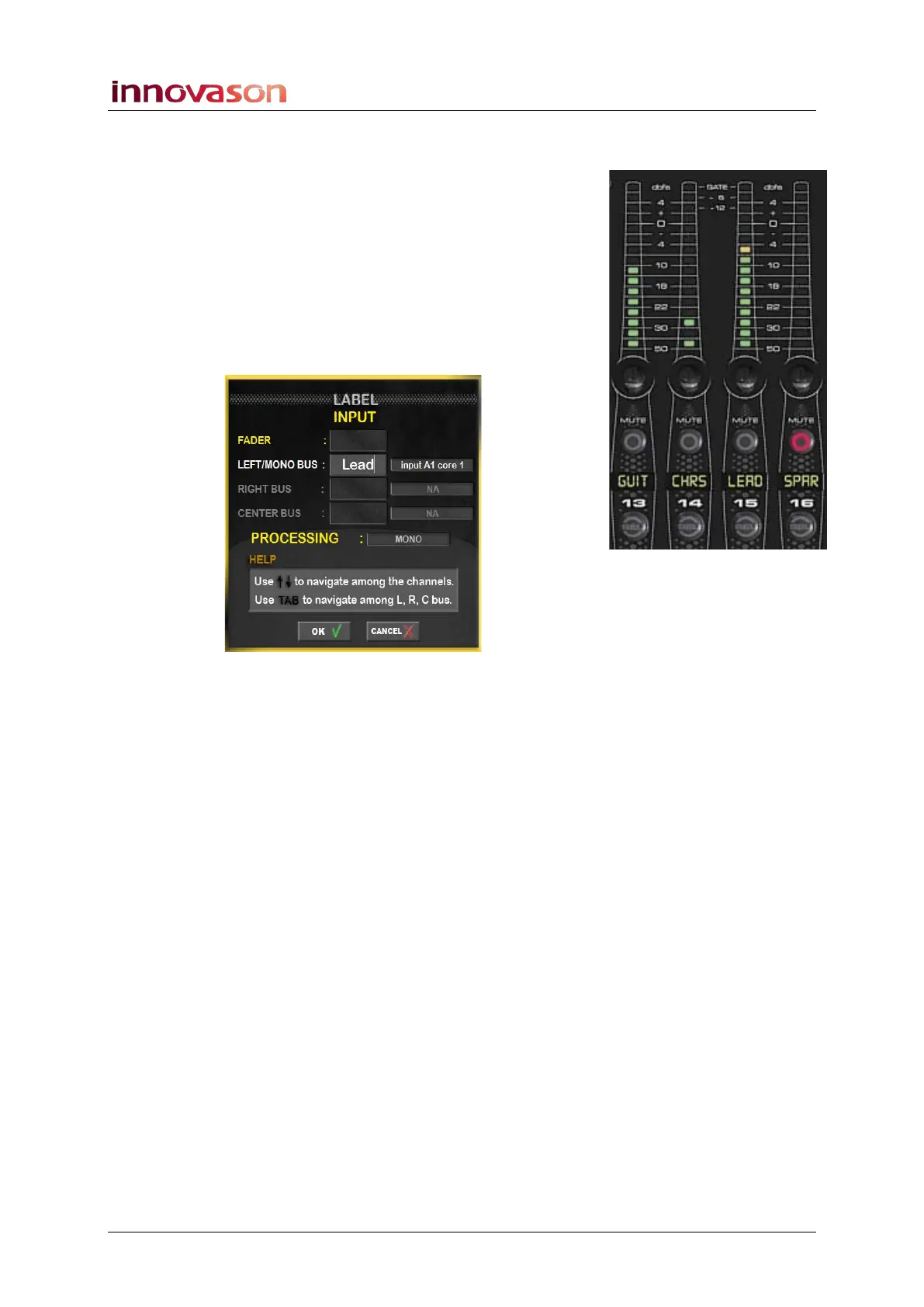
The INPUT LABEL window appears:
3. In the LEFT/MONO BUS field, enter a new 4-character
Label from the keyboard.
This labels the input source – in our example, Lead. The label
will appear on the Fader strip, Main Mix and Patch displays.
4. Confirm by pressing OK.
You can Label a range of Faders or Smart Panel strips by
selecting [ALT] + [F3]; each time you press OK, the next strip is
selected.
Or, having opened the Label window, use the up and down
arrows to navigate among the channels of the desk.
For more details on Labels, see Page 200.



 To Next Page