Chapter 4: Getting Started (The Standard Template)
Loading a File
Eclipse User Guide 2.0 91/ 526
Creating a New File (Save As)
Before you start working on the console it is a good idea to
save a copy of the Templ1 File under your own name. This way
you won’t overwrite the standard template with your own
settings!
The best method is to use Save As:
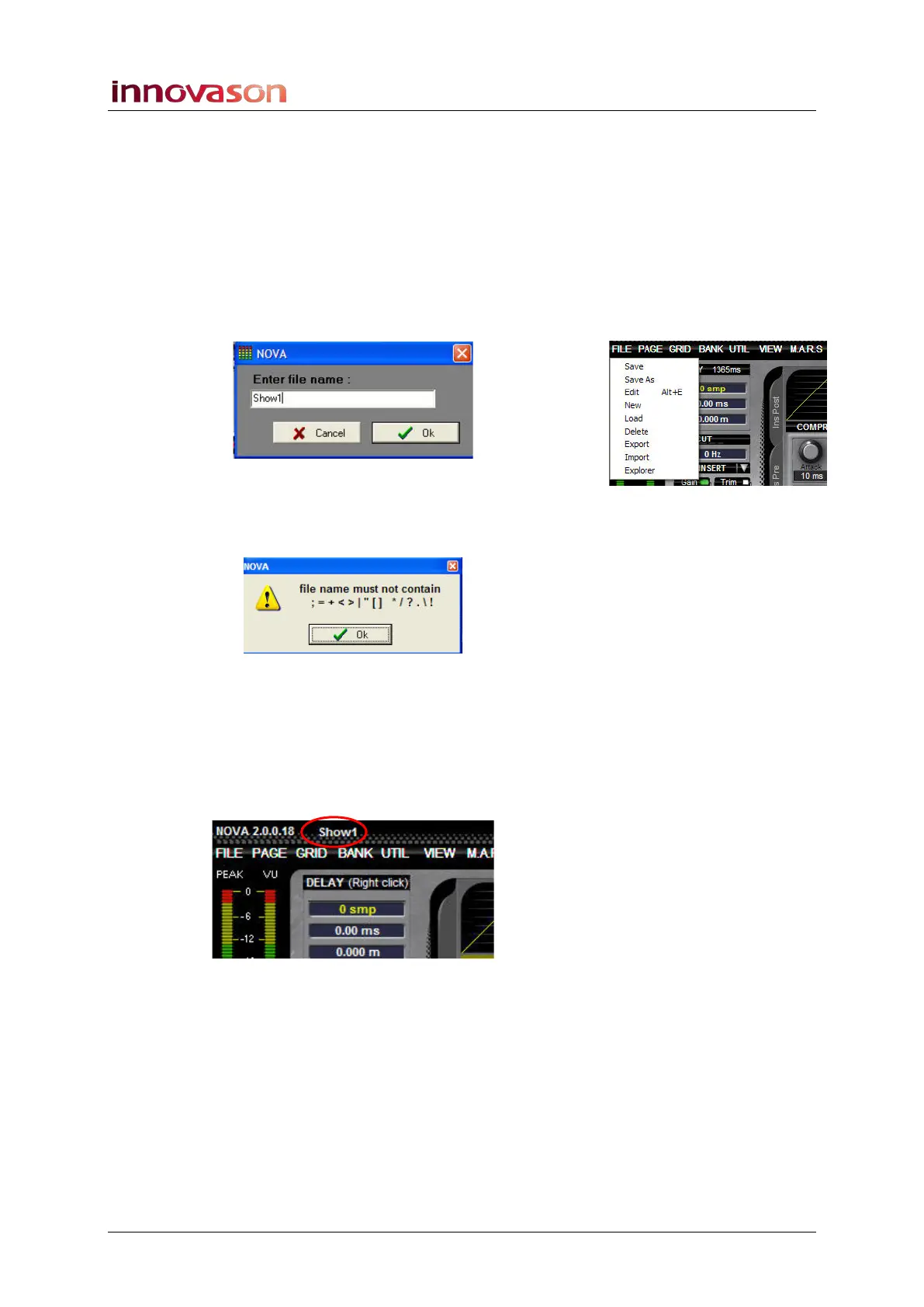
1. Using the trackball select “FILE -> Save As” from the
main menus.
A window requesting a File name appears on the Nova screen:
2. Type in a name on the console keyboard – e.g. Show1.
Note that the file name is limited to 8 characters, and cannot
contain spaces or invalid characters:
3. Confirm by pressing OK.
Nova now saves all Pages within the desk memory into a new
File on its hard disk called Show1. You will see the progress of
the save.
When the Save is complete, the new File name appears at the
top of the Main Mix display:



 To Next Page