Chapter 10: M.A.R.S.
Advanced Functions
Eclipse User Guide 2.0 481/ 526
Changing the Timecode Format
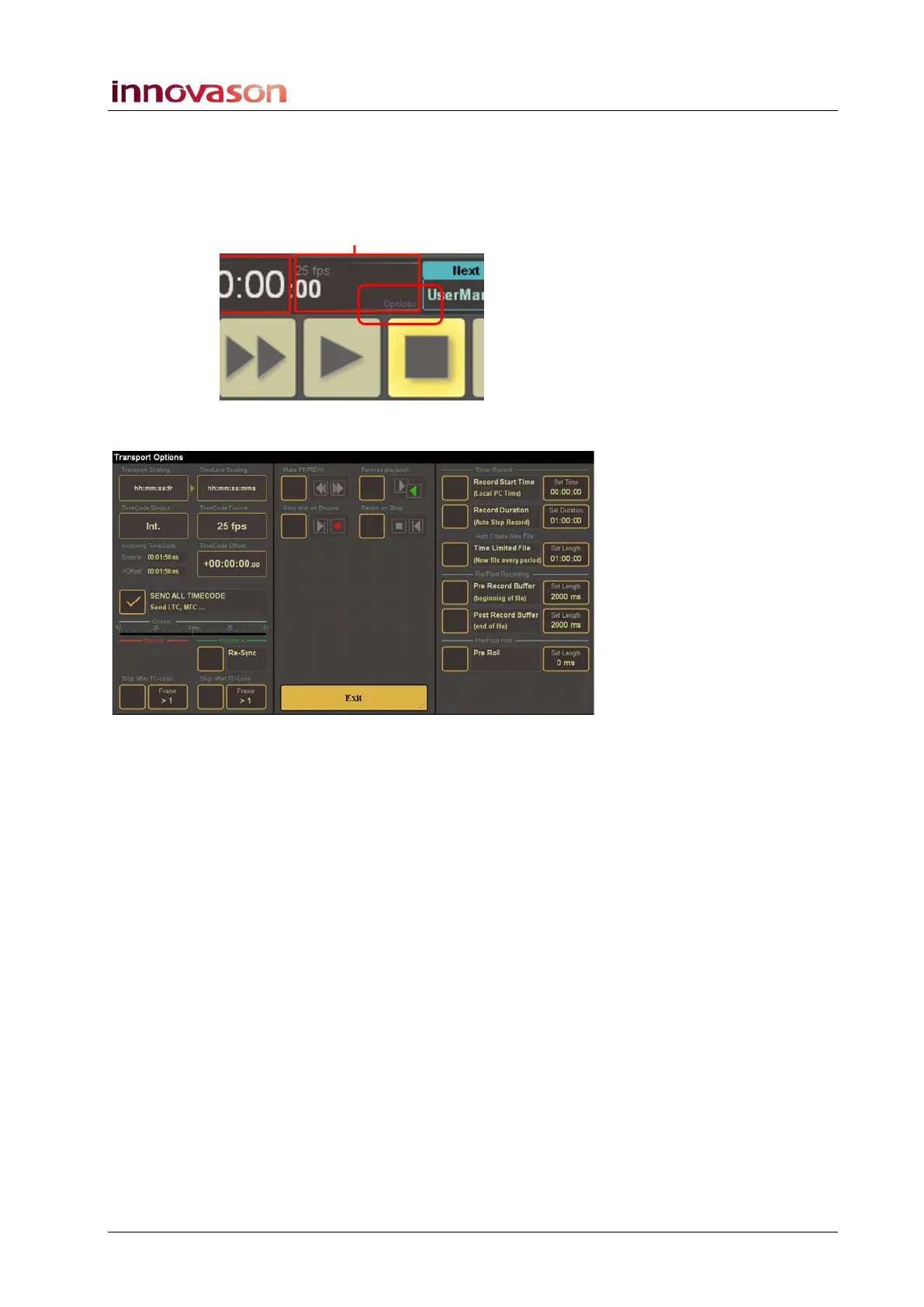
This option can be set from the Transport Options page.
1. Touch the M.A.R.S. on-screen timecode display (within the
milliseconds zone named options):
The Transport Options page opens:
2. Touch the TimeCode Format box to select a different
timecode format from the drop-down menu.
You can select from 23.98fps, 24fps, 25fps, 29.97fps, 29.97 dfps
(drop frame), 30 fps or 30 dfps (drop frame).
3. Touch EXIT to return to the main M.A.R.S. pages.



 To Next Page