Chapter 10: M.A.R.S.
Advanced Functions
480/ 526 2.0 Eclipse User Guide
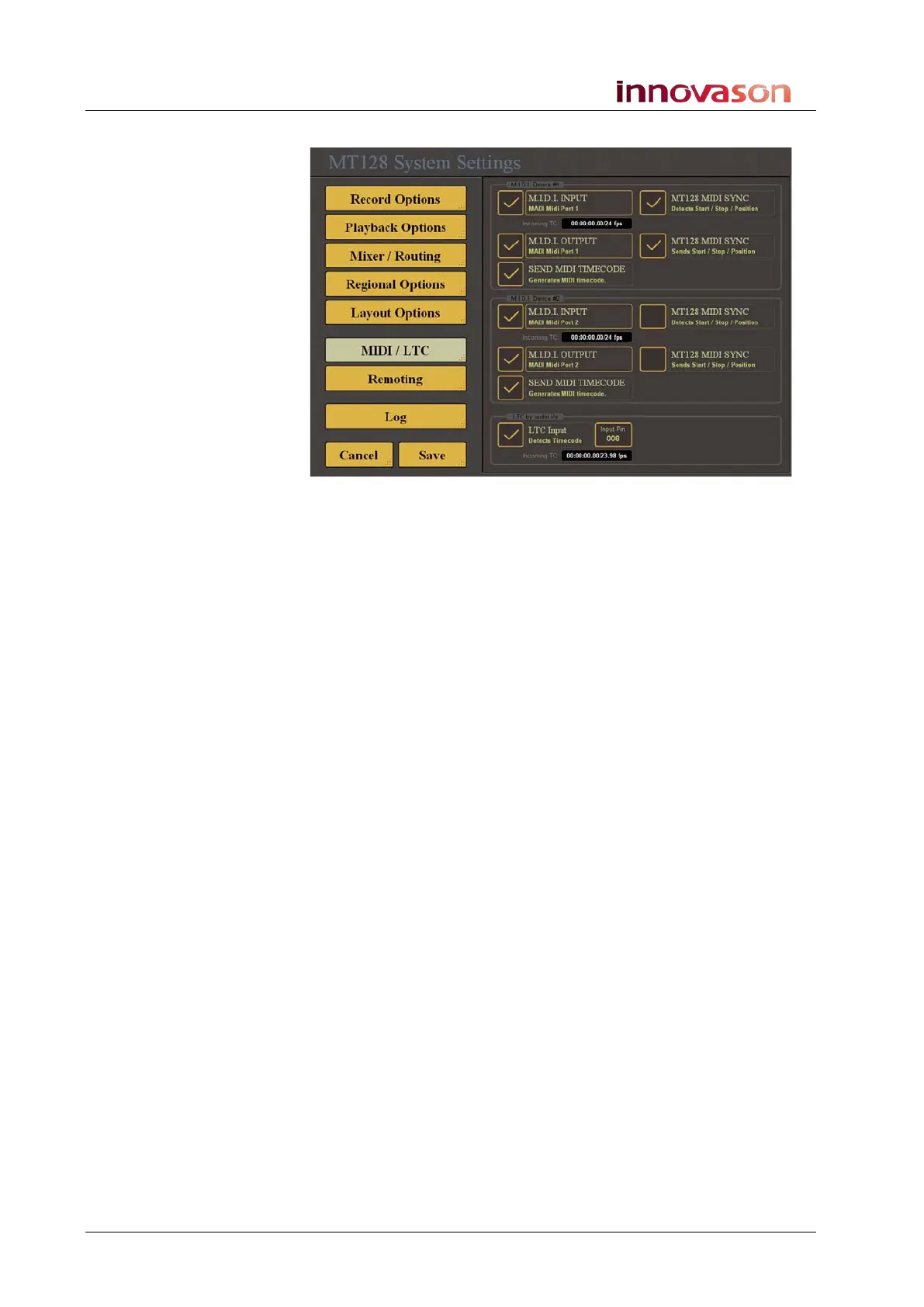
2. Then select the MIDI/LTC menu:
Choosing the LTC Input
1. Make sure that the LTC Input option at the bottom of the
page is ticked.
2. Touch the Input Ch box and enter a number from the
numeric keyboard.
3. Select Save to save any changes and close the System
Settings window.
Enabling the MTC Port
1. Make sure that the MIDI Input option at the top of the page
is ticked and that the name of the MIDI interface is
displayed.
2. If not, touch the MIDI Input area to select the MIDI
interface from the drop-down list.
3. Repeat to enable the MIDI Output port.
4. Remember to select Save to save any changes.



 To Next Page