Chapter 1: Overview
Console Reset and Automation
Eclipse User Guide 2.0 31/ 526
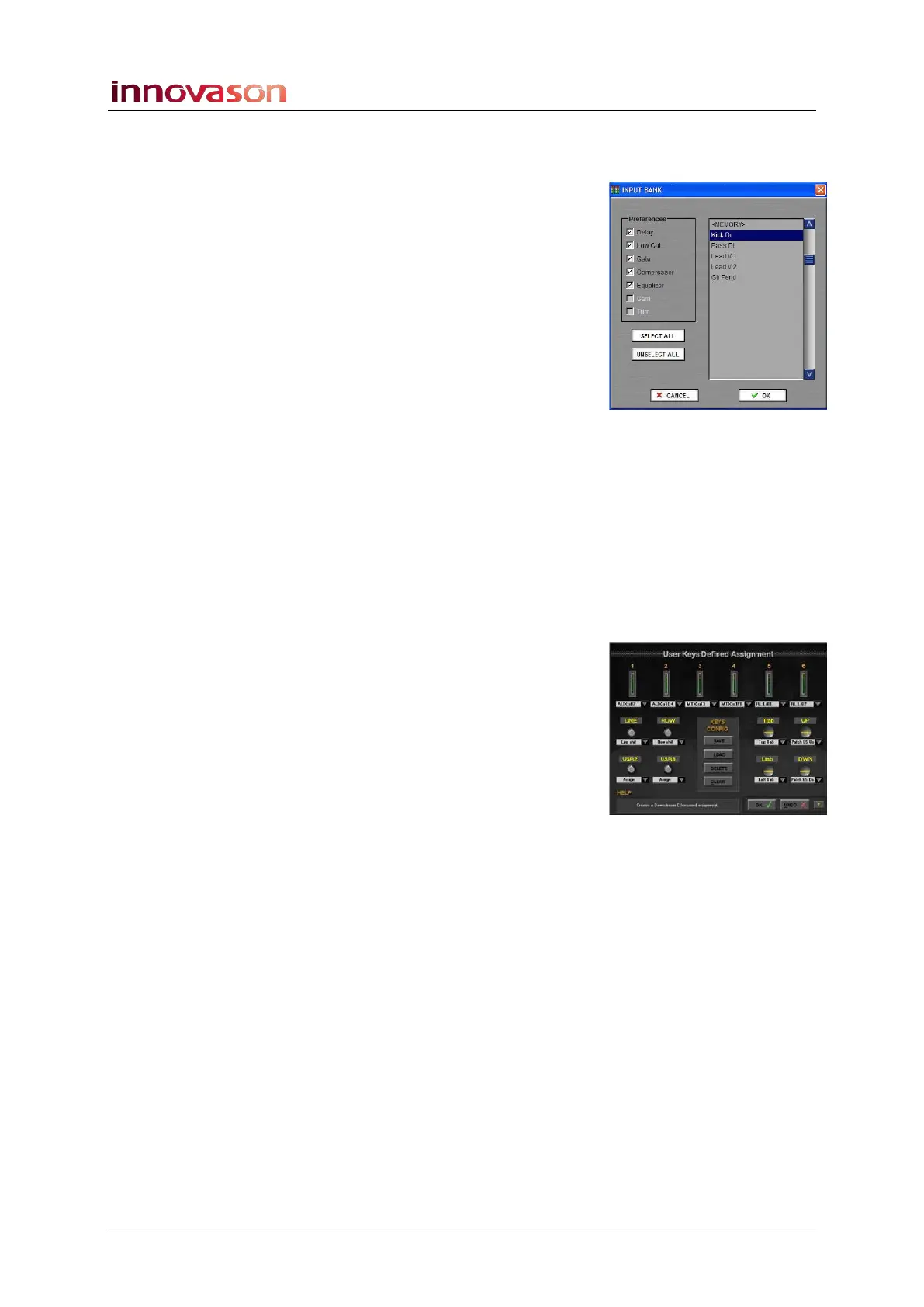
Processing Libraries
Processing libraries save and load the settings for a particular
channel independent of the current File and Page. For example,
if you have created the ultimate Kick Drum EQ and
Compression, it would be nice to be able to load it to any
channel in any future show.
The BANK menu provides access to Save, Load, Delete,
Import and Export library functions. Each library saves all the
settings for the selected channel. When you load back, you can
select which parameters you wish to load.
Personal Mixes
A “Personal Mix” saves the send levels, panning and routing for
a particular Aux. This allows you to save a different monitor mix
for each musician working on the show. For example, if you
have different drummers who work on different nights of the
week, you can save a Personal Mix for each performer.
Each Personal Mix stores the send levels, pan position (if
panning is independent) and routing for a specific Aux.
Personal Mixes are saved in the current File. You can load a
Personal Mix to any Aux; the Aux mix is updated for all Pages.
User Defined Panel – Keys Config
You can save different configurations for the functions assigned
to the USER DEFINED panel; each configuration can be saved
and loaded independently of the current File and Page. This
allows you to create Key Configurations for different
applications such as patching, FOH mixing, mixing monitors,
and so on.
Default Patch Memories
Within the PATCH IN, PATCH OUT and PATCH DIRECT grids,
you can save a default memory which is also independent of
the current File and Page. You can use these memories to save
default patching, I/O settings and Labels which can then be
loaded back as the basis for a new show.
Importing and Exporting
Files, Libraries, Key Configurations and Patch Memories are all
stored on the Nova control computer and may be exported to
USB for transfer to other systems.
For full details on Files, Pages, Automation and all other data
storage functions, please see Chapter 7 (Page 341).



 To Next Page