Chapter 5: Console Operation
Labels
Eclipse User Guide 2.0 205/ 526
Labelling Multiple Inputs, Outputs or Channels
Within the LABEL window, you can use the [Up] or [Down]
arrows on your keyboard to navigate up or down the Fader
numbers of the console.
Alternatively, you can quickly name a consecutive range of
channels as follows:
1. Press SEL on the first Fader or Smart Panel strip you
want to Label.
2. Then press [ALT] + [F3] on the console keyboard.
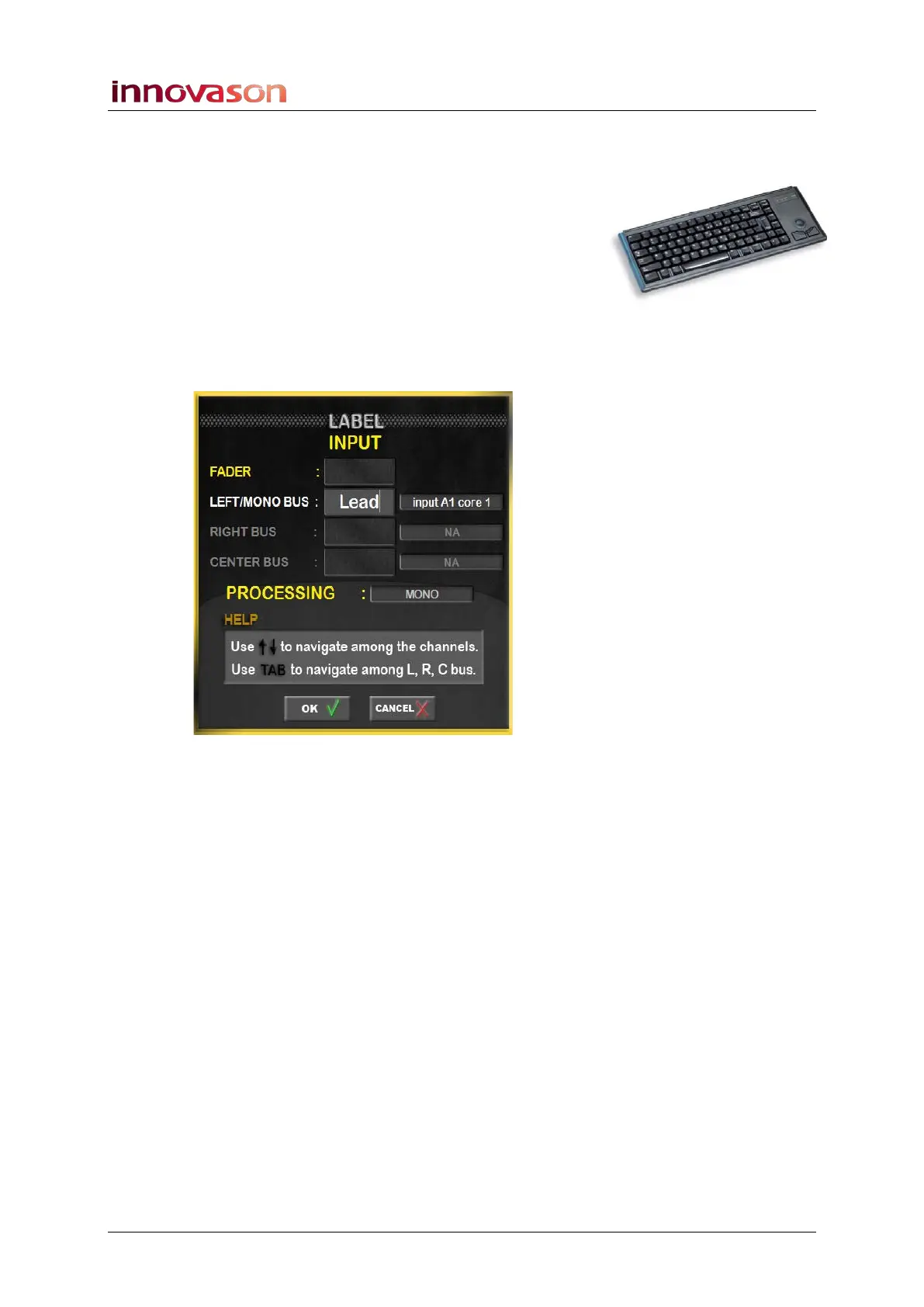
The LABEL window appears:
3. Enter a 4-character Label from the keyboard.
4. Confirm by pressing OK.
The LABEL window remains open and automatically selects the
next Fader or Smart Panel strip on the console.
5. Enter the next 4-character Label and confirm with OK.
6. If you wish to keep any existing Labels, then press OK
to retain them.
7. Continue labelling until you wish to exit. Press CANCEL
to close the LABEL window.



 To Next Page