Chapter 5: Console Operation
Monitoring
Eclipse User Guide 2.0 207/ 526
Monitor Outputs 1, 2 and 3
Monitor switching and level control is handled from the
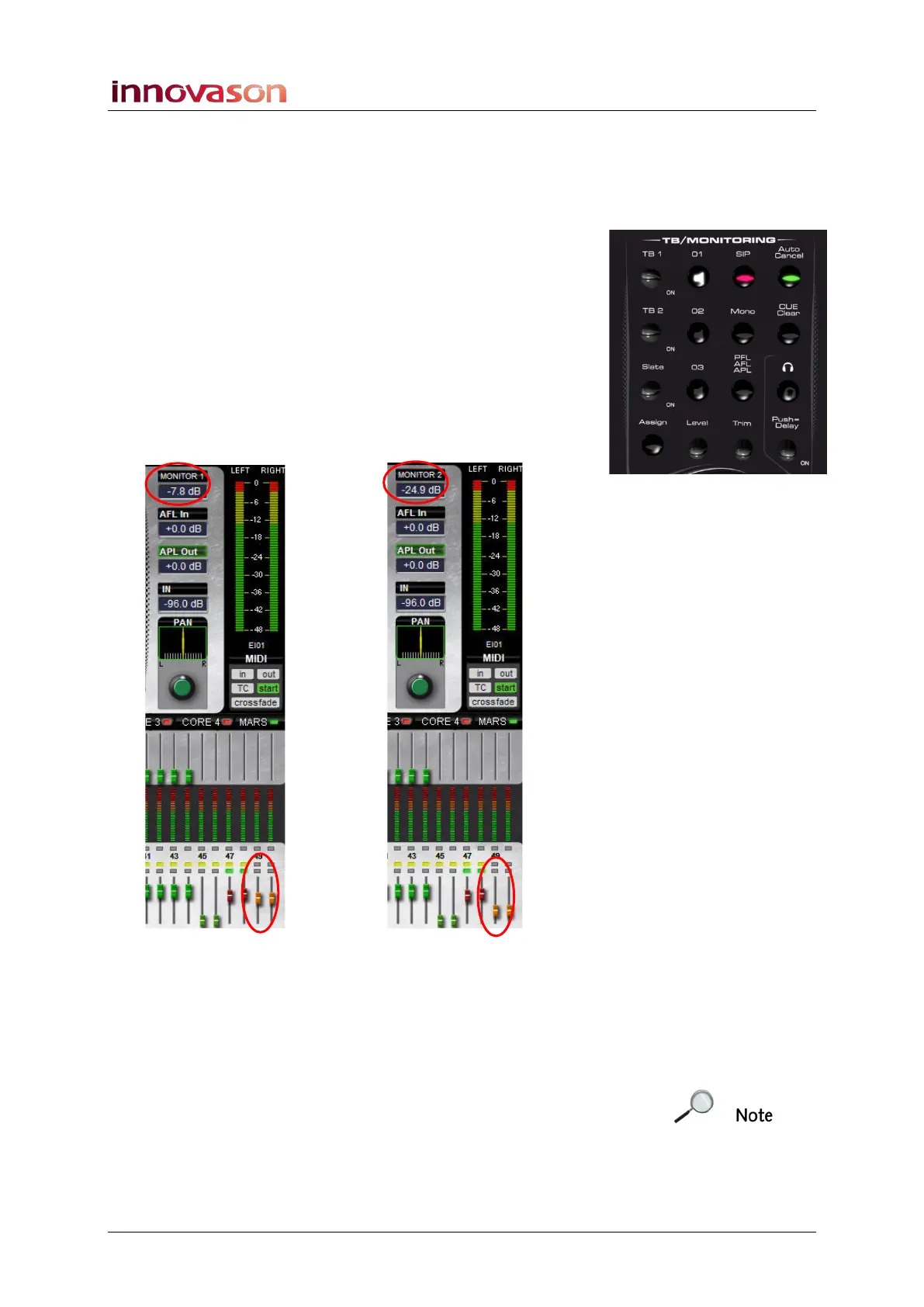
TB/MONITORING panel:
1. Press the 01, 02 or 03 buttons to select a monitor
output.
The buttons intercancel as only one monitor circuit can be
active at a time.
You can turn off all three buttons if you wish. Use this mode to
turn off all monitoring when working with headphones.
2. With a monitor circuit selected (e.g. 01), turn the Level
control to adjust the level.
As you move the control you will see the MONITOR 1 level at
the top right of the Main Mix display, and on the orange faders:
3. Select a different circuit (e.g. 02), and both areas update
to show the level of the Monitor 2 output.
4. Press Mono to mono the monitor bus.
This button will stay active while you switch to different monitor
outputs.
Note that the Assign button on the TB/MONITORING panel is
reserved for future implementation.



 To Next Page