Chapter 5: Console Operation
Monitoring
208/ 526 2.0 Eclipse User Guide
Patching the Monitor 1, 2 and 3 Circuits
Using the PATCH OUT grid, described on Page 247, you can
patch each of the monitor circuits to physical outputs.
It is important to have the correct circuit active when you patch.
The steps below explain how to patch three monitor circuits to
three different sets of physical outputs:
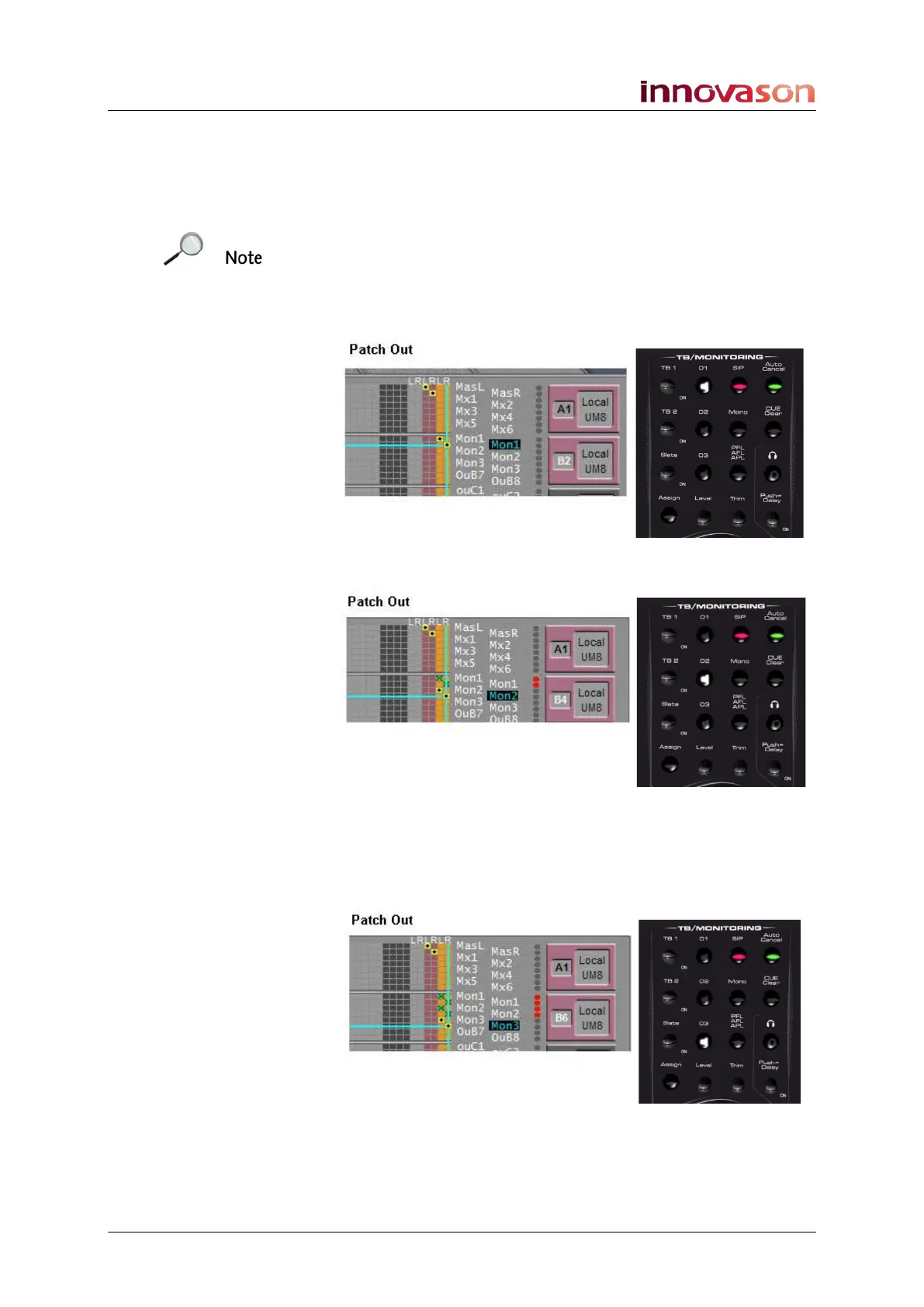
1. Select Monitor 01, and patch the first monitor circuit
(orange monitor faders) using the PATCH OUT grid:
2. Now press Monitor 02, and patch the second circuit:
Notice how the orange monitor faders now represent the
second circuit. Also note that the first monitor output has been
muted; indicated by the red dots in the Mute column.
3. Finally, press Monitor 03, and patch the third circuit:



 To Next Page