Chapter 5: Console Operation
Monitoring
Eclipse User Guide 2.0 209/ 526
Monitor Level Control from a Fader
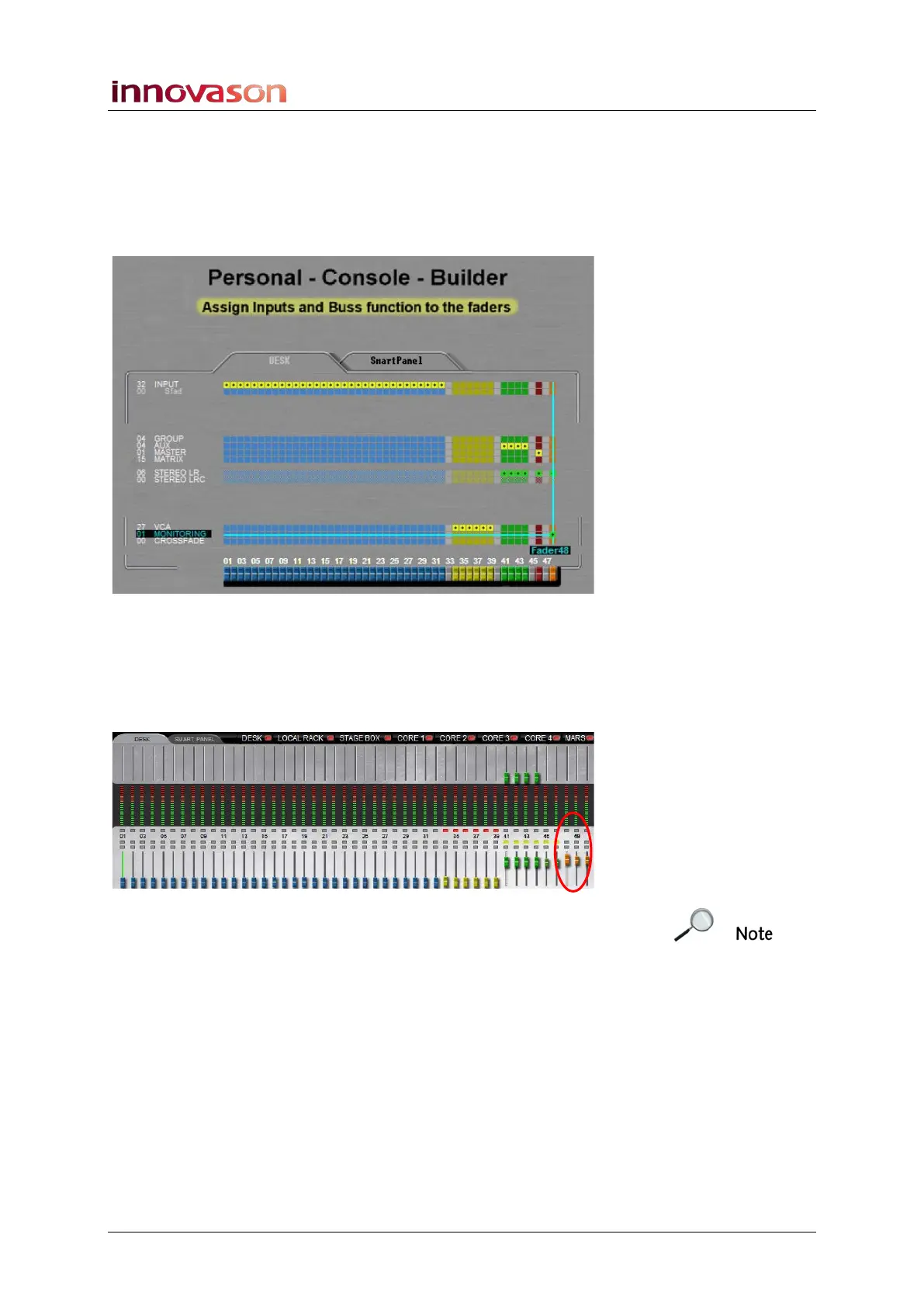
Using the Personal Console Builder, described on Page 221,
you can assign a Fader strip to control Monitor level. In our
example below, Fader 48 has been configured as the
MONITORING fader:
1. Having loaded this PCB configuration, you can use the
fader to control the monitor level of the active circuit (01,
02 or 03).
The monitoring fader is indicated by an orange ID on the
surface and Main Mix display:
Note that once a monitor fader is assigned to the surface, the
Level control on the TB/MONITORING panel has no function.
2. Press the SEL button on the Monitoring fader to toggle
between the left and right outputs of the monitor circuit.



 To Next Page