Chapter 5: Console Operation
Monitoring
210/ 526 2.0 Eclipse User Guide
The Headphone Output
The ¼“ jack socket, at the front of the console, is automatically
fed from the Headphone circuit; there is no patching required.
Headphone Monitor Source
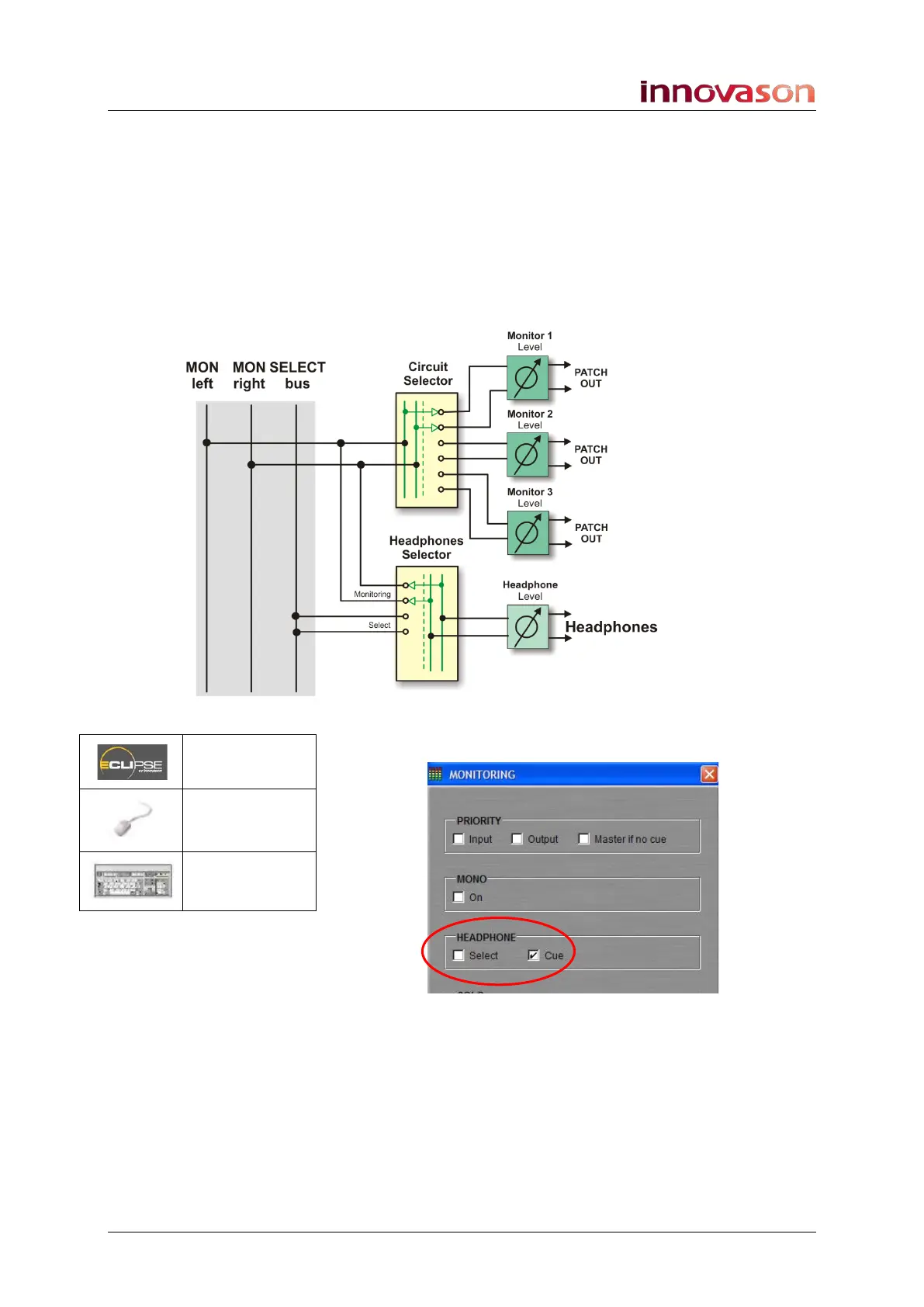
The Headphone circuit can receive either the stereo monitor
bus, or a Select bus as shown below:
This choice is made from the MONITORING preferences
window:
• Tick Cue to receive the Cue bus. In this mode, the
Headphones behave just like another monitor output
except there is no APL for output channels. When APL
is selected, the Headphones receive AFL.
• Tick Select and the Headphone circuit monitors
whichever channel is currently selected (SEL active).
The Select bus is mono and monitors the selected
channel pre-fader.
n/a
“UTIL ->
Monitoring”
n/a



 To Next Page