Chapter 5: Console Operation
Stereo Channels: Identifying Stereo Channels
Eclipse User Guide 2.0 185/ 526
Identifying Stereo Channels
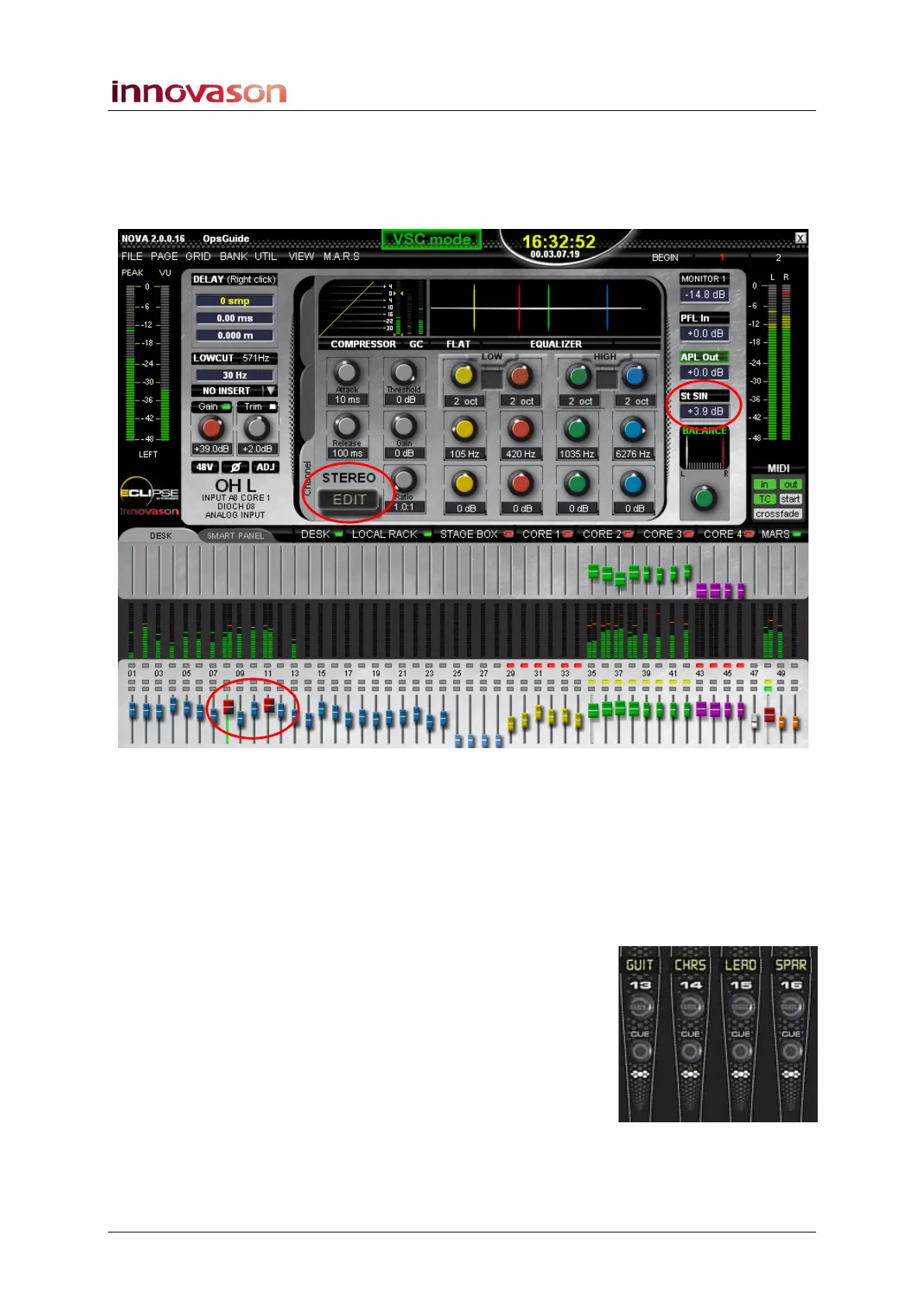
The quickest way to identify stereo channels is from the Main
Mix display:
• Selected Channel – if the selected channel is stereo,
then the text STEREO appears on the display, and the
channel type updates to St IN (stereo input), St AUX
(stereo Aux), St Mtx (stereo Matrix), etc.
• DESK or SMART PANEL overview – stereo faders are
wider than a mono fader, and stereo inputs are coloured
red and black. In addition, the VU metering is stereo. In
our example, input faders 8 and 11, Aux faders 35 to 38,
Matrix faders 43 and 44, and the Master Fader (48) are
stereo.
Also, on the console surface, if the channel has not been
renamed, then the default Labels are:
• SIN (stereo input).
• SAUX, SGRP, SMTX or SMST (stereo Aux, Group,
Matrix or Master).



 To Next Page