Chapter 5: Console Operation
VCAs
Eclipse User Guide 2.0 195/ 526
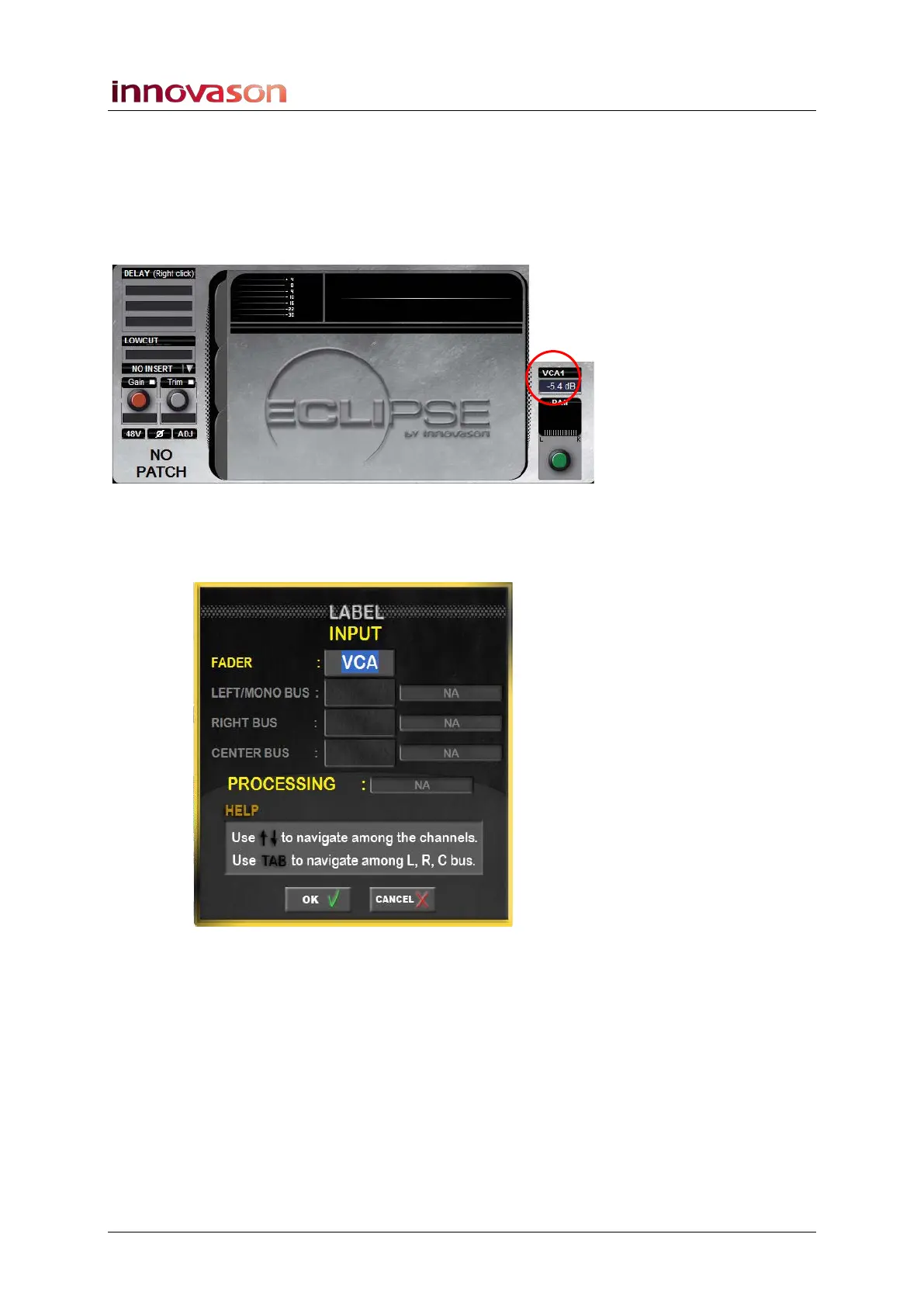
3. Select a VCA and notice how the Selected Channel
areas of the Main Mix display are blank.
A VCA controls level and MUTE only; you cannot apply master
control of EQ, Dynamics, etc.
The VCA level and Label are shown above the PAN area of the
display:
4. To change the VCA Label, select the VCA and press
[F3] on the console keyboard.
The Channel LABEL window appears:
5. You can enter a new 4-character Label from the
keyboard.
6. Confirm by pressing OK.
The new Label appears on the Fader strip, or Smart Panel
controller, and on the Main Mix display.



 To Next Page