Chapter 5: Console Operation
Talkback
Eclipse User Guide 2.0 219/ 526
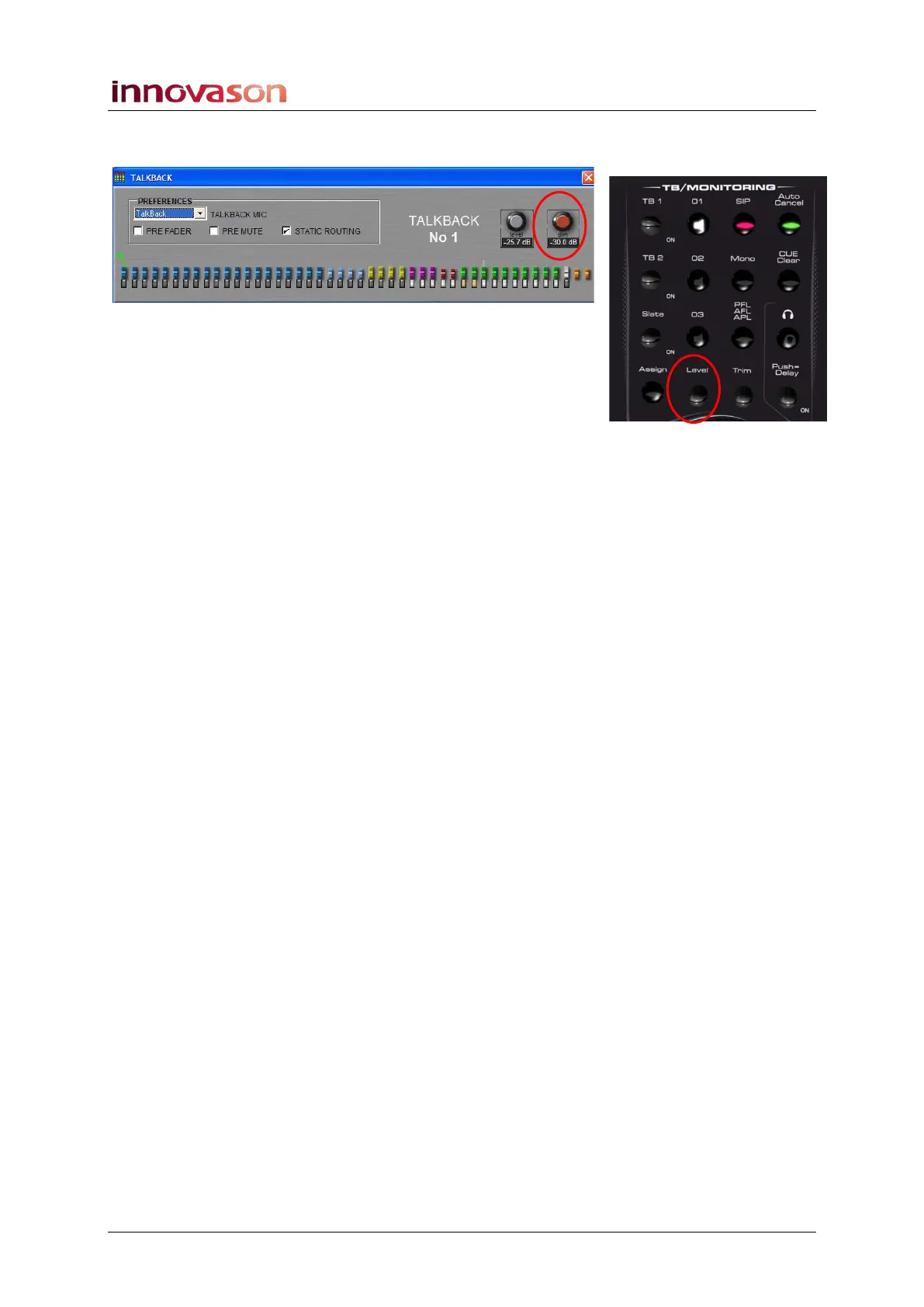
4. Turn the Level rotary control (normally monitor level), to
adjust the Dim level.
This sets the amount of attenuation applied to the mix bus when
talkback is injected.
5. Set the Talkback preferences as follows:
You can select any or all of these options:
• PRE FADER – Talkback is injected pre-fader. This
allows you to talk to busses even if one or several faders
are closed. For example, an audience announcement
would still be possible even if the faders are closed.
• PRE MUTE – Talkback is injected pre-mute. For
example, if you have muted an Aux feeding a wedge on
stage, you can still talk to the musician using this wedge.
• STATIC ROUTING – By default, this option is activated
so that any busses selected for TB1, TB2 and SLATE
are remembered. This means each time the control is
pressed, the prepared routing is recalled and
immediately active. Uncheck this box if you wish to have
a blank Talkback routing configuration each time you
press a talkback control.
6. As soon as you release the TB 1 control, talkback is
cancelled and the Level control returns to monitor level.



 To Next Page