Chapter 6: Console Configuration
The Patch Direct Display
262/ 526 2.0 Eclipse User Guide
On-screen Button Summary
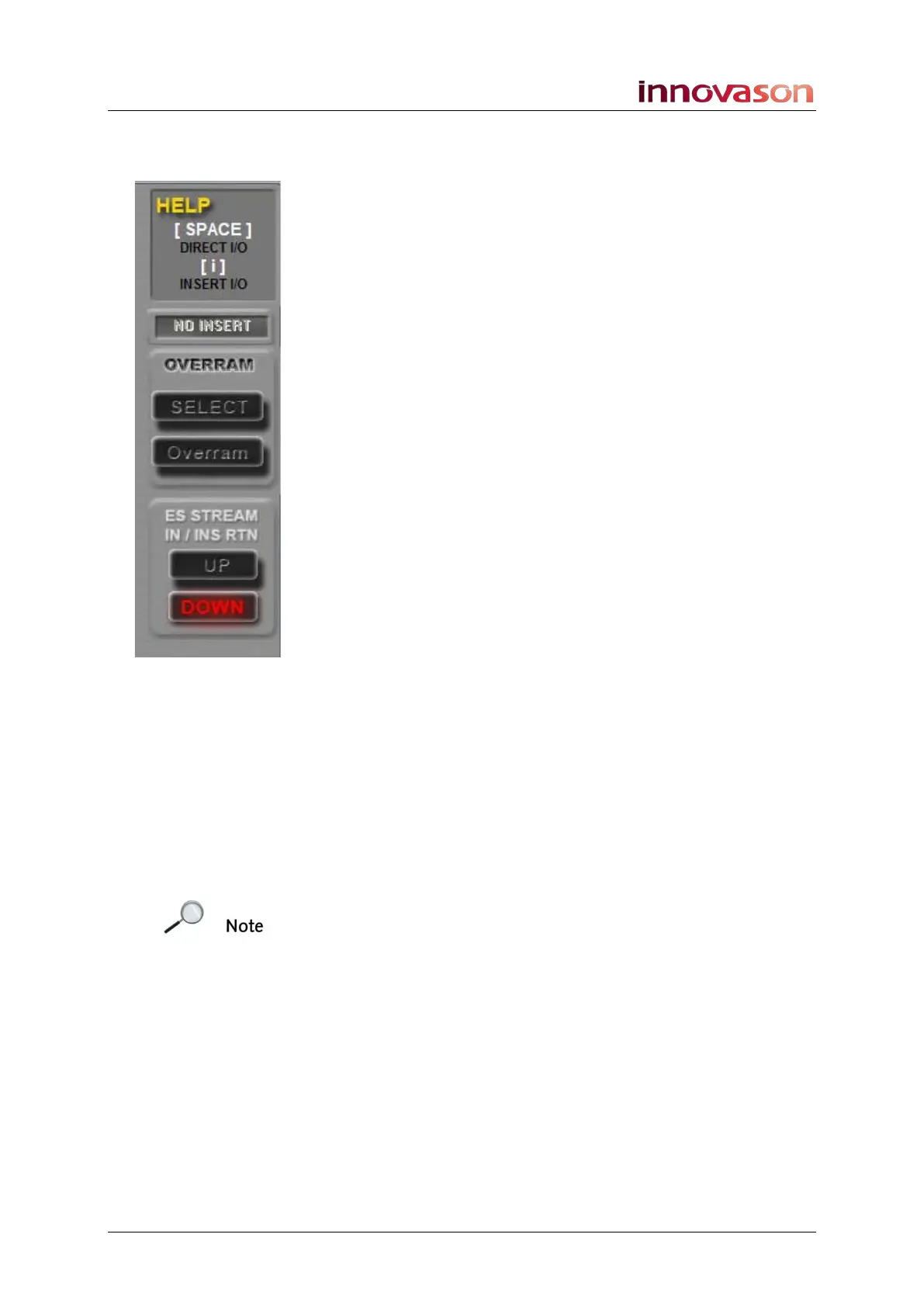
On the right of the PATCH DIRECT display are a number of on-
screen buttons. These perform the following functions:
HELP AREA
The HELP area provides useful help text on how to perform the
next operation. Or you can interrogate an on-screen function by
clicking on its yellow question mark.
INSERT
If the selected crosspoint is an insert, then its name is shown
here.
OVERRAM
Use the SELECT and Over Ram buttons to Over Ram patching
and IO settings into other Pages in RAM.
E.S. STREAM IN
This option is only available when the left DIO1 tab is selected,
and it defines the Ethersound streaming direction for the
selected source:
• UP = upstream
• DOWN = downstream
E.S. STREAM OUT
This option is only available when the top DIO1 tab is selected,
and it defines the Ethersound streaming direction for the
selected destination:
• UP = upstream
• DOWN = downstream
Note that the direction you choose depends on the
configuration of your Ethersound network. See Page 263 for
more details.



 To Next Page