Chapter 6: Console Configuration
User Defined Panel
Eclipse User Guide 2.0 323/ 526
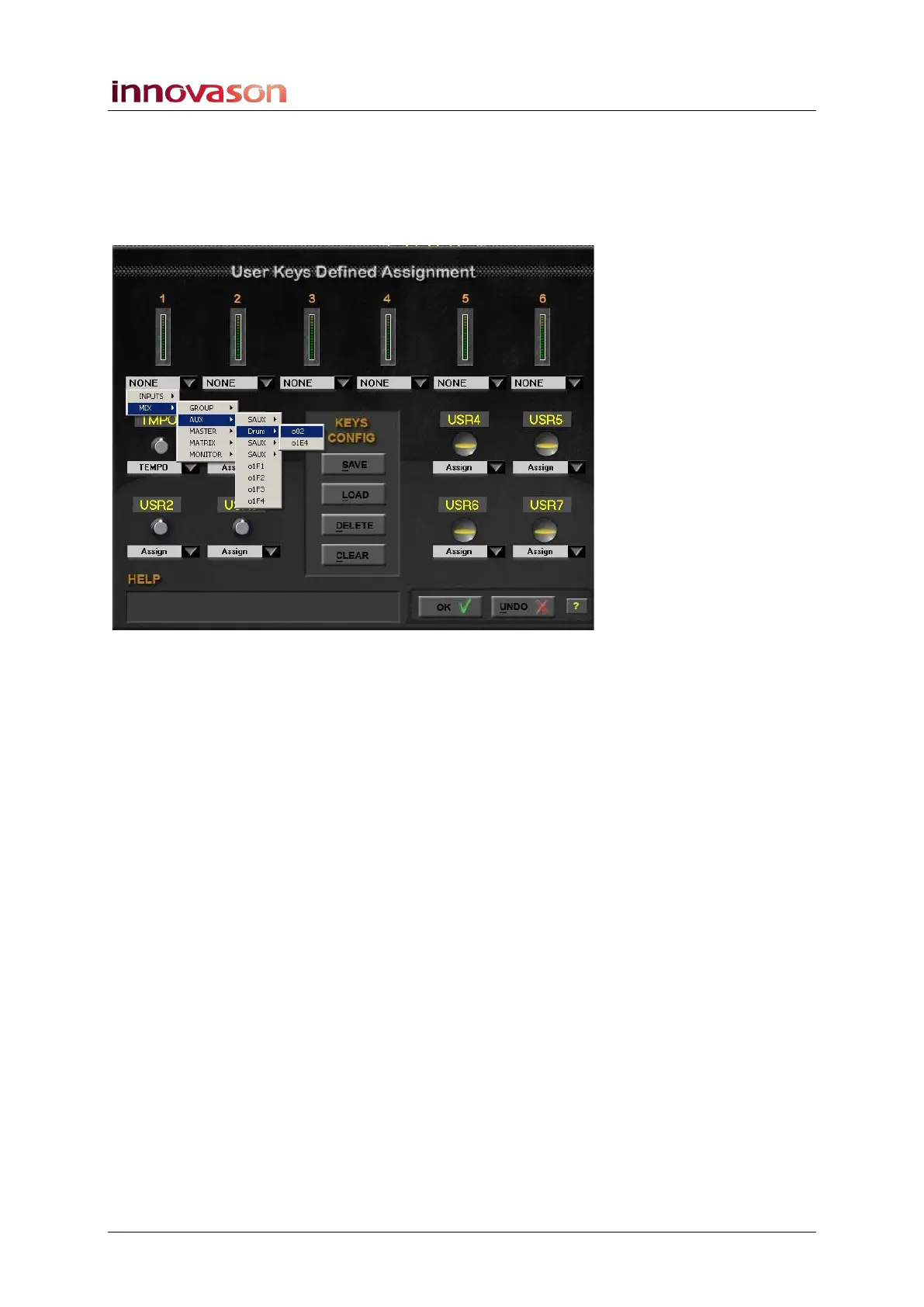
Assigning a VU Meter
Any of the six VU meters may be assigned to an input source or
mix bus (Aux, Group, Matrix, Master or Monitor):
1. Click on the arrow below the meter to reveal the options:
Inputs are divided into three source categories:
• MUXI – the Muxipaire inputs (at the rear of the console
or remote Stagebox).
• LINE – the 16 line level inputs on the DSP card at the
rear of the console.
• ES – Ethersound channels 1 to 64.
Mix busses provide access to the Group, Aux, Master and
Matrix busses configured within the Personal Console Builder
plus the Monitor bus.
If a mix bus is stereo, then you can select the left, right or
centre channel.
2. Select a signal and click to make the assignment.
3. Repeat to assign each VU meter.



 To Next Page