Chapter 7: Reset and Automation
Files and Pages
Eclipse User Guide 2.0 343/ 526
Data Structure
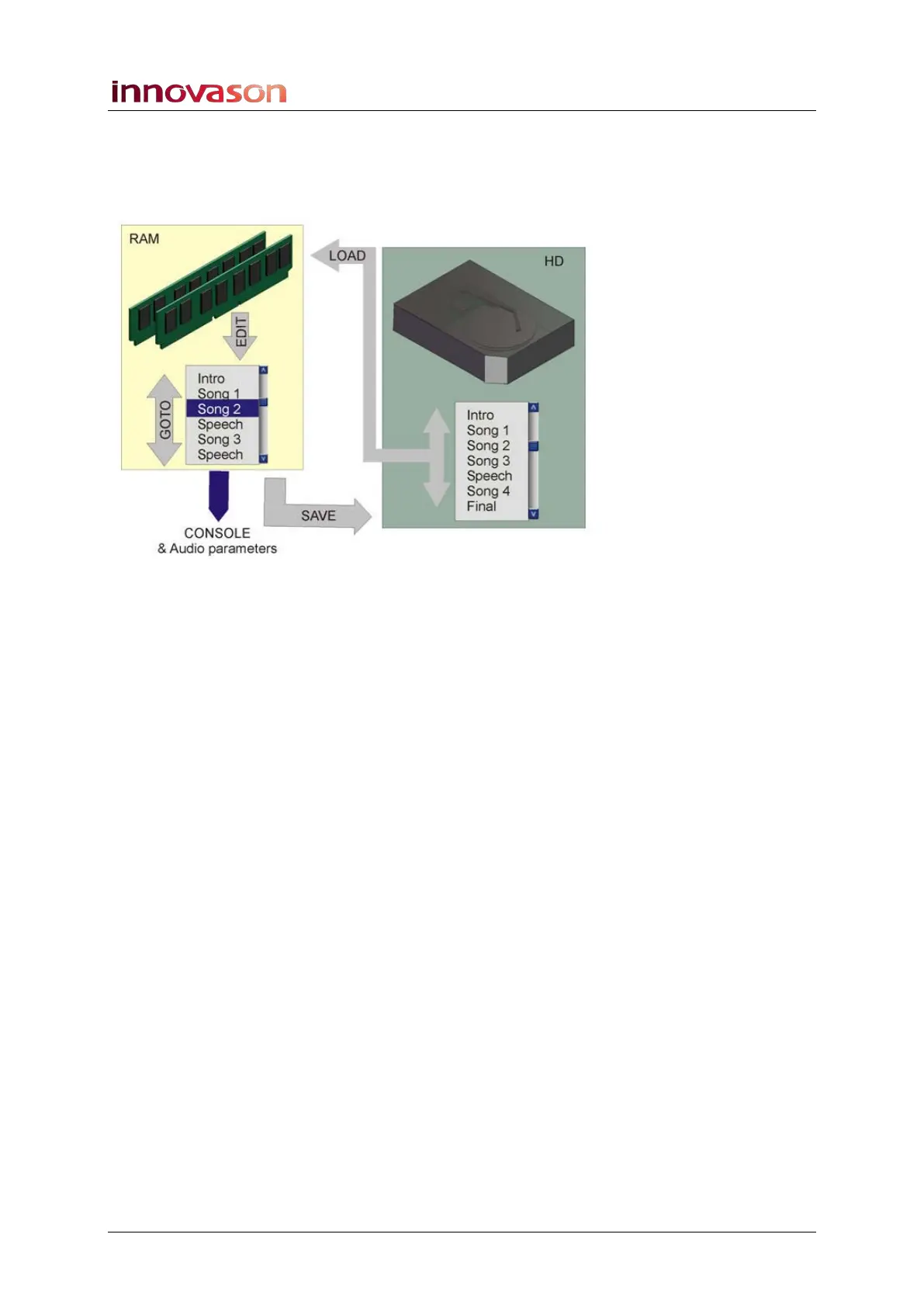
The Nova computer includes an internal hard disk (HD) and
memory (RAM) for storing and holding File and Page data:
Files are stored permanently on the hard disk (HD); each File
may contain up to 1000 Pages.
Each Page is a single snapshot of the console’s settings. The
Pages to be played out during a show are held in temporary
memory (RAM). The current Page is the console settings right
now – in our example, Song 2. When you update the console,
you update the current Page.
You can use the GOTO command to reset the console by
loading Pages held in memory.
To store settings permanently to hard disk you must use a
SAVE function:
• Save File – saves all Pages in RAM to the active File on
hard disk.
• Save Page – saves the current Page (in RAM) to the
active File on hard disk.
If you do not save the File or Page, and power off the console
or load a different File, you will lose the Pages in RAM.
To load settings from hard disk, you can choose:
• Load File – loads a File (all Pages) from hard disk to
RAM; the current Page resets the console. Note that this
function replaces the Pages held in RAM, so make sure
to save any Pages before you Load a File.
• Load Page – loads a single Page from the active File on
hard disk to RAM; this Page becomes the current Page
and resets the console. Note that this function replaces
the current Page held in RAM.



 To Next Page