DACS-W Operation Manual 8 ADDITIONAL FUNCTIONS
8-21
8.4.3 System Configuration Setting
Settings for rejector type and option activation, as well as the other system operation shown below are
entered via this menu.
8.4.3.1 Weight Display
This item sets weight display during production.
Set this parameter as described below.
The following weight values can be displayed during operation.
• Absolute value: The actual weight is displayed.
• Deviation value: The degree of deviation from the reference value is displayed.
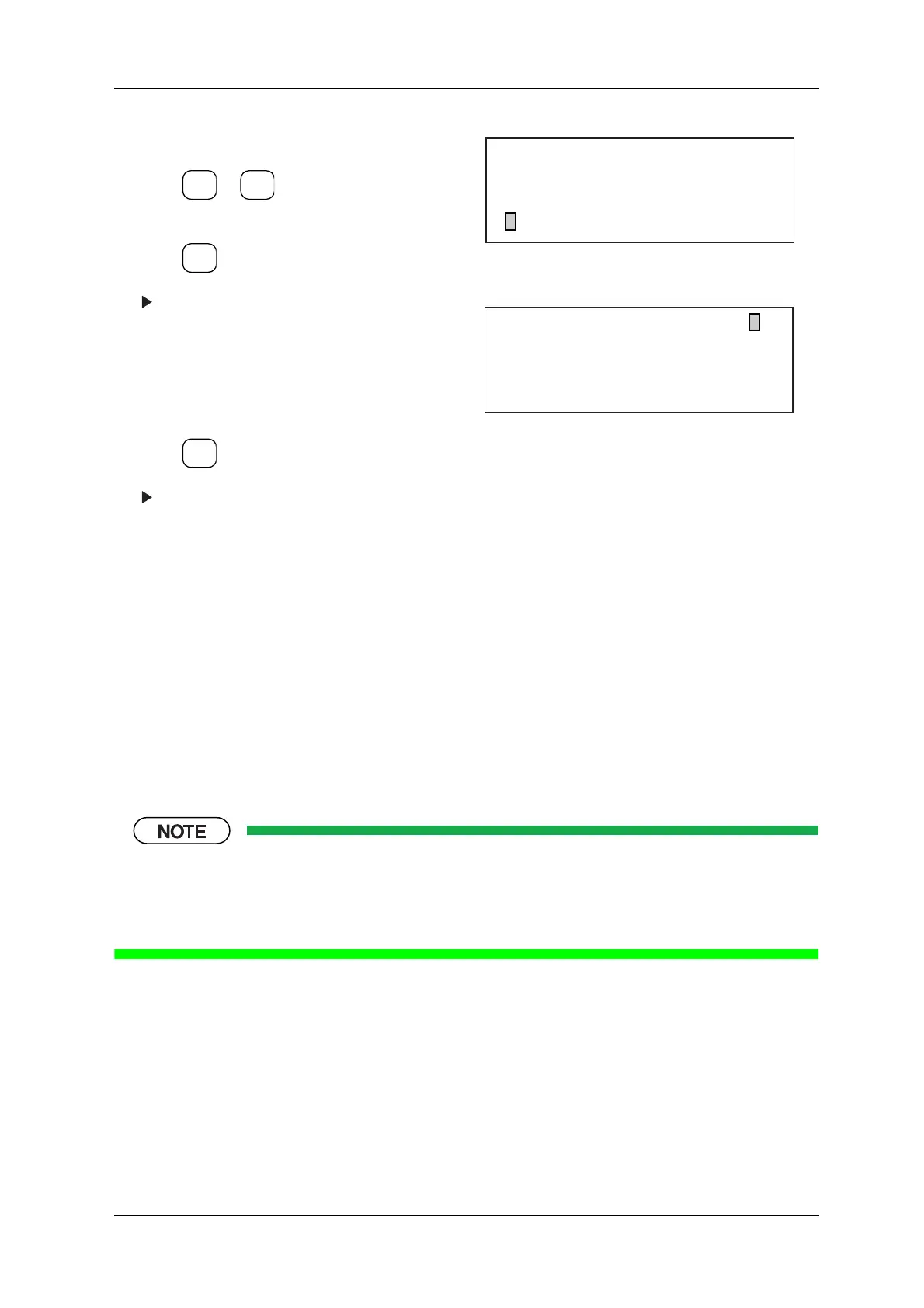
1. Display the Reject Setting menu.
2. Press or to align the cursor with
"Cont. N/G Output Sig.".
3. Press .
The Cont. N/G Output Sig. menu appears.
4. Set the output signal via the ten-key pad.
An asterisk (*) will appear below the set item.
5. If this item is reset, the asterisk will disappear.
(Setting cleared)
6. Press .
The setting for this parameter will appear on
the Reject Setting menu.
Figure 8-49 Reject Setting Menu
Figure 8-50 Cont. N/G Output Sig. Menu
ENTER
▼
▲
SELECT
ITEM
EXIT
[Reject Setting]
* Reject Buzzer ON Time 0 ms
* Continuous N/G Stop ON
* Cont. N/G Output Sig. OFF
[Cont. N/G Output Sig.]
Signal No. : 1 2 3 4 5
Output Pattern :
No.5 : Reject Buzzer Signal



 To Next Page