DACS-W Operation Manual 9 PERIODIC MAINTENANCE
9-3
9.4 Maintenance and Inspection Procedures
9.4.1 Printer Paper Replacement
When the printer paper is depleted, the message appears on the RCU display indicating "Printer no
paper".
To replace the roll, proceed as shown below.
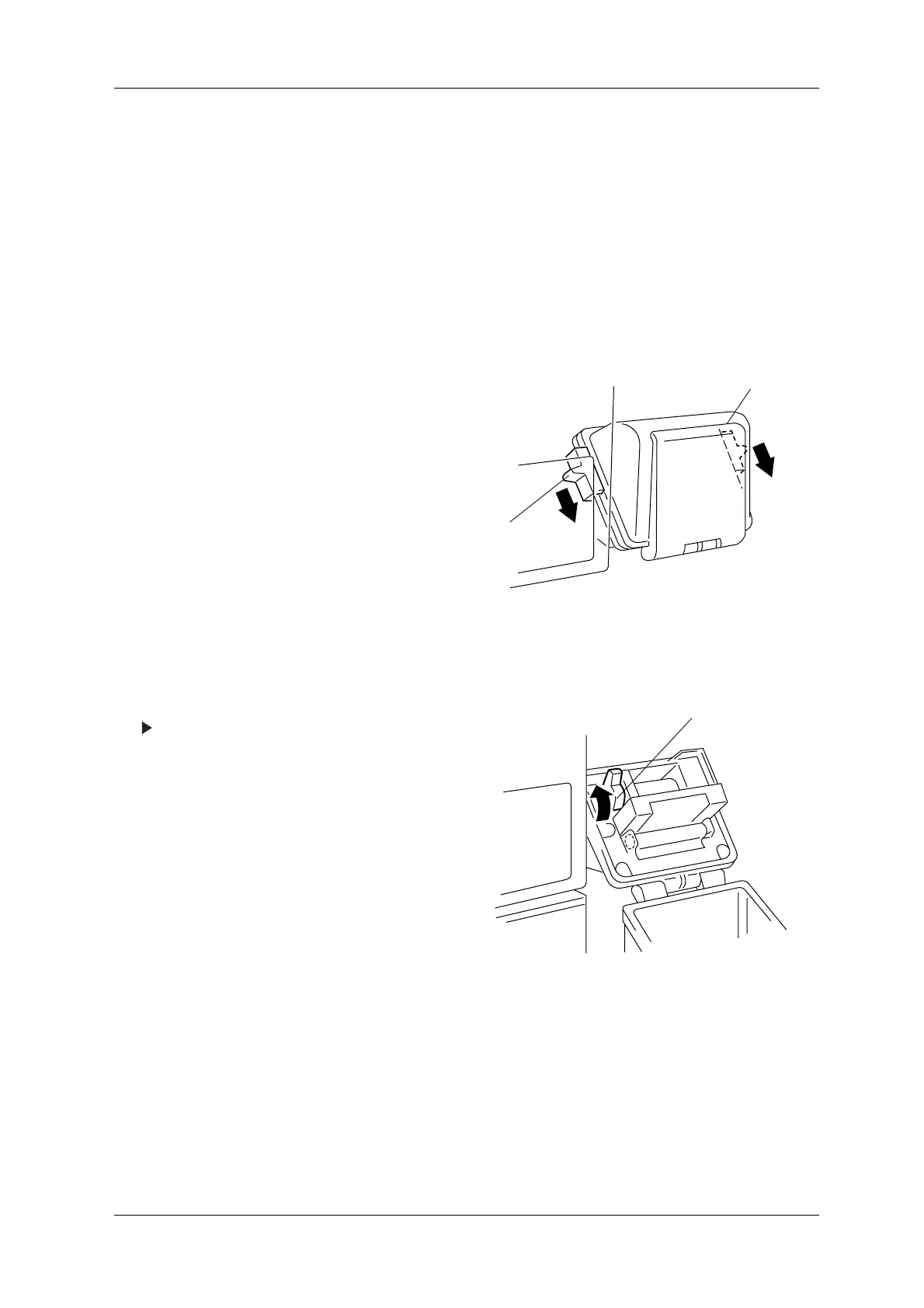
1. Slide the cover fastener downwards.
2. Open the cover.
Figure 9-1 Printer External View
3. Lift the lever.
The printer head shifts to the raised position.
Figure 9-2 Printer Internal View
PRINTER COVER
FASTENER
LEVER



 To Next Page