DACS-W Operation Manual 6 PRODUCTION
6-5
6.5 Checkweigher Production
6.5.1 Preset
For a new product, set the weighing parameter of the product. (See 5.6.1)
When the preset of the product has been set beforehand, follow the procedure shown below to select
preset No.
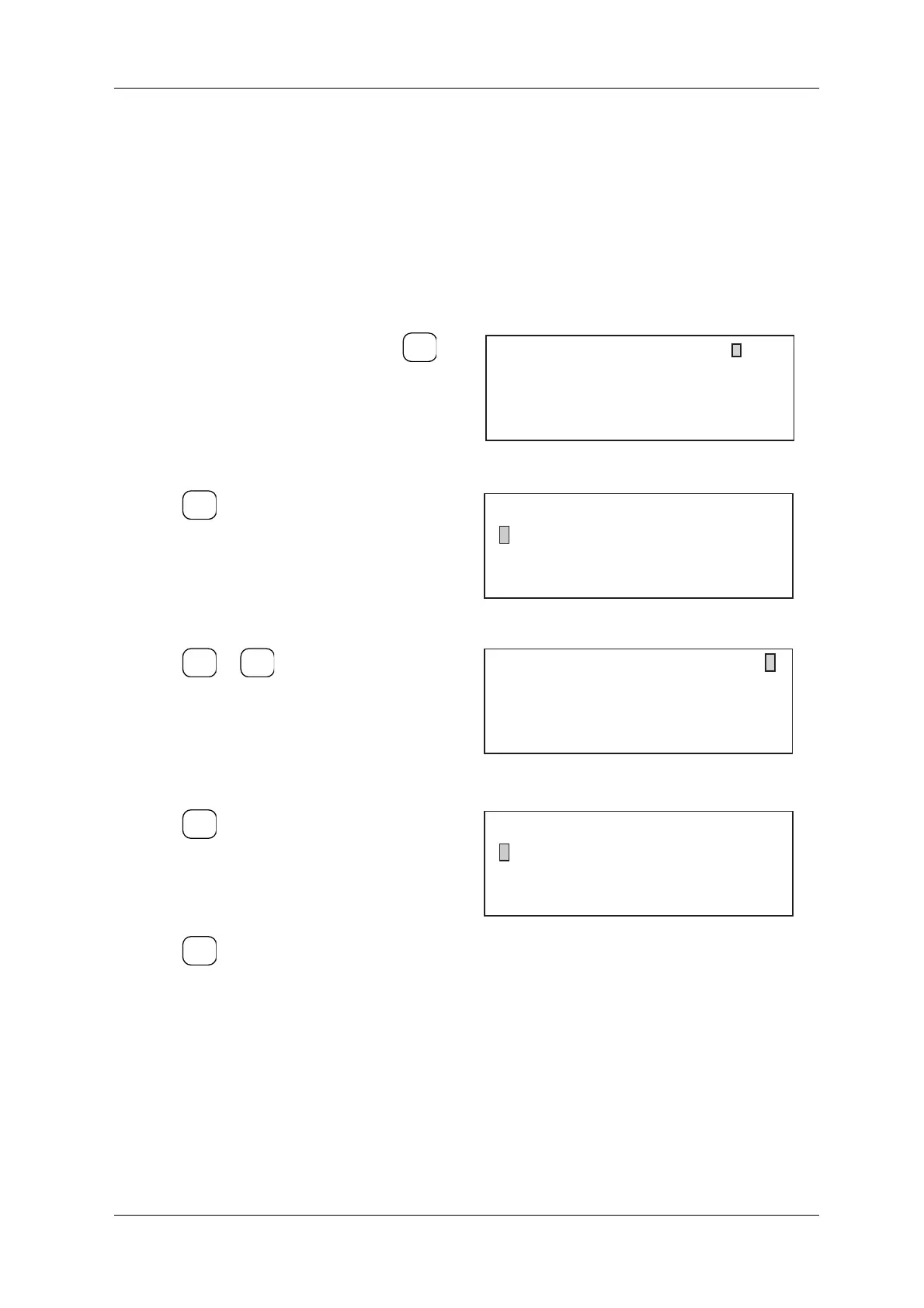
1. In the production standby menu, press .
The Setup Menu appears.
Figure 6-5 Production Standby Menu
2. Press .
The Preset Number menu appears.
Figure 6-6 Setup Menu
3. Press or to switch Preset Number
menu displays and search for the required
preset number.
4. Set the desired preset number.
The Setup Menu appears.
Figure 6-7 Preset Number Menu
5. Press .
The standby menu for the selected preset
appears and preset number selection is
complete.
6. Press again to display the production
standby menu.
Figure 6-8 Setup Menu
SET
UP
No.2
0.0
g
REF WT
UPPER + 1.0 g
LOWER - 1.0 g
100.0 g
Candy
SELECT
ITEM
[Setup Menu]
* Preset 0
* Access Level Change Level 0
ENTER
▼
▲
[Preset Number]
0: 80.0 Candy 4:300.0 Chocolate
1: 90.0 Candy 5:120.0 Chocolate
2: 100.0 Candy 6:200.0 Gum
3: 100.0 Cookies 7:150.0 Gum
Enter Preset No.
2
EXIT
EXIT
[Setup Menu]
* Preset 2
* Access Level Change Level 0



 To Next Page