6 PRODUCTION DACS-W Operation Manual
6-6
6.5.2 Production Start and Stop
<When Weight Is Incorrectly Displayed>
When an incorrect weight is displayed when production starts, proceed as follows.
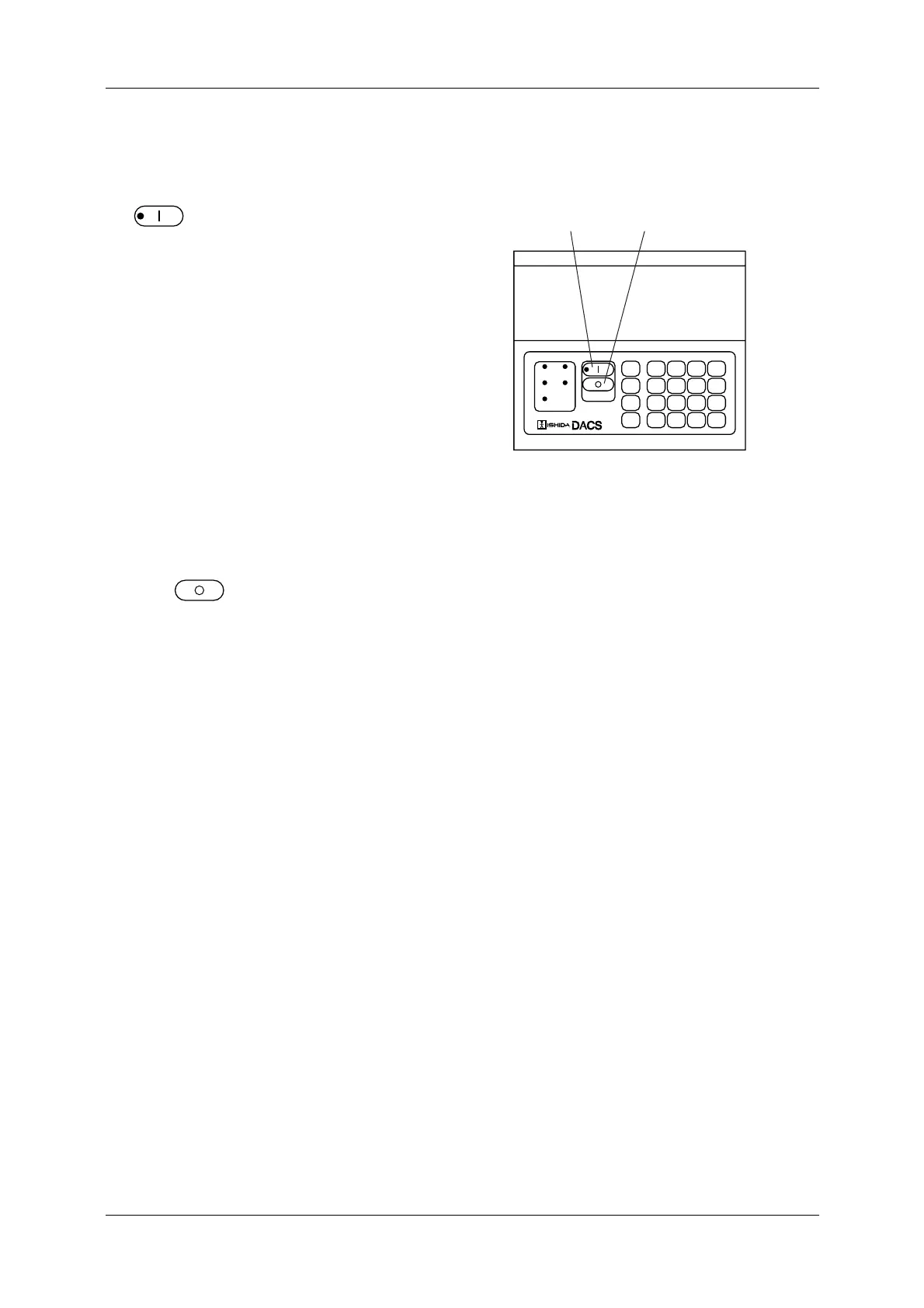
1. On the production standby menu, press
.
The START lamp (green) lights and the
checkweigher starts production.
2. Place one product pack on the infeed conveyor.
The pack is advanced to the weigh conveyor
and weighed.
3. Confirm that the displayed weight is correct.
4. If it is correct, start the product infeed.
If incorrect, follow the procedure shown
below:
<When Weight Is Incorrectly Displayed>
5. To stop the checkweigher production, stop the
product infeed.
6. Press .
The START lamp goes out and production
stops.
Figure 6-9 Operation Panel
OVER
PROPER
DYNAMIC
CALIBRATE
NET
UNDER
CONVEYOR
SET
UP
INFO
PRINT
7
4
1
0
8
5
2
.
9
6
3
C
EXIT
▲
ENTER
▼
DIGITALAUTOMATICCHECKINGSYSTEM
→0←
SELECT
ITEM
START KEY
STOP KEY



 To Next Page