Diagnostic information 2-123
5062
Jam clearance cover open (550-sheet/2000-sheet input option) service check
Step Questions / actions Yes No
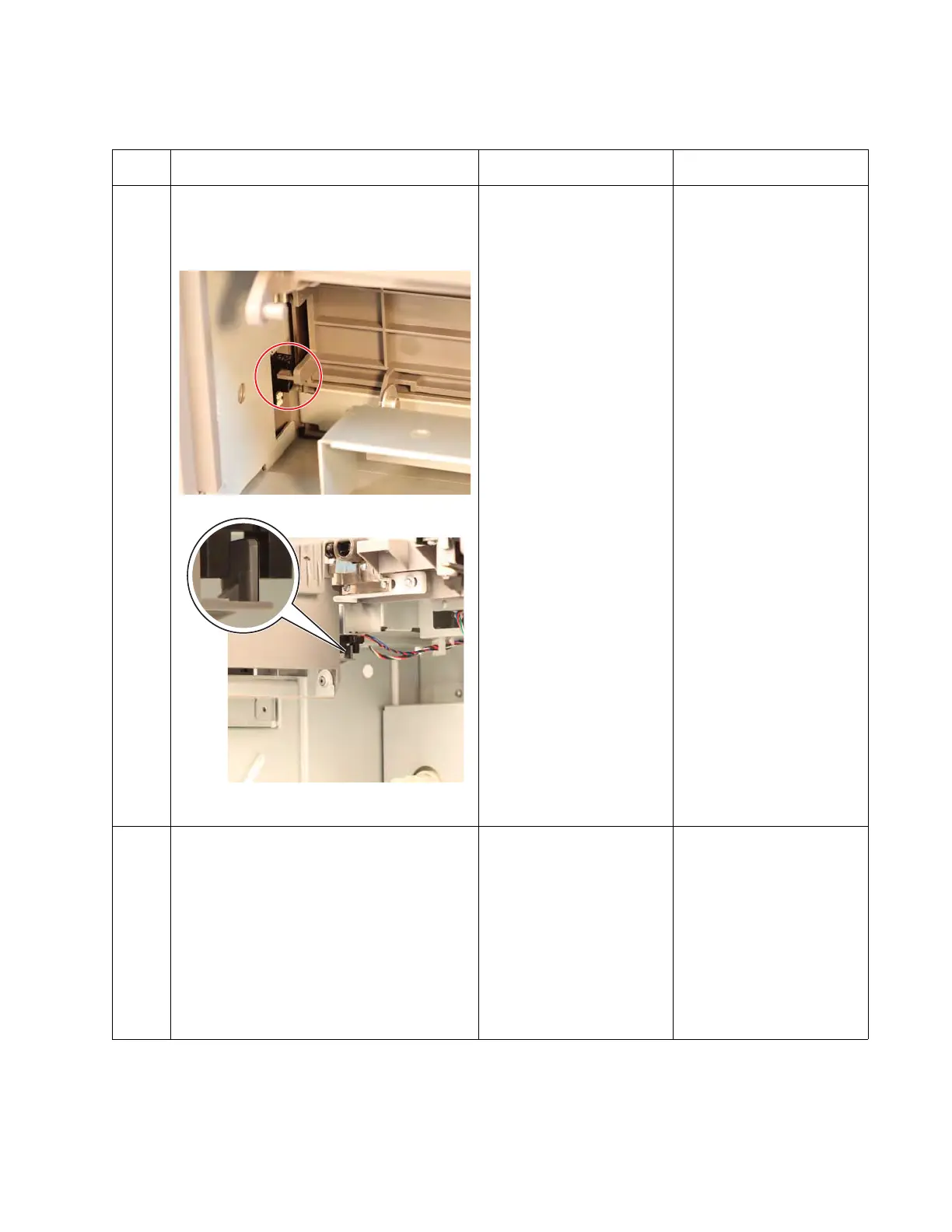
1 1. Check if the jam clearance cover can
close properly.
2. Check if the jam clearance cover friction
lock is not retracted.
• For 550-sheet input option:
• For 2000-sheet input option:
Did the jam clearance cover close
properly?
Go to step 2. For 550-sheet input option:
Replace the drawer
assembly. See “550-sheet
drawer assembly
removal” on page 4-155.
For 2000-sheet input
option: Replace the jam
clearance cover. See
“2000-sheet high-
capacity feeder jam
clearance cover removal”
on page 4-183.
2
Check if the jam clearance cover flag is
broken.
Is the jam clearance cover flag not
damaged?
Go to step 2. For 550-sheet input option:
Replace the drawer
assembly. See “550-sheet
drawer assembly
removal” on page 4-155.
For 2000-sheet input
option: Replace the jam
clearance cover. See
“2000-sheet high-
capacity feeder jam
clearance cover removal”
on page 4-183.



 To Next Page