4-268 Service Manual
5062
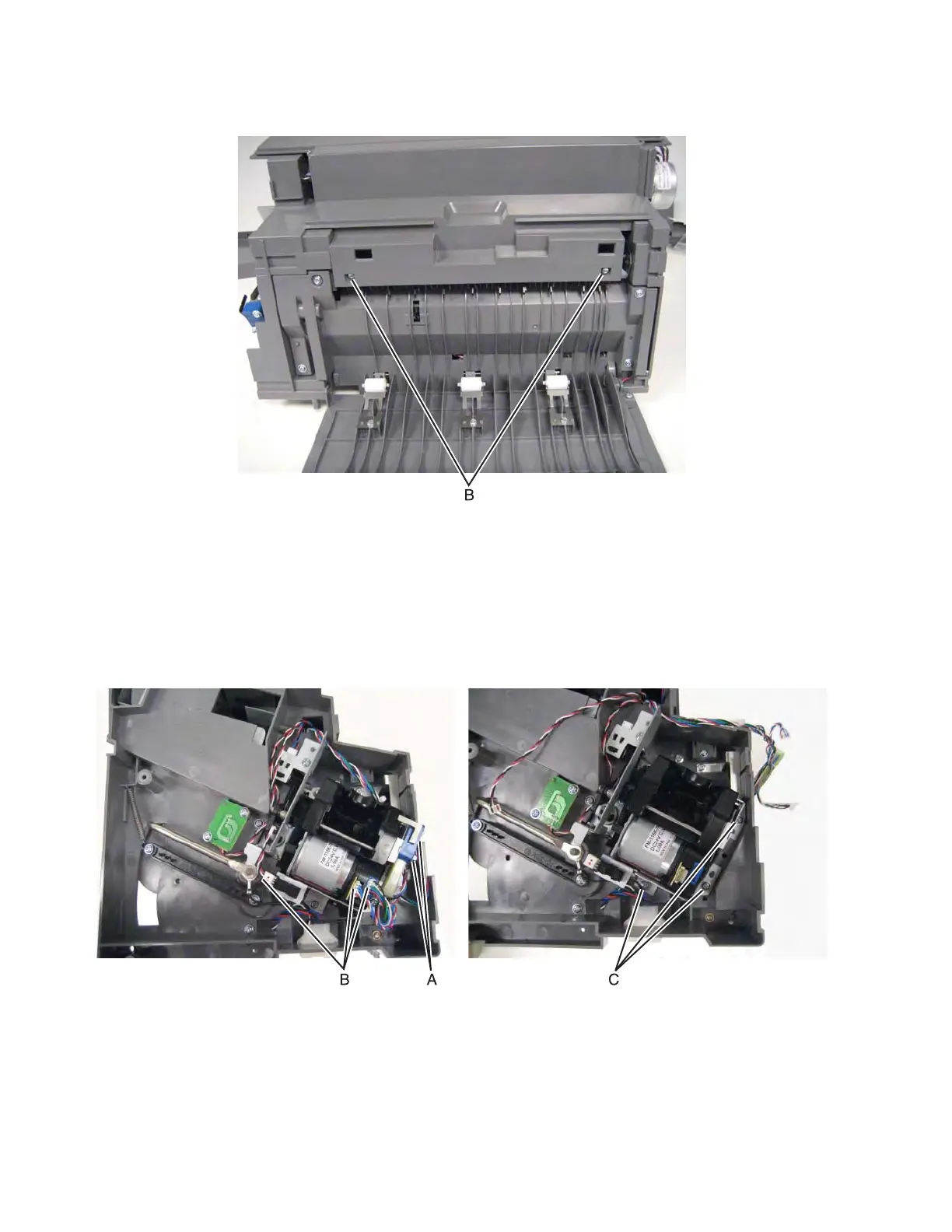
6. Remove two screws (B).
7. Pull up to remove the top cover.
Finisher stapler unit assembly removal
1. Remove the finisher from the printer.
2. Remove the finisher rear cover. See “Finisher or stacker rear cover removal” on page 4-257.
3. Remove two screws (A) to remove rear cable from the stapler unit assembly, and then remove the other
three cables (B) attached to the assembly.
4. Remove the three screws (C).
5. Remove the stapler unit assembly.
Installation note: Be sure to secure the ground cable with the front screw.



 To Next Page